
WoWship – All-in-one Freight & Shipment Management Suite
by Viindoo
Logistics workspace
WoWship – All-in-one Freight & Shipment Management Suite
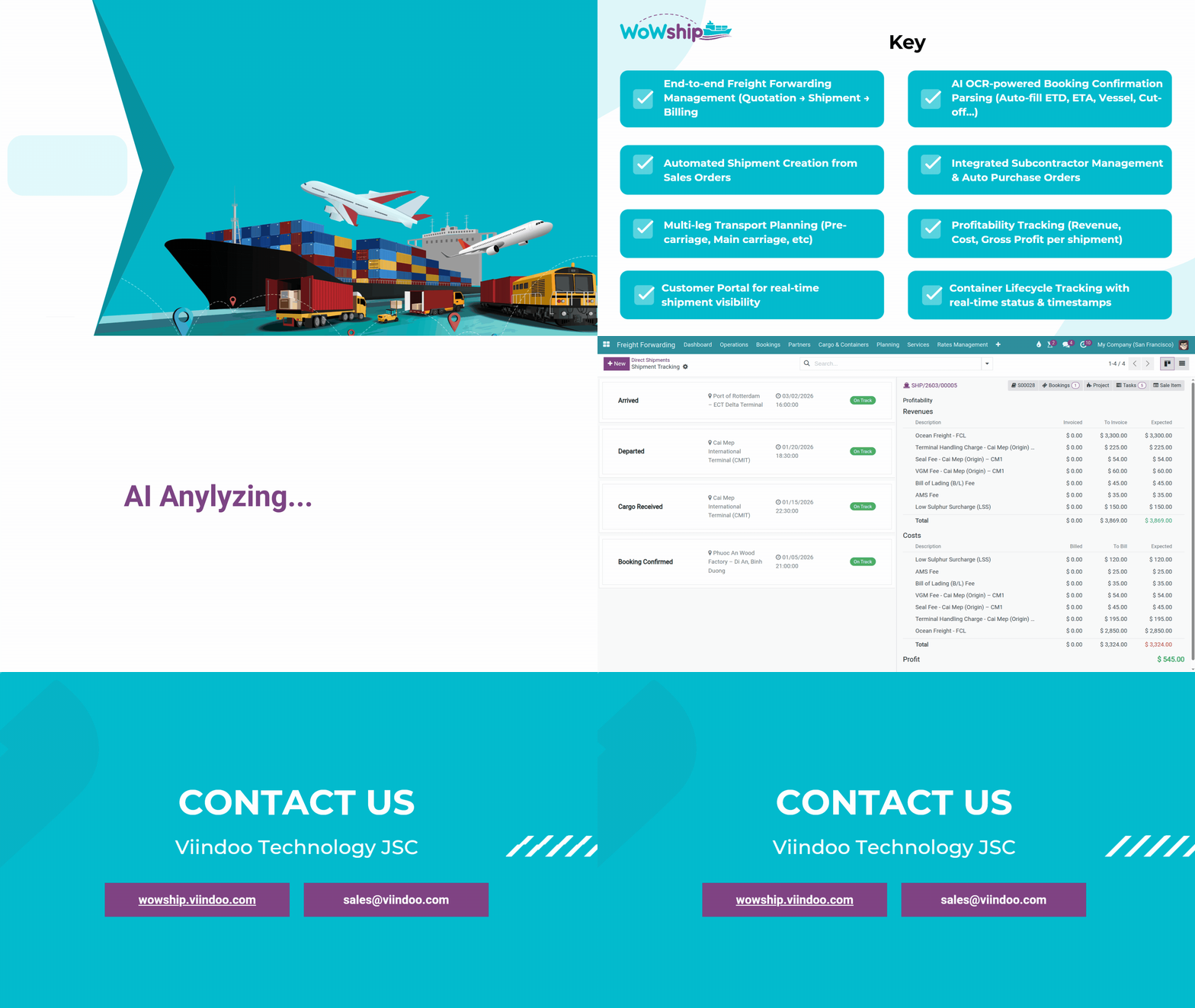
End-to-end freight operations: multi-modal shipments (Sea FCL/LCL, Road), LCL consolidation, tracking timeline, map view, OCR document parsing, supplier pricelist, profitability sidebar, and customer portal — all in one unified platform

Key capabilities
Manage Ocean (FCL/LCL), and Road in a single shipment — with built-in LCL consolidation, auto container/package logic, and seamless multi-leg routing.
Track ETA vs reality, detect delays instantly, and visualize shipment movement across routes with timeline + map — no blind spots.
Extract shipment data from PDFs, invoices, and docs with OCR. Reduce manual input and accelerate operations with AI-powered parsing.
Manage shipment execution with task tracking, Gantt planning, and timesheets — ensuring every leg is delivered on time.
Manage supplier rate cards, apply dynamic pricing, and execute operations on behalf of partners — all tied directly to shipment profitability.

Freight Management Overview
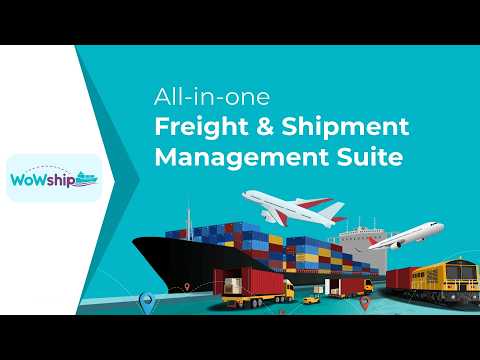
Intro video: see how shipments are created, bookings confirmed, milestones tracked, and status shared with customers in minutes.
Benefits
Built for forwarders who want to scale operations, control margins, and outperform competitors.
Unify Operations
Replace disconnected tools with one operational backbone for consistent, accurate, and scalable shipment execution.
Real-Time Visibility
Get real-time shipment and delay visibility to make faster decisions and improve customer service reliability.
Margin Control
Control revenue, costs, and surcharges per shipment to protect margins and prevent hidden losses.
Scale Efficiently
Automate data entry and workflows so teams can handle more shipments without proportional hiring.
Operate fast, never miss a step
| Without | With Viindoo Freight | |
|---|---|---|
| Tracking | Excel sheet per shipment, no live status | Kanban + map view, real-time across all legs |
| Customer updates | Email back-and-forth for every ETA update | Customer portal — self-serve ETA & docs |
| Documents | Copy-paste BL / SI into Word by hand | OCR auto-fills BL / SI in 30 seconds |
| B/L management | Separate files for HBL and MBL | One screen: HBL / MBL management and printing |
| Profitability | No visibility into shipment margin | Profitability sidebar on every shipment |
Master Data & Operations — Create Once, Run Everything
App Menu & Kanban — all shipments at a glance The main shipment menu gives you list, Kanban, and map views in one click. Switch to Kanban to see every active shipment as a card — stage, carrier, ETD, and customer visible without opening the form.


Sea · Road on one shipment form Single-leg or multi-leg routes — POL, POD, carrier, vessel, ETD/ETA, containers all in one place. No switching between systems.

Cargo, route — all inside the shipment Dedicated tabs for cargo details and multi-leg route configuration — everything in one form, nothing split across separate records.


One shipment → multiple bookings in seconds Stop retyping the same shipment details into separate booking forms. Generate all bookings from the shipment — carrier, schedule, containers auto-filled.


Master data — preloaded, ready to use from day one Ports, geo routes, cargo templates, HS codes, DG classes, and UN numbers are structured and reusable. Less setup time, more consistency across all shipments.


Sales Process — From Quotation to Confirmed Shipment
Confirm the sale — Shipment and project are created instantly after sale confirmation Sales closes the deal. Operations gets the task automatically — shipment pre-filled with carrier, schedule, cargo, and assigned to the right team. No email handoff, no duplicate entry.

Vessel Schedule on Quotation Search and select a sailing directly on the quotation — carrier, vessel name, voyage number, ETD, POL, POD auto-populated. On confirmation, all fields carry over to the shipment. No double entry.
Search and select a scheduled vessel directly on the quotation line — system looks up the voyage schedule and fills carrier, ETD, POL, POD automatically.
Add the vessel schedule as an optional product on the quotation — sales rep selects the schedule from a dropdown before confirming the order.

Enter origin, destination & date range — then search Fill in POL, POD, and optionally a departure date range. The system queries all available schedules matching the criteria — no need to contact each carrier separately.

All available sailings — ETD, ETA, surcharges & price in one view Results list every vessel matching the search: carrier, vessel name, voyage number, ETD, ETA, transit time, applicable surcharges, and freight price. Select the best sailing and apply it to the quotation.


Accounting — Invoicing, Collect & Disburse
Shipment charge — enter buy & sell rates on the shipment The charges tab on the shipment holds all freight cost and revenue lines — freight, surcharges, and collect amounts. These lines are the single source of truth for invoicing and profitability calculation.

Create customer invoice or vendor bill — directly from the shipment Once charges are entered, create a customer invoice or vendor bill in one click from the shipment form — no need to go to the accounting menu. Charge lines are pre-filled automatically.


- Sell-rate charge lines pre-filled from shipment
- Post and send to customer in one step
- Buy-rate charge lines pre-filled from shipment
- Linked to shipment — costs tracked in profitability sidebar
Define collection partners directly on the sales order Select who to collect from and who to disburse to right on the SO — before confirming. These partners carry over to the shipment automatically, keeping collect/disburse flows clearly separated from your own revenue.

Create invoice from shipment charges Invoice lines are pulled directly from the shipment charge tab — freight, surcharges, collect lines all pre-filled. Confirm and post to accounting in one click.

Collect from customer — register payment in accounting Collect is a payment registration in Odoo Accounting — the system matches the outstanding invoice, records the journal entry to the correct account, and marks the shipment billing status as paid automatically.


Disburse to vendor — register vendor payment in accounting Disburse is a vendor payment in Odoo Accounting — the system suggests the outstanding vendor bill, posts the payment to the correct account, and reconciles automatically. No manual journal entries needed.


LCL Consolidation — Auto-split MBL Costs
Create the consolidation shipment Create a master shipment for Sea LCL groupage and load house BLs into it. Manage MBL/HBL relationships in one place without manual spreadsheets.
- Create master shipment, load multiple HBLs
- Auto cost allocation wizard per CBM/weight
- Outturn report & deconsolidation wizard


Master shipment: all house BLs at a glance The master form lists every house loaded into it — shipper, consignee, weight/volume, and billing status in one table. Add or remove houses before cut-off without rebuilding anything.


House shipment receives charges from master Run the cost allocation wizard — the system splits MBL freight charges across each house by CBM, weight, or custom ratio. Each house shipment shows its allocated charge lines ready for invoicing. No Excel, no manual calculation.

Freight Document Management & Printing — No More Copy-Paste into Word
Document folder created automatically per shipment Every new shipment gets its own document workspace — prebuilt folders, tags, and filing rules. BL, booking confirmation, customs docs — always organized, never lost.


Print custom freight documents — HBL, MBL & more Configurable print templates for freight documents such as HBL, MBL, packing list, delivery order, and related forms. Each template pulls data directly from the shipment — no copy-paste, no Word files.


Print or email booking request to carrier Send a booking request to the carrier directly from the booking form. Carrier, vessel, voyage, ETD/ETA, container, and cargo pre-filled from shipment.

OCR & AI Document Parsing — Upload a PDF. Fields fill themselves. Your staff spends 15–20 minutes retyping one booking confirmation. OCR reads the document and populates carrier, vessel, ETD/ETA, ports, and cargo fields in seconds — then you just review and confirm.
Carrier, vessel, voyage, ETD/ETA, POL/POD, booking reference — auto-filled.
Shipper, consignee, cargo description, container number, freight terms — extracted.

Shipment Task Management — Gantt, Tasks & Timesheets
Gantt view — all shipment tasks, one timeline See every task across every active shipment on one Gantt chart. Spot overdue tasks, shift deadlines, assign team members — without leaving the screen.

Filter tasks by shipment stage Task list can be filtered by shipment stage — see only tasks at booking, in-transit, or customs stage. Assign responsibilities per leg and track progress without switching between screens.

Dashboard — Real-time Freight Insights
Dashboard — KPI freight performance at a glance Spreadsheet-powered KPI dashboards show freight revenue by route, margin per shipment, volume by transport mode, and team performance — updated in real time. No waiting for month-end reports.


Reports — shipment list with margin & billing status Built-in shipment reports show revenue, cost, margin, and billing status per shipment — filterable by route, carrier, customer, or period. Know which shipments are profitable and which are pending invoice.


Tracking Timeline & Customer Portal — Zero "Where's My Cargo?" Calls
Track every shipment milestone on a live timeline From booking confirmed to cargo delivered, each milestone is updated in one tracking flow. Delays and stalled shipments are visible immediately, so ops teams do not need to compile manual status reports.


Dashboard and map update instantly with each tracking event When your team marks a shipment as departed, arrived, customs cleared, or delivered, the tracking dashboard and map view refresh in real time. Management sees the live status of active shipments, route progress, and exceptions without asking the ops team.


Tracking timeline, map view + self-service customer portal Customers track their own cargo through the tracking timeline, interactive map view, and self-service portal. Share a portal link and they see live status, milestone history, documents, and charges at any time.
- All active shipments plotted on geo routes
- Distance and transit-time data per lane
- Filter by transport mode, stage, carrier, or team
- Live status, milestone history & document access
- QR code scan for instant package confirmation
- Charges and payment status visible to shipper

Shipment Templates — Set Up Once, Reuse Forever
Set up once, reuse forever Regular customers ship the same cargo every month. Create a cargo template with container type, weight, dimensions, and HS codes — then generate in one click each time.

Stages, tasks & charges — generated from template, no re-entry needed A shipment template pre-defines the milestone stages, task list per team, and default charge lines. Apply the template when creating a shipment — the full structure is set up instantly, ready for the ops team to fill in the actual details.

Demo: from quotation to closing
DemoWatch how we create shipments, confirm bookings, parse documents with OCR, track milestones, and share status with customers in minutes.
Read the user guide
Explore the live demo
Feature highlights
Pre-Sales Question
Need help before purchasing? Share the module name, Odoo version, edition (CE/EE), and your question. Attach screenshots if possible.
sales@viindoo.comSupport
For assistance, include your order number, issue description, steps to reproduce, and images or videos that replicate the problem.
apps.support@viindoo.comTechnical requirement
17.0 or higher
viin_freight_road, viin_freight_document_parsing, viin_freight_sale_onbehalf, viin_sale_onbehalf_vendorprice, viin_freight_sale_purchase, viin_document_freight_consol, viin_freight_gantt, viin_logistics_cargo_template, viin_spreadsheet_dashboard_freight, l10n_vn_viin_freight_project, to_account_accountant
Community Edition and Enterprise Edition
OPL-1 (Odoo Proprietary License)
Changes log
17.0.0.1 - 2025
- Initial release for Odoo 17 — full rewrite on top of the new logistics shipment architecture.
- Multi-modal support: Sea FCL/LCL and Road with truck assignment; LCL consolidation groupage.
- OCR / AI document parsing: Booking Confirmation, Shipping Instruction, BL — configurable templates per carrier.
- Kanban tracking timeline, map view of logistics shipments, customer self-service portal with QR scan.
- Supplier pricelist integration: manage buy and sell rates side-by-side with vendor comparison wizard.
- Project + Gantt + timesheet costs rolled into shipment profitability sidebar.
- On-behalf collection and disbursement with automated reconciliation suggestion.
- Spreadsheet KPI dashboards covering freight sales, logistics routes, and project performance.
- Full accounting integration: period locking, analytic posting, and profitability reporting.
Works Great With These Modules
Combine the freight suite with these Viindoo apps for even more automation and communication power.

Zalo Integration
Send shipment status updates, booking confirmations, and ETD/ETA reminders to customers and partners directly via Zalo — no email required.

Workflow Automation (BPMN)
Design and automate freight business processes with a visual BPMN engine — auto-trigger tasks, approvals, and notifications at every shipment stage.

Approvals
Add multi-level approval flows to quotations, shipments, and purchase orders — ensure every freight decision is reviewed and authorized before execution.
Who Should Use This Module?
For forwarders of any size running international or domestic routes who need repeatable execution and full visibility.
FCL and LCL shipments with consolidated visibility and HBL/MBL printing.
Trucking with driver/vehicle assignment, border crossing data, and delivery notes.
Combined sea and road legs in one shipment with end-to-end operational visibility.
Cross-border logistics with HS code, DG class, customs document management.
Full profitability per shipment, collect/disburse reconciliation, and accounting integration.
This software and associated files (the "Software") may only be used (executed, modified, executed after modifications) if you have purchased a valid license from the authors, typically via Odoo Apps, or if you have received a written agreement from the authors of the Software (see the COPYRIGHT file).
You may develop Odoo modules that use the Software as a library (typically by depending on it, importing it and using its resources), but without copying any source code or material from the Software. You may distribute those modules under the license of your choice, provided that this license is compatible with the terms of the Odoo Proprietary License (For example: LGPL, MIT, or proprietary licenses similar to this one).
It is forbidden to publish, distribute, sublicense, or sell copies of the Software or modified copies of the Software.
The above copyright notice and this permission notice must be included in all copies or substantial portions of the Software.
THE SOFTWARE IS PROVIDED "AS IS", WITHOUT WARRANTY OF ANY KIND, EXPRESS OR IMPLIED, INCLUDING BUT NOT LIMITED TO THE WARRANTIES OF MERCHANTABILITY, FITNESS FOR A PARTICULAR PURPOSE AND NONINFRINGEMENT. IN NO EVENT SHALL THE AUTHORS OR COPYRIGHT HOLDERS BE LIABLE FOR ANY CLAIM, DAMAGES OR OTHER LIABILITY, WHETHER IN AN ACTION OF CONTRACT, TORT OR OTHERWISE, ARISING FROM, OUT OF OR IN CONNECTION WITH THE SOFTWARE OR THE USE OR OTHER DEALINGS IN THE SOFTWARE.