
Viindoo Base

The shared library every Viindoo app is built on
Not an app you open - the layer underneath the apps: a favicon per company, a filter that finds the bridge modules you should have installed, barcodes in reports, and a handful of guards that keep permissions fast and data honest.
Viindoo Base (technical name to_base) is an Odoo 19.0 app for Odoo Community and Odoo Enterprise and Viindoo Cloud, built for administrator, implementer, everyone else.
At a Glance
The facts of Viindoo Base, version 0.6.0, in one place. Published by Viindoo.
Key Features
Every app family needs a place to keep the code that has no home: the helper three modules use, the guard that stops a bad record being written, the small fix to a core behaviour that everything downstream assumes. This is that place for the Viindoo apps. It installs automatically with any of them and it is why they can be small. On its own it adds a few things an administrator can see - a favicon per company, so a multi-company database does not show the same browser icon for every tenant; a filter that lists the bridge modules whose dependencies are installed while they themselves are not, which is how a half-finished upgrade is found; Times New Roman on the company's report font list; and a QR code that can carry the company's logo. Everything else it does is underneath: it makes record-rule checks cheaper for users whose rules are permissive, it refuses a second exchange rate for the same currency on the same day, it detects two modules declaring the same field differently at install time instead of at runtime, and it gives report templates a barcode widget.
Company file
The company record, where the favicon and the report font live.
Currency rates that cannot collide
One rate per currency per day, enforced by a database constraint rather than by discipline.
How It Works
Three things you can see, on screens you already have.
Give each company its own icon
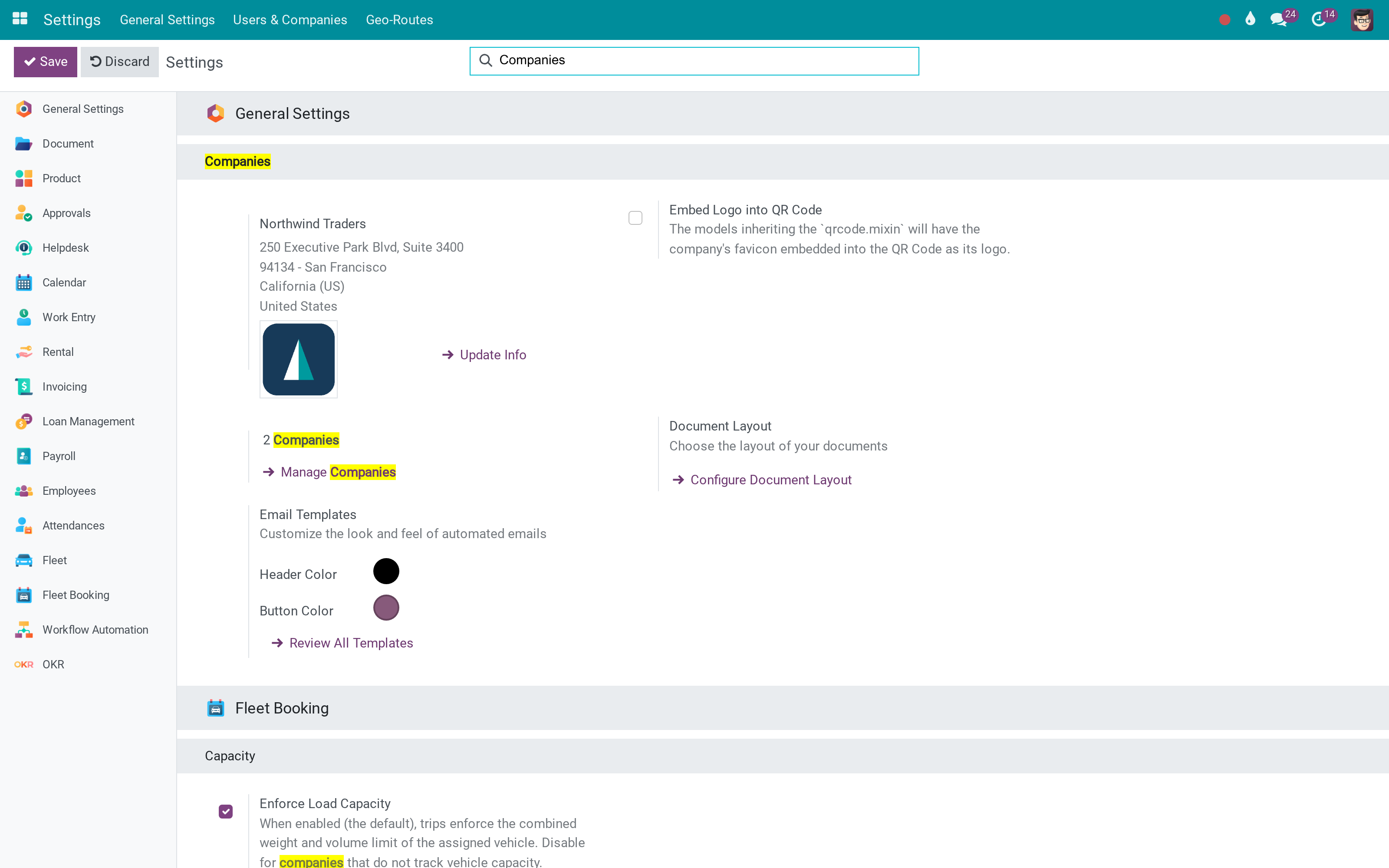
In a database with more than one company, the browser tab is the only place a user can tell them apart at a glance. Set the favicon per company; optionally let the QR code carry the same logo.
Find what the upgrade left behind
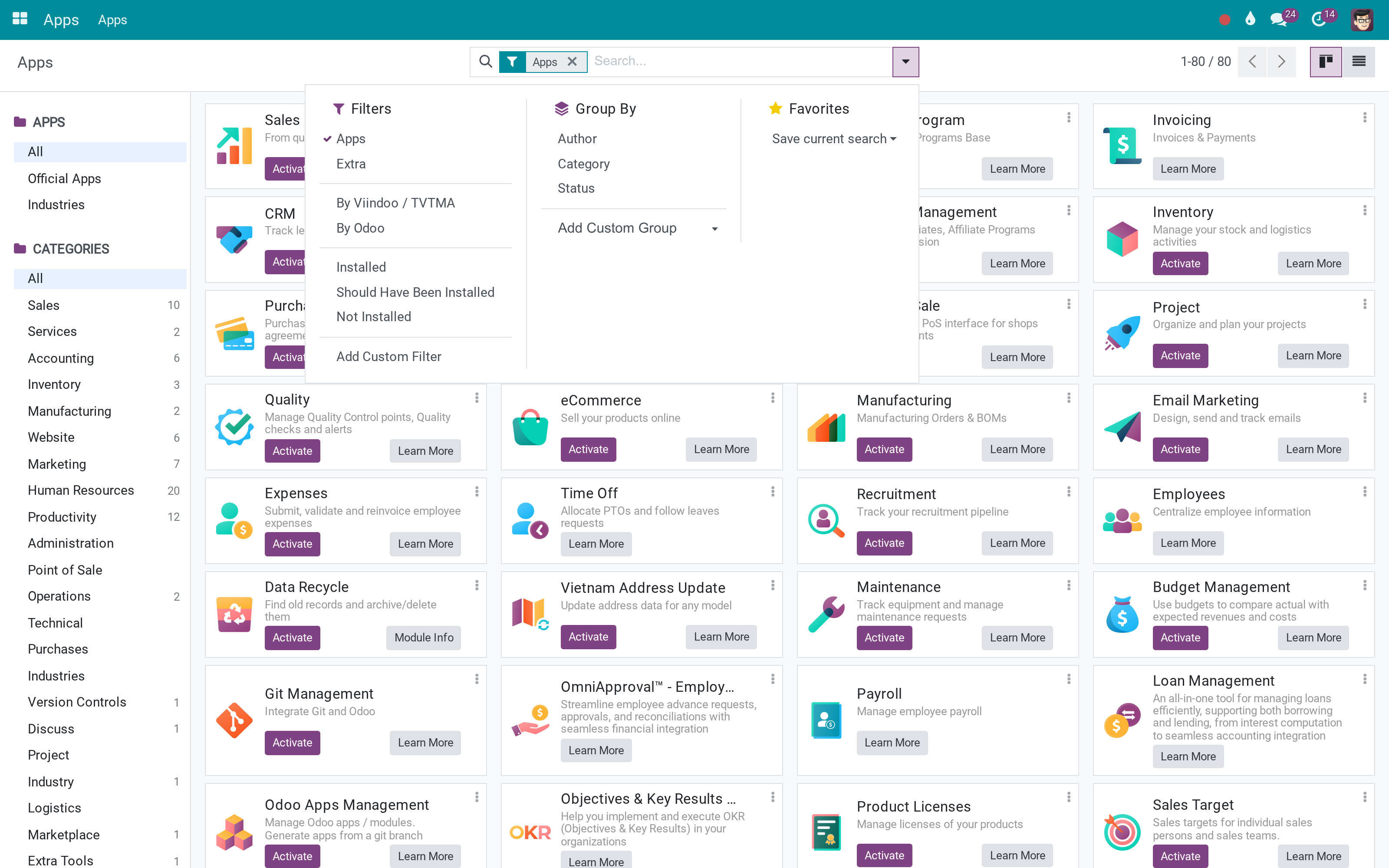
Bridge modules install themselves when both sides are present. When an upgrade is interrupted, some do not - and nothing tells you. This filter lists exactly those: auto-install modules whose dependencies are installed while they are not.
Read the app family in one list
Module names and summaries are translated when the list is updated, so an administrator working in their own language reads the catalogue in it.
What You Get
A favicon per company - each company in a multi-company database gets its own browser tab icon
"Should Have Been Installed": a filter that finds bridge modules whose dependencies are installed but which are not, so a partial upgrade is visible
Module names and summaries translated when the app list is updated
One exchange rate per currency per day, enforced in the database rather than hoped for
Record-rule evaluation short-circuits for users whose rules are permissive - fewer queries on every read
Field conflict detection at install: two modules declaring the same field with different definitions is reported, not silently merged
A barcode widget for QWeb reports, and a QR code that can embed the company logo
Timezone helpers for partner and company, and an after-commit hook for code that must run only once the transaction is safe
More Screens
Everything below was taken on a database seeded with real business data, on this series - not a mock-up and not a screenshot from an older version.
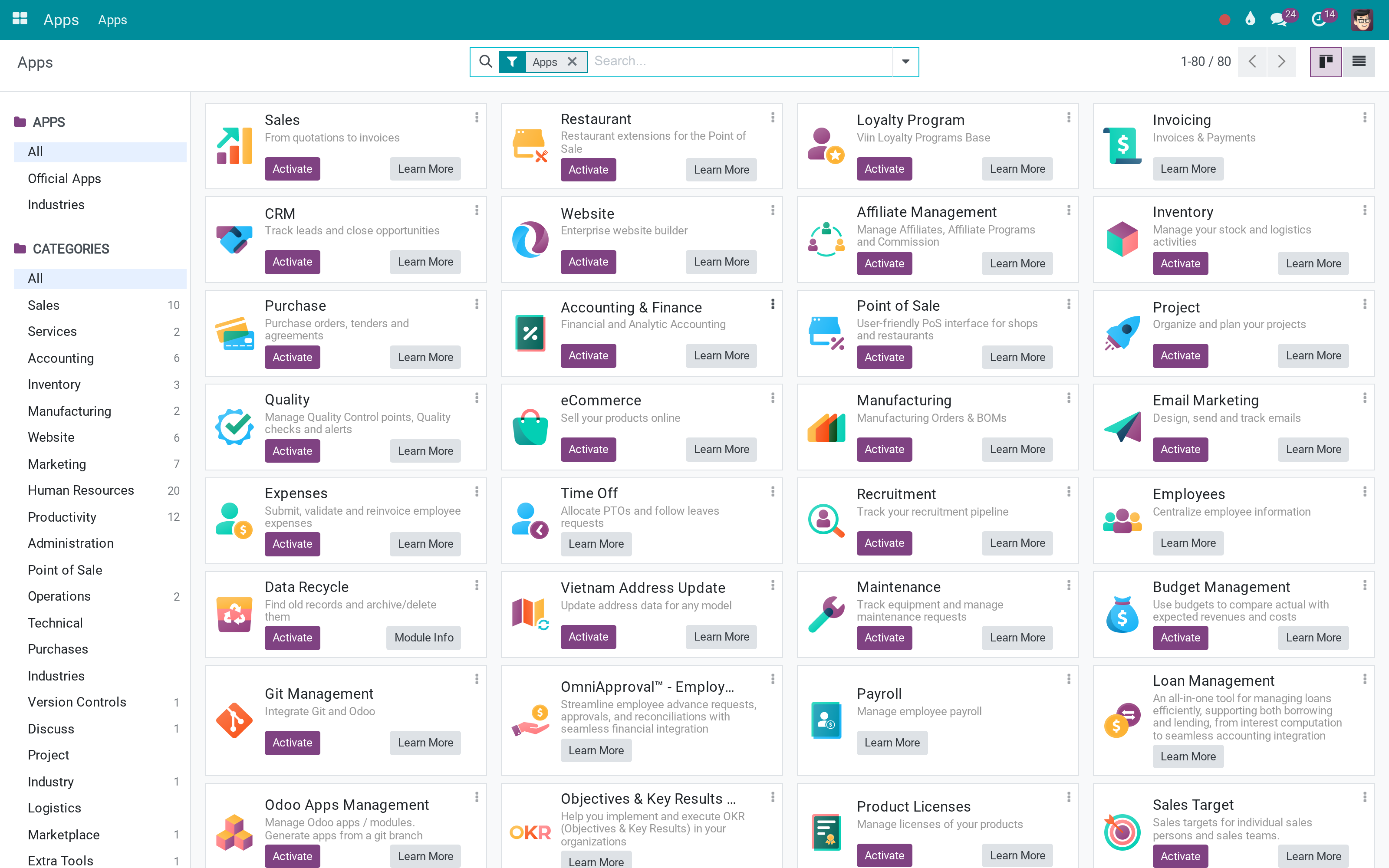
The Viindoo apps in this database
Favicon and QR logo in General Settings
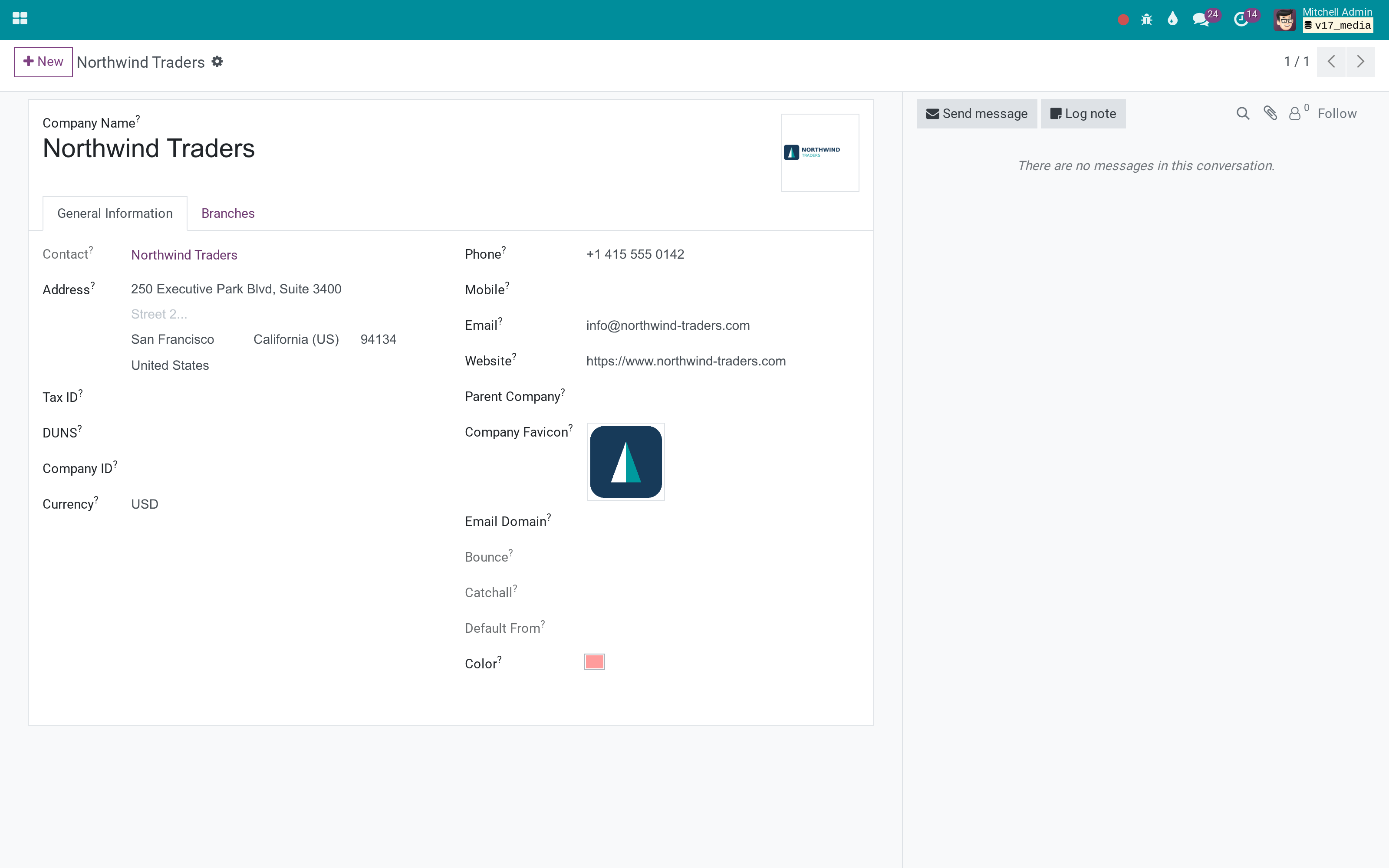
The company record
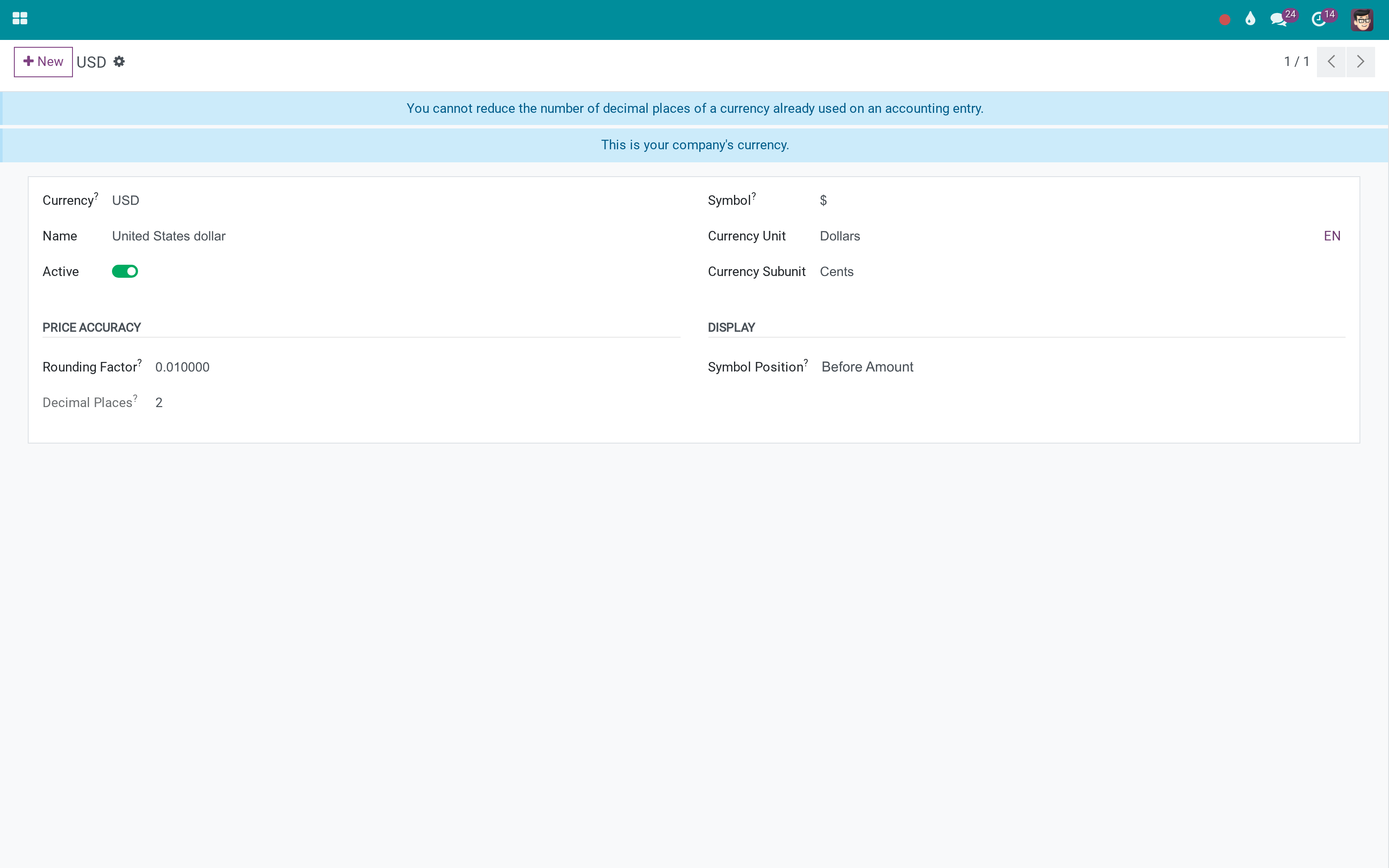
Currency rates, one per day
What This App Does Not Do
Read this before you buy. Everything below is something the app deliberately leaves to another app or to you.
It has no menu of its own. Bought alone it gives you the favicon, the module filter and the report font - the rest is code the Viindoo apps call.
The barcode check, the timezone resolvers and the after-commit hook are for modules, not for the interface.
No theme, no dashboard, no reports of its own - deliberately, because everything above it inherits whatever it does.
That is the point: it fills up only when an upgrade or an install has left a bridge module behind.
Works Well With
Apps from the same stack, built to fit this one:
Advanced HR Management
The HR layer the payroll, approval and OKR apps stand on.
Advanced HR ManagementOmniApproval
The approval engine, built on these helpers.
OmniApproval™: One platform. Every approval.Who Should Use Viindoo Base?
Administrator
Gets the favicon per company and the filter that finds the modules a partial upgrade left behind.
Implementer
Gets the helpers the Viindoo apps use - barcode checks, timezone resolution, after-commit execution - instead of copying them into each project.
Everyone else
Never opens it. It is the reason the apps above it stay small.
Frequently Asked Questions
What does Viindoo Base do?
Not an app you open - the layer underneath the apps: a favicon per company, a filter that finds the bridge modules you should have installed, barcodes in reports, and a handful of guards that keep permissions fast and data honest.
What does Viindoo Base not do?
This is a dependency, not an application. It has no menu of its own. Bought alone it gives you the favicon, the module filter and the report font - the rest is code the Viindoo apps call. The developer helpers need code to use them. The barcode check, the timezone resolvers and the after-commit hook are for modules, not for the interface. It does not change how Odoo looks. No theme, no dashboard, no reports of its own - deliberately, because everything above it inherits whatever it does. The "Should Have Been Installed" list is normally empty. That is the point: it fills up only when an upgrade or an install has left a bridge module behind.
Who is Viindoo Base for?
Administrator: Gets the favicon per company and the filter that finds the modules a partial upgrade left behind. Implementer: Gets the helpers the Viindoo apps use - barcode checks, timezone resolution, after-commit execution - instead of copying them into each project. Everyone else: Never opens it. It is the reason the apps above it stay small.
Which Odoo version and editions does it support?
Odoo 19.0 - Odoo Community, Odoo Enterprise, Viindoo Cloud. Upgrades to a newer Odoo series are a separate purchase for that series.
What does it depend on?
It installs on top of: web, base_setup, mail. Odoo installs them with it.
How do I set it up?
Three things you can see, on screens you already have.
What works well with it?
Advanced HR Management (viin_hr): The HR layer the payroll, approval and OKR apps stand on. OmniApproval (viin_approval): The approval engine, built on these helpers. Documents (viin_document): Filing rules and share links, using the same base. Payroll (to_hr_payroll): A payroll that runs on the same foundation.
Can I try it before buying?
Yes - the Live Preview button at the top of this page opens the module's own screen on a working database.
How do I get support?
Write to apps.support@viindoo.com with your Odoo version and the technical name to_base; pre-sales questions go to sales@viindoo.com.
See Viindoo Base in Action
Live demo: v19demo-int.viindoo.com/web#action=base.open_module_tree
Need help with Viindoo Base?
For questions, implementation support or a custom feature, contact Viindoo.
Pre-Sales & Partnership
sales@viindoo.comUpgrades to a newer Odoo series are a separate purchase for that series.
All Viindoo apps: Viindoo Apps
Technical Requirement
Changes log
0.5.6 - Latest on the 17.0 line
- Record-rule checks short-circuit for permissive users, which removes queries from every read on large databases.
- Module names and summaries are translated when the app list is updated.
- A second exchange rate for the same currency on the same day is refused by the database.
- Field conflicts between modules are reported at install time instead of surfacing as a runtime error later.
This software and associated files (the "Software") may only be used (executed, modified, executed after modifications) if you have purchased a valid license from the authors, typically via Odoo Apps, or if you have received a written agreement from the authors of the Software (see the COPYRIGHT file).
You may develop Odoo modules that use the Software as a library (typically by depending on it, importing it and using its resources), but without copying any source code or material from the Software. You may distribute those modules under the license of your choice, provided that this license is compatible with the terms of the Odoo Proprietary License (For example: LGPL, MIT, or proprietary licenses similar to this one).
It is forbidden to publish, distribute, sublicense, or sell copies of the Software or modified copies of the Software.
The above copyright notice and this permission notice must be included in all copies or substantial portions of the Software.
THE SOFTWARE IS PROVIDED "AS IS", WITHOUT WARRANTY OF ANY KIND, EXPRESS OR IMPLIED, INCLUDING BUT NOT LIMITED TO THE WARRANTIES OF MERCHANTABILITY, FITNESS FOR A PARTICULAR PURPOSE AND NONINFRINGEMENT. IN NO EVENT SHALL THE AUTHORS OR COPYRIGHT HOLDERS BE LIABLE FOR ANY CLAIM, DAMAGES OR OTHER LIABILITY, WHETHER IN AN ACTION OF CONTRACT, TORT OR OTHERWISE, ARISING FROM, OUT OF OR IN CONNECTION WITH THE SOFTWARE OR THE USE OR OTHER DEALINGS IN THE SOFTWARE.