
Purchase Agreements Backdate
| Lines of Code | 326 |
| Technical name | viin_purchase_requisition_backdate |
| License | OPL-1 |
| Website | https://viindoo.com/apps/modules/19.0/viin_purchase_requisition_backdate?force_show=1 |
| Read description for | |
| Required Apps | Invoicing (account) Purchase (purchase) Discuss (mail) |
| Included Dependencies | Backdate Operations Purchase Confirmation Backdate |

The agreed order date holds while quotations compete
For purchasing teams that compare vendor quotations and confirm the chosen one after the fact
Confirm a request for quotation that has alternatives on the past date chosen in the back-date dialog.
Odoo 19.0 · Odoo Community · Odoo Enterprise · OPL-1
Extends Purchase Confirmation Backdate for teams that use the alternatives of Purchase Agreements.
What changes for your team
One date for the order, even with alternatives open
Today: you request quotations from several vendors for the same needs, link them as alternatives, and confirm the chosen one days after the vendor agreed.
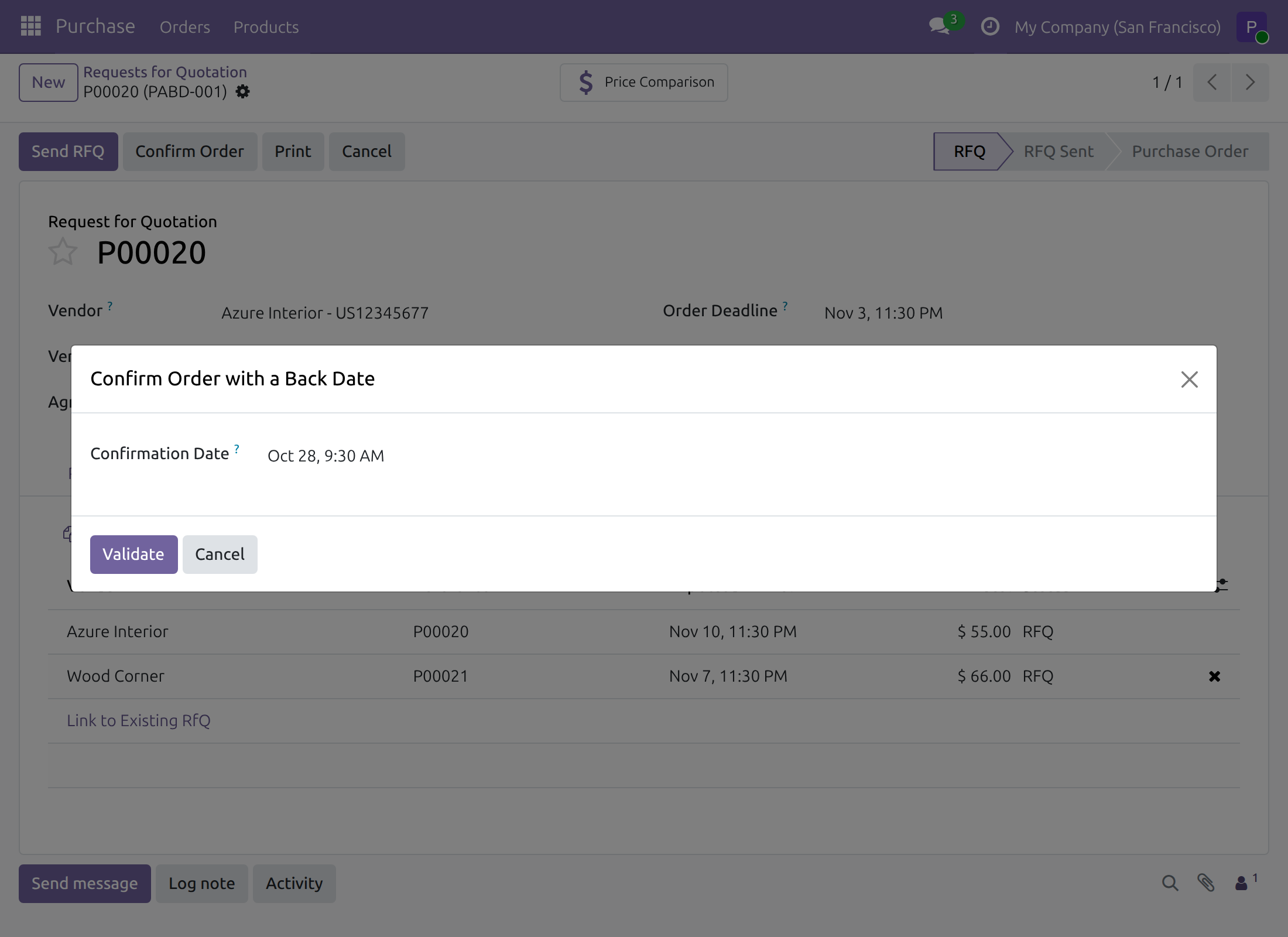
→ Confirm Order first asks for the date and time the order was agreed. Only then does Odoo ask about the other quotations.
Keep or cancel the other quotations without losing the date
Today: confirming one quotation raises a second decision - what happens to the alternatives that are still open.
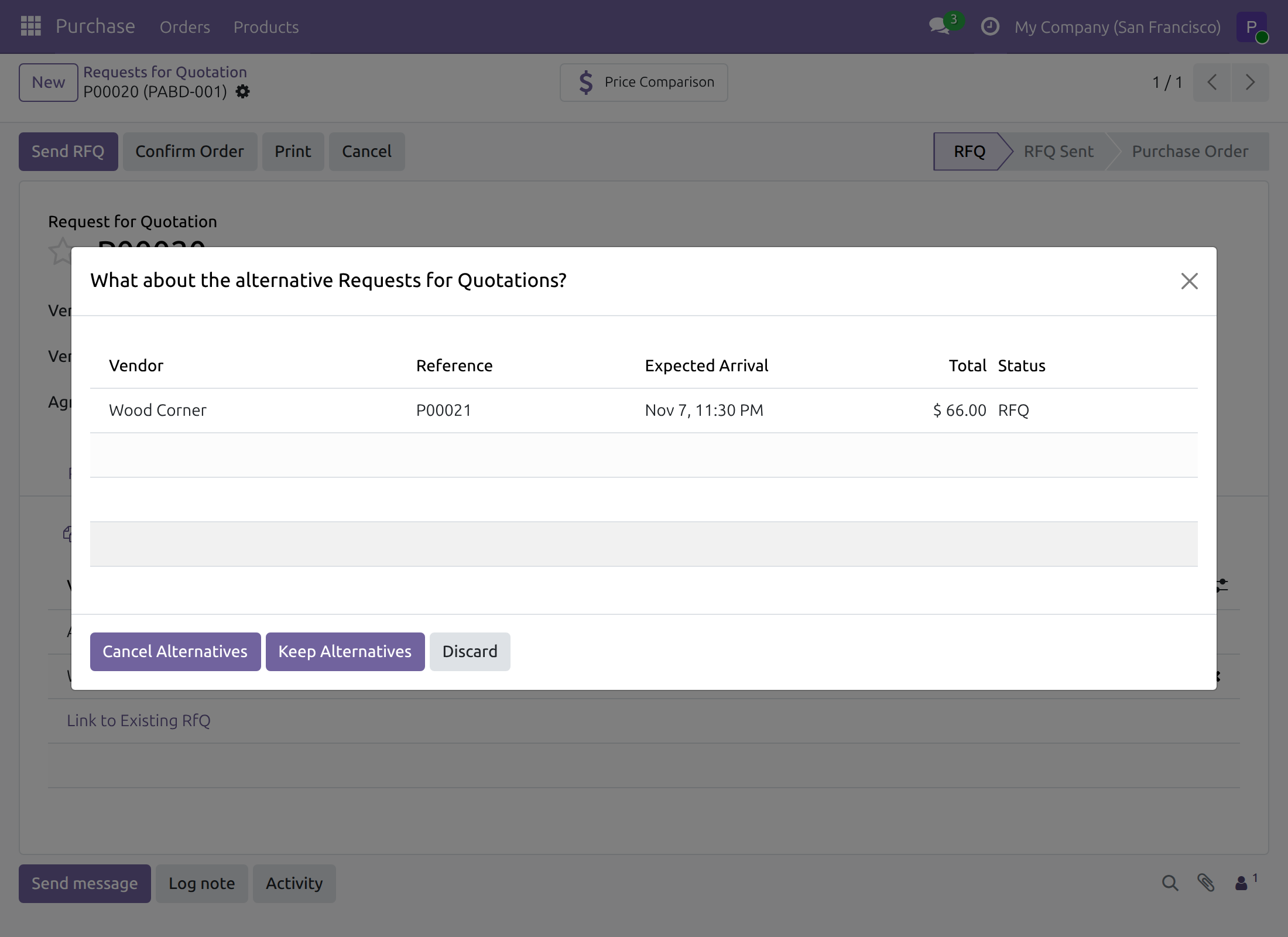
→ Keep Alternatives leaves them open, Cancel Alternatives cancels them. Either way, the order is confirmed on the date given in the dialog.
The order counts in the period it was agreed
Today: Odoo dates a confirmation with the moment it is made, so an order agreed last week is filed under this week.
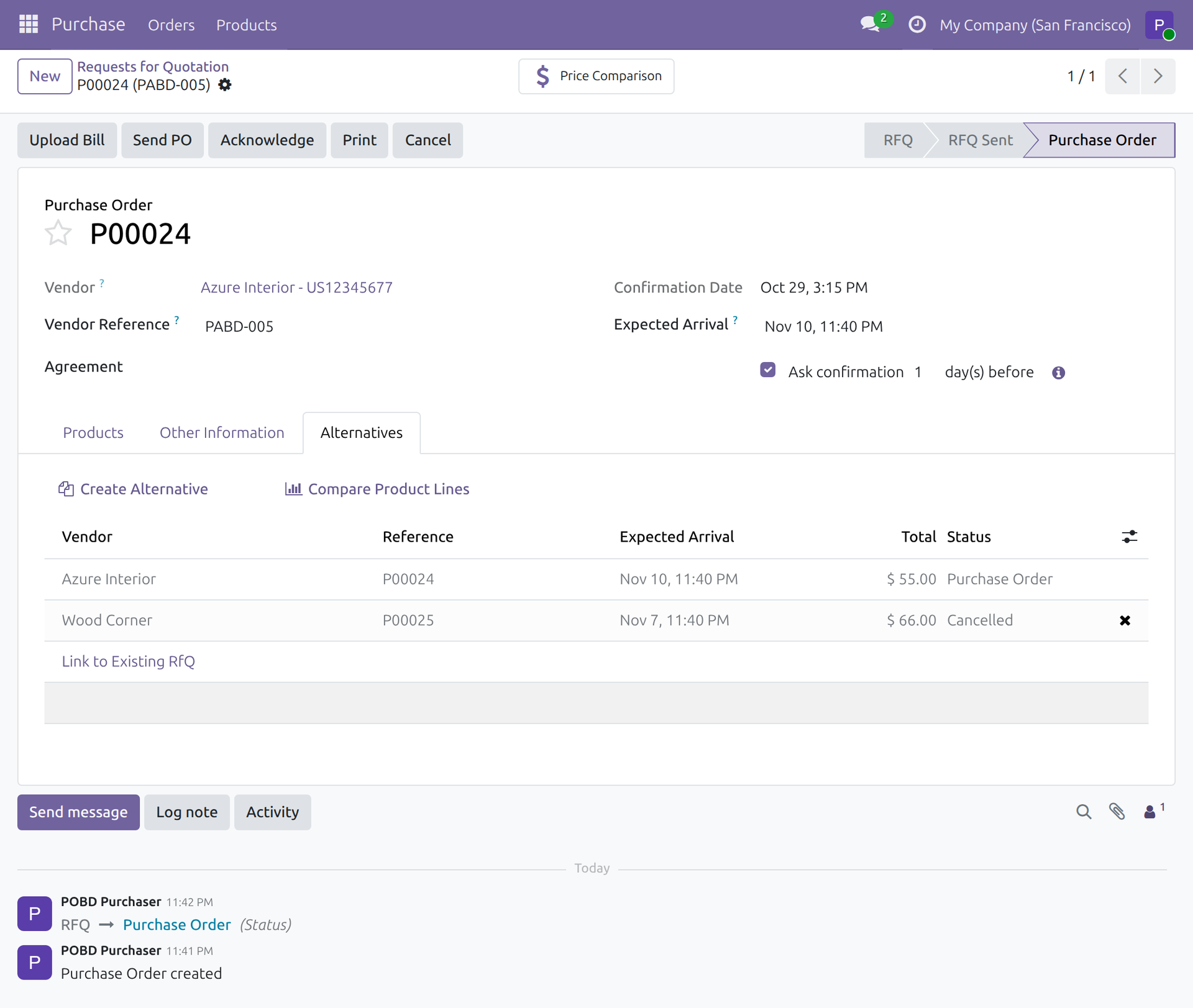
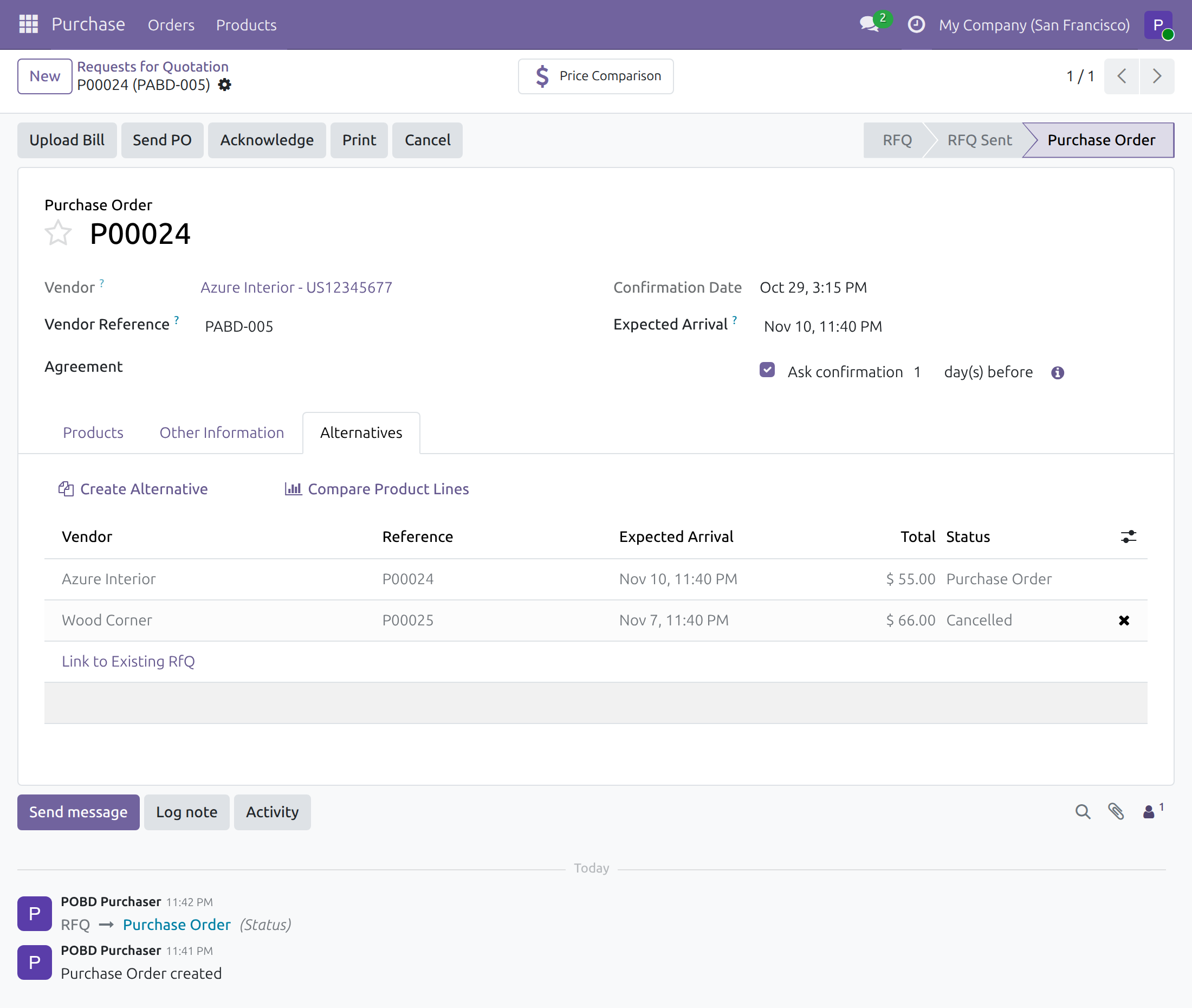
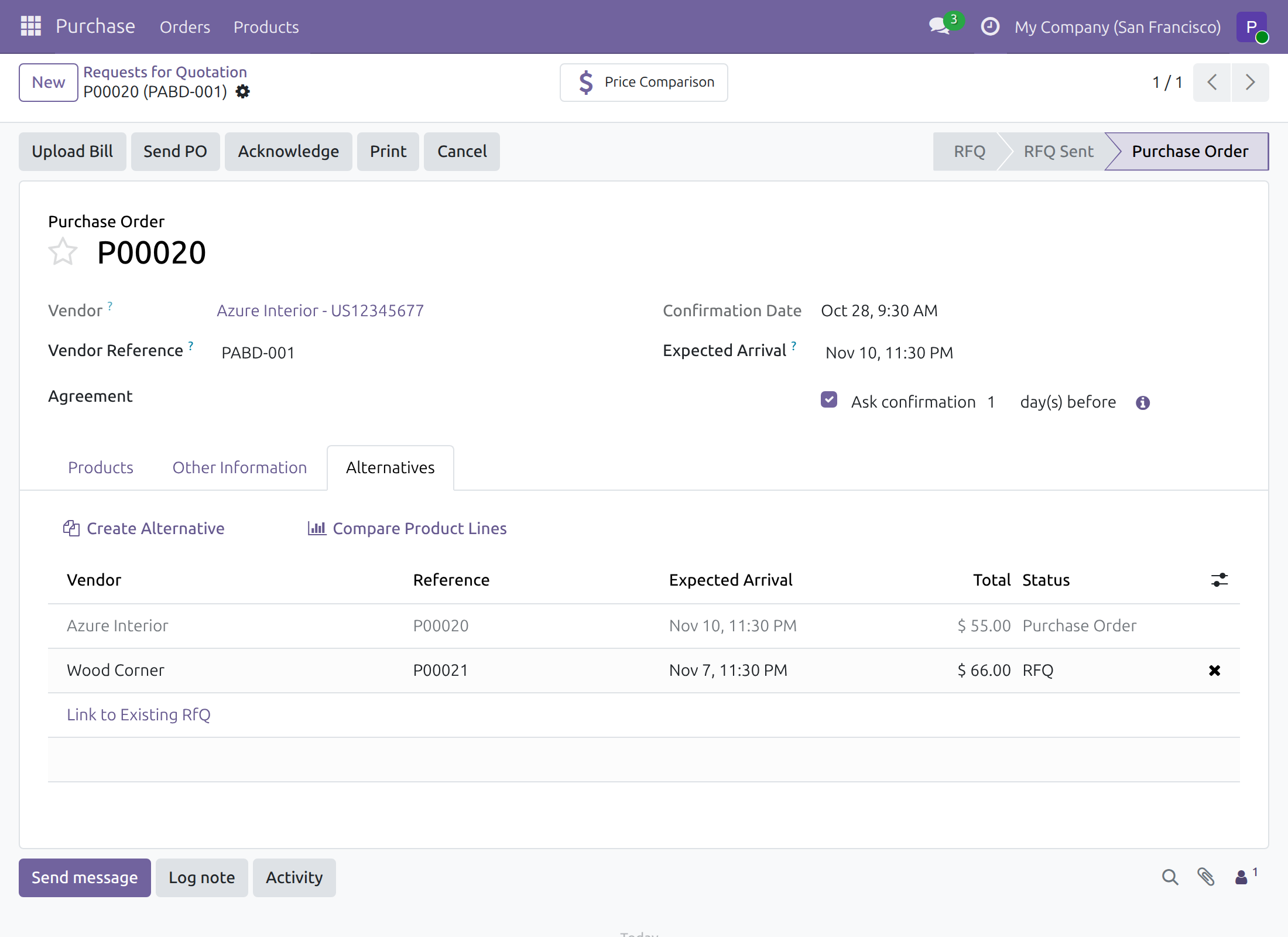
→ The purchase order carries the agreed date as its Confirmation Date, and Purchase Analysis reports by that date. A kept alternative stays a request for quotation.
Ready on day one
Installs by itself
It is added when Purchase Confirmation Backdate and Purchase Agreements are both installed, with no menu or setting of its own.
Purchase Alternatives
The administrator ticks Purchase Alternatives in Settings › Purchase so requests for quotation show the Alternatives tab.
Purchase Backdate right
Given on the user form to the people who record orders after the fact; nobody holds it by default.
What is included
The module covers one moment: the question about alternative quotations inside a back-dated confirmation. The date dialog and the right come from Purchase Confirmation Backdate; alternatives and line comparison come from Odoo's Purchase Agreements.
Before you decide
Who is asked for the date?
Only users who hold Purchase Backdate. Everyone else sees Odoo's question as usual, without a date dialog, and the order is confirmed at the time of the answer.
Does it get around any of Odoo's controls?
No. A mandatory analytic distribution on the order lines is still checked after either answer; when it is missing, the request stays a request for quotation and its alternatives are untouched. A date in the future is refused in the dialog.
Do the alternatives take the date too?
No. Only the confirmed order takes it. Kept alternatives stay requests for quotation; cancelled ones are cancelled.
Can I step back at the question?
Yes. Discard closes it without confirming anything: the request for quotation stays as it was, and you can start again.
Which languages and time zones does it handle?
It ships English and Vietnamese translations. Each person enters the date and time in their own time zone.
Try it, then ask us
The Documentation tab walks through switching on Purchase Alternatives and confirming a request for quotation with alternatives on a past date.
Pre-sales & partnership
viindoo.com/contactusTechnical support
viindoo.com/ticketTechnical requirements
- Odoo version: 19.0
- Editions: Odoo Community, Odoo Enterprise
- Required modules: Purchase Confirmation Backdate, Purchase Agreements
- License: OPL-1
- Languages: English, Vietnamese
Purchase Agreements Backdate
Note
This guide is for purchasers and purchase managers who confirm requests for quotation with alternatives, and for the administrator who sets them up.
Note
Extends Purchase Confirmation Backdate - see the Purchase Confirmation Backdate documentation for the back-date dialog and the right that offers it.
Purchase Agreements Backdate keeps the date you chose when a request for quotation that has alternatives is confirmed. Whether you keep the other quotations or cancel them, the order is confirmed on the date and time you gave in the back-date dialog, never on the day you answered Odoo's question.
Overview
With Purchase Alternatives switched on, a request for quotation can be linked to quotations from other vendors for the same needs. When you confirm one of them and the others are still open, Odoo asks what to do with them before it confirms the order.
For a purchaser who holds the back-date right, that question is part of the back-dated confirmation:
- the dialog Confirm Order with a Back Date asks for the Confirmation Date first;
- Odoo then asks What about the alternative Requests for Quotations?;
- Keep Alternatives and Cancel Alternatives both confirm the order on the Confirmation Date you gave.
The module adds no menu and no screen of its own. It installs by itself as soon as Purchase Confirmation Backdate and Purchase Agreements are both installed.
| Role | What they do | Access right to assign |
|---|---|---|
| Administrator | Switches Purchase Alternatives on and gives people the right to back-date. | Role: Administrator |
| Purchaser | Confirms a request for quotation that has alternatives on the date it was agreed. | Purchase: User, and Purchase Backdate: Purchase Backdate Operations |
| Purchase manager | Does the same for the orders they confirm themselves. | Purchase: Administrator, and Purchase Backdate: Purchase Backdate Operations |
Setup (for the Administrator)
Installation
Nothing has to be ticked for this module. Install Purchase Confirmation Backdate (see its documentation) and Purchase Agreements (tick Purchase Agreements in Settings ‣ Purchase). Purchase Agreements Backdate is installed with them and removed with either of them.
Alternatives between quotations
- Open Settings ‣ Purchase.
- Under Purchase Agreements, tick Purchase Alternatives and click Save.
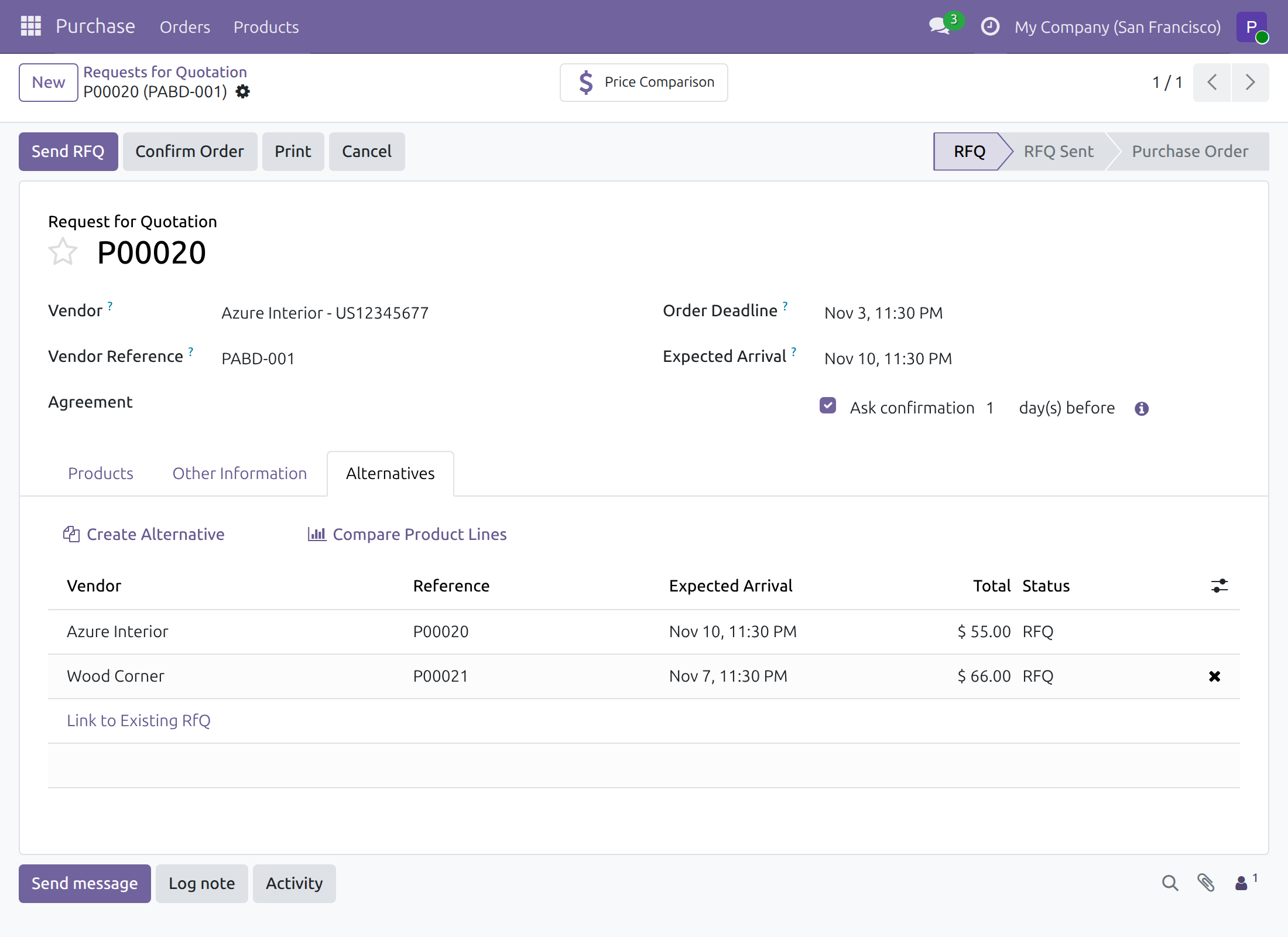
Requests for quotation then show an Alternatives tab.
Back-date right
Give each purchaser the Purchase Backdate right on the user form, as described in the Purchase Confirmation Backdate guide. A user without the right keeps Odoo's standard behaviour, described at the end of this guide.
Purchaser: confirm a request for quotation that has alternatives
Link another quotation
- Open Purchase ‣ Orders ‣ Requests for Quotation and open the request for quotation.
- In the Alternatives tab, click Create Alternative, choose a vendor and click Create Alternative again. The new quotation is listed in the tab.
Confirm it on the agreed date
- Click Confirm Order. The dialog Confirm Order with a Back Date opens.
- Set Confirmation Date to the date and time the order was agreed. Dates are entered in your own time zone.
- Click Validate.
Odoo then asks what to do with the alternative requests for quotation that are still open.
- Click Keep Alternatives to leave the other quotations open, or Cancel Alternatives to cancel them.
Both answers confirm the order. It becomes a purchase order and shows the date you chose as its Confirmation Date.
Discard closes the question without confirming anything: the request for quotation stays as it was and you can start again.
If your company requires an analytic distribution on purchase order lines, that check still applies after you answer. When it refuses, add the distribution to the lines and confirm again; the alternatives have not been touched.
A date in the future is refused in the back-date dialog, as described in the Purchase Confirmation Backdate guide.
Users without the right
A user who does not hold the Purchase Backdate right sees no back-date dialog. Odoo asks the question about the alternatives as usual, and the order is confirmed at the time the answer is given.
Troubleshooting
- I do not see an Alternatives tab.
- Purchase Alternatives is off. Ask the administrator to tick Purchase Alternatives in Settings ‣ Purchase.
- I click Confirm Order and the question about the alternatives opens without the date dialog.
- The user does not hold Purchase Backdate Operations. The order is then confirmed at the time of the answer.
- Confirming is refused because of the analytic distribution.
- An analytic plan requires a distribution on the order lines. Close the message, choose Discard, add the distribution to every line and confirm again.
FAQ
- Does the answer about the alternatives change the date of the order?
- No. Keep Alternatives and Cancel Alternatives both confirm the order on the Confirmation Date from the dialog.
- Do the alternatives take the date too?
- No. Only the order you confirm takes the date. Alternatives that are kept stay requests for quotation, and cancelled ones are cancelled.
This software and associated files (the "Software") may only be used (executed, modified, executed after modifications) if you have purchased a valid license from the authors, typically via Odoo Apps, or if you have received a written agreement from the authors of the Software (see the COPYRIGHT file).
You may develop Odoo modules that use the Software as a library (typically by depending on it, importing it and using its resources), but without copying any source code or material from the Software. You may distribute those modules under the license of your choice, provided that this license is compatible with the terms of the Odoo Proprietary License (For example: LGPL, MIT, or proprietary licenses similar to this one).
It is forbidden to publish, distribute, sublicense, or sell copies of the Software or modified copies of the Software.
The above copyright notice and this permission notice must be included in all copies or substantial portions of the Software.
THE SOFTWARE IS PROVIDED "AS IS", WITHOUT WARRANTY OF ANY KIND, EXPRESS OR IMPLIED, INCLUDING BUT NOT LIMITED TO THE WARRANTIES OF MERCHANTABILITY, FITNESS FOR A PARTICULAR PURPOSE AND NONINFRINGEMENT. IN NO EVENT SHALL THE AUTHORS OR COPYRIGHT HOLDERS BE LIABLE FOR ANY CLAIM, DAMAGES OR OTHER LIABILITY, WHETHER IN AN ACTION OF CONTRACT, TORT OR OTHERWISE, ARISING FROM, OUT OF OR IN CONNECTION WITH THE SOFTWARE OR THE USE OR OTHER DEALINGS IN THE SOFTWARE.