
Purchase Accounting - Vietnam
by Viindoo
| Lines of Code | 752 |
| Technical name | l10n_vn_viin_purchase_stock |
| License | OPL-1 |
| Website | https://viindoo.com/apps/modules/18.0/l10n_vn_viin_purchase_stock |
| Read description for | |
| Required Apps | Invoicing (account) Purchase (purchase) Discuss (mail) Inventory (stock) |
| Included Dependencies | Viindoo Base Accounting Foundation Vietnam Chart of Accounts - Circular 99 and 133 |

Purchase Accounting - Vietnam
Standard-cost price differences on vendor bills land in 632 from day one, instead of staying on 151.
Extends l10n_vn_viin and purchase_stock - see its documentation.
Stop leaving price differences on the stock input account 151
When a vendor bill of a stocked product at standard cost is posted, Odoo posts the difference between the bill price and the standard cost to the Price Difference Account of the product category. The Vietnamese charts set none, so nothing is posted and the difference stays on 151, which then shows goods in transit that do not exist. This module sets that account to 632 on both Circular 99 and Circular 133.
Key Features
The Price Difference Account is already on your product categories before your team posts a vendor bill.
Account 632 ready
Product categories start with 632 Cost of goods sold as Price Difference Account, on Circular 99 and Circular 133.
151 clears on standard cost
The difference between the bill price and the standard cost is posted to 632, so 151 nets to zero once the bill and the receipt are both posted.
Automatic for companies already on a Vietnamese chart
Installing the module gives these companies the same account without reloading the chart, as long as they have no vendor bill posted on a purchase order and no done receipt yet: a company already operating is left as it is.
FIFO and Average Cost unchanged
For these products Odoo already splits the difference between the stock and the cost of goods sold by itself.
Never overrides your choice
An account you set on a product category, a product or as a default is kept, including when the chart of accounts is reloaded or the module is installed later.
Editable where it suits you
Change it on each product category and on each product (Accounting tab), or in Settings > Technical > Actions > User-defined Defaults (developer mode).
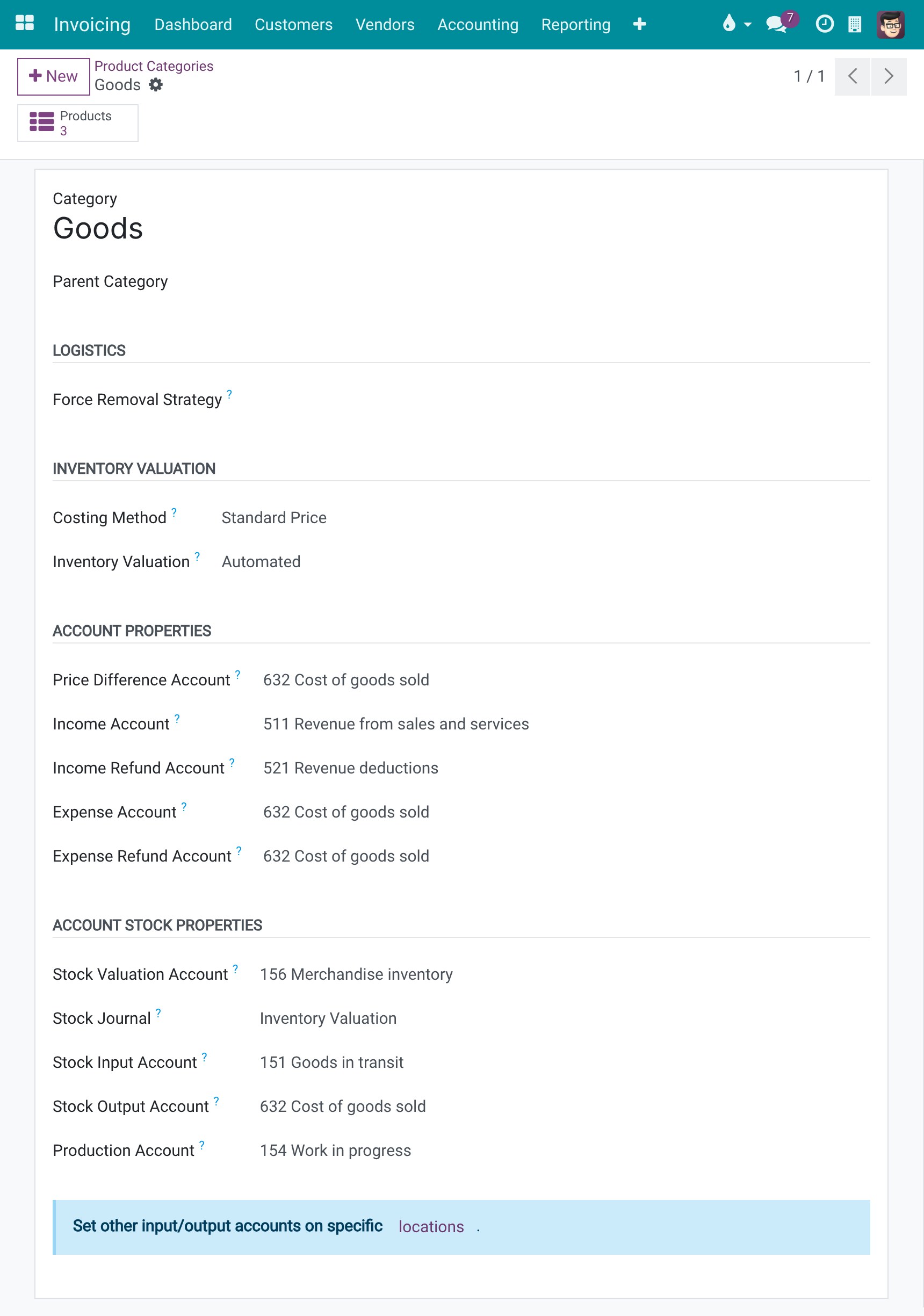
632 is already on your product categories
On the product category form, section Account Properties, the Price Difference Account is 632 Cost of goods sold. Here the Goods category is valued at Standard Price with Automated valuation, so its vendor bills use it.
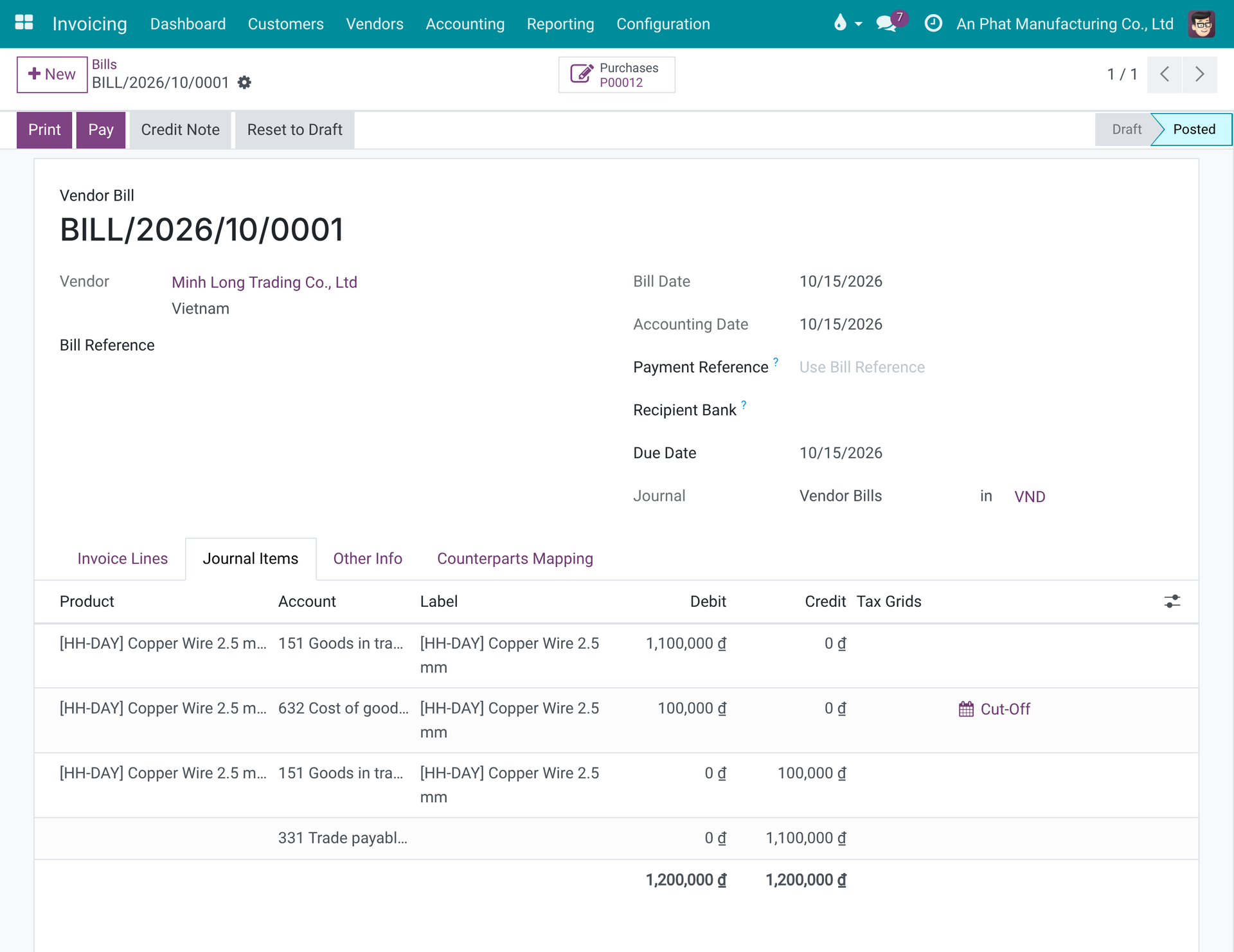
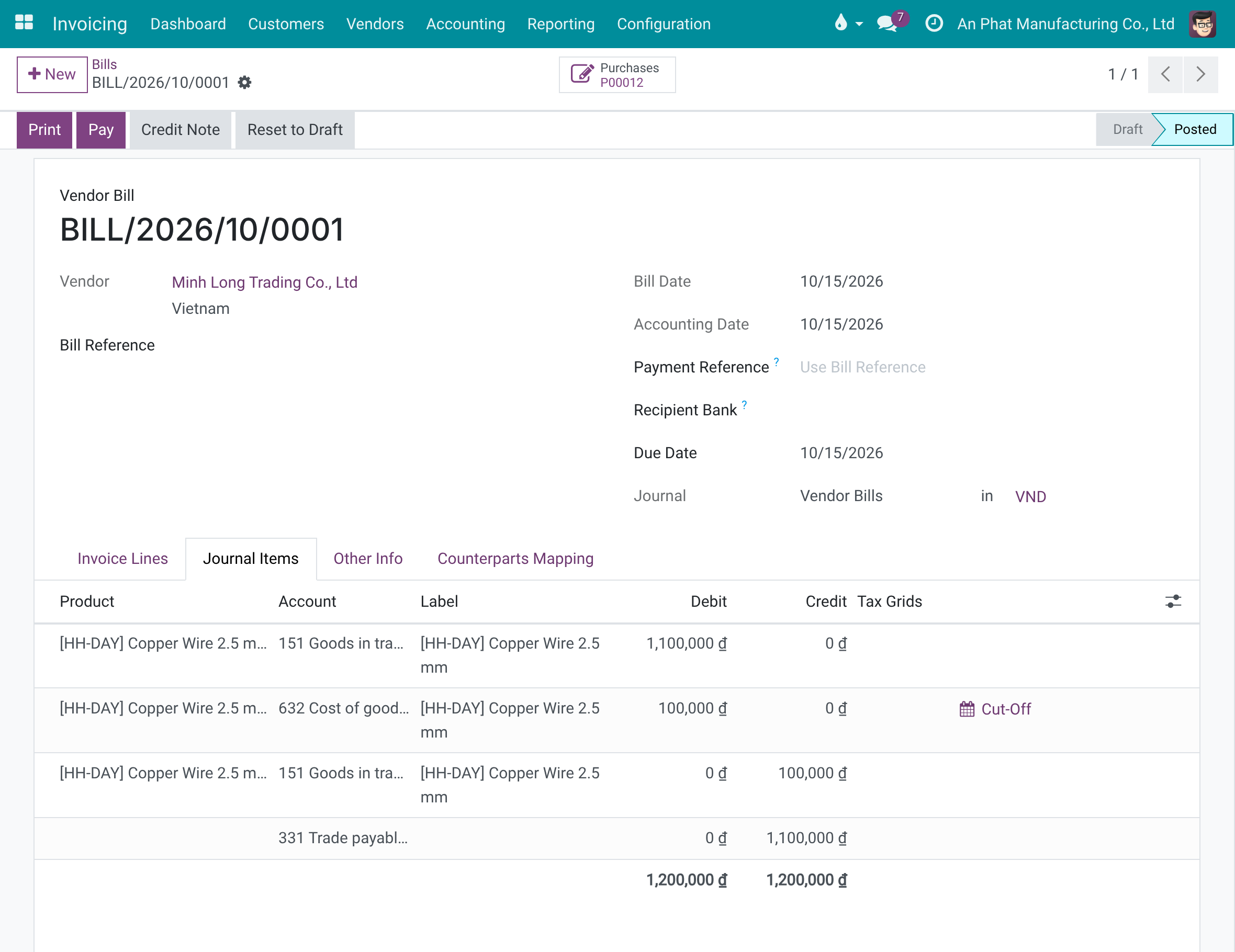
Standard cost: the difference is posted to 632
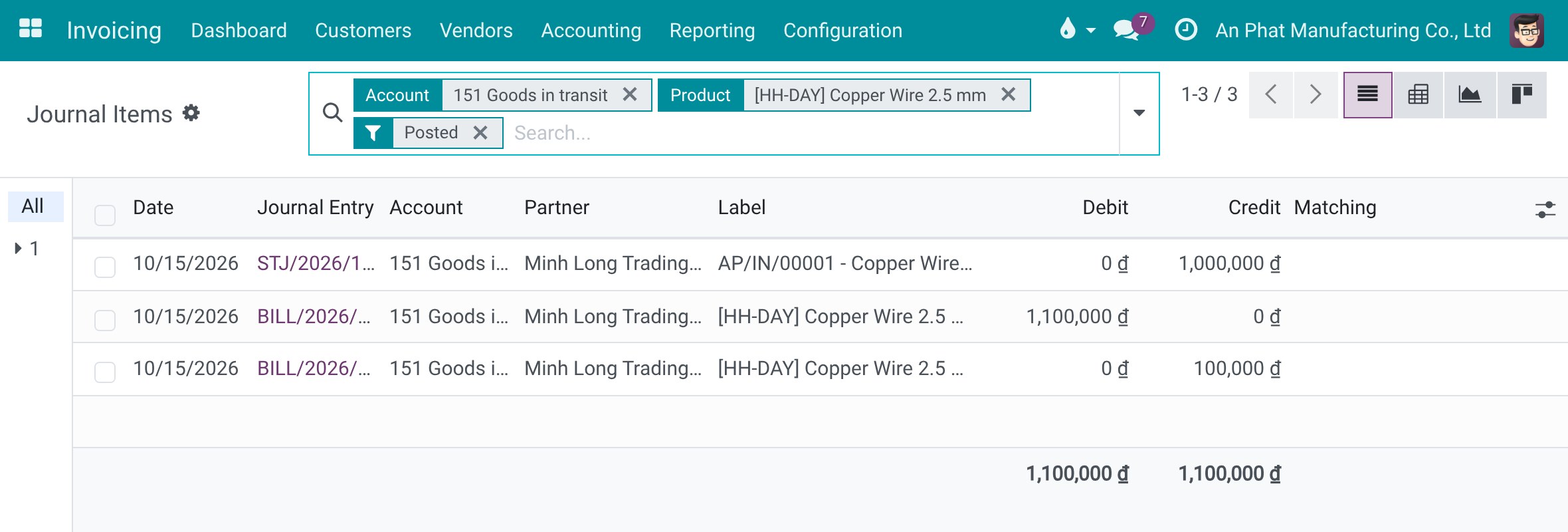
A product at standard cost 10,000 is bought for 11,000 per unit, 100 units. The receipt posts Dr 156 / Cr 151 for 1,000,000, the vendor bill posts Dr 151 / Cr 331 for 1,100,000 and the price difference posts Dr 632 / Cr 151 for 100,000. The journal items of 151 for this product add up to 1,100,000 on each side: 151 is back to zero.
Which products it concerns
Only products with Automated (real-time) valuation at standard cost. On Circular 133, goods for resale (156) should use FIFO or Average Cost; standard cost is meant for manufactured goods.
Need help with Purchase Accounting - Vietnam?
For questions, implementation support, or consulting services, contact Viindoo.
Pre-Sales & Partnership
sales@viindoo.comWhen contacting us, please include:
- Odoo/Viindoo version (CE/EE).
- Number of users and business scope.
- Other modules currently in use.
Technical Support
apps.support@viindoo.comFor faster troubleshooting, please provide:
- Order number or app reference.
- Odoo/Viindoo version & edition.
- Steps to reproduce the issue.
- Screenshots/logs if available.
Technical Requirement
Who Should Use This Module?
Built for Vietnamese companies that buy stocked goods at standard cost and want a clean 151 without manual setup.
Chief Accountants & Finance Managers
Want 151 to net to zero after each bill and receipt, with the difference visible in 632.
Purchasing & Warehouse Teams
Post vendor bills freely, knowing price differences no longer pile up as goods in transit.
Implementers & Odoo Partners
Deliver a Vietnamese purchasing setup that works out of the box and respects what the client configured.
This software and associated files (the "Software") may only be used (executed, modified, executed after modifications) if you have purchased a valid license from the authors, typically via Odoo Apps, or if you have received a written agreement from the authors of the Software (see the COPYRIGHT file).
You may develop Odoo modules that use the Software as a library (typically by depending on it, importing it and using its resources), but without copying any source code or material from the Software. You may distribute those modules under the license of your choice, provided that this license is compatible with the terms of the Odoo Proprietary License (For example: LGPL, MIT, or proprietary licenses similar to this one).
It is forbidden to publish, distribute, sublicense, or sell copies of the Software or modified copies of the Software.
The above copyright notice and this permission notice must be included in all copies or substantial portions of the Software.
THE SOFTWARE IS PROVIDED "AS IS", WITHOUT WARRANTY OF ANY KIND, EXPRESS OR IMPLIED, INCLUDING BUT NOT LIMITED TO THE WARRANTIES OF MERCHANTABILITY, FITNESS FOR A PARTICULAR PURPOSE AND NONINFRINGEMENT. IN NO EVENT SHALL THE AUTHORS OR COPYRIGHT HOLDERS BE LIABLE FOR ANY CLAIM, DAMAGES OR OTHER LIABILITY, WHETHER IN AN ACTION OF CONTRACT, TORT OR OTHERWISE, ARISING FROM, OUT OF OR IN CONNECTION WITH THE SOFTWARE OR THE USE OR OTHER DEALINGS IN THE SOFTWARE.