
eWallet
| Lines of Code | 1033 |
| Technical name | to_wallet |
| License | OPL-1 |
| Website | https://viindoo.com/apps/app/15.0/to_wallet |
| Read description for | v 12.0 v 13.0 v 14.0 v 16.0 v 17.0 v 18.0 |
| Required Apps | Discuss (mail) Invoicing (account) |
| Included Dependencies | Account Counterparts Viindoo Base Web Thousand Separators Payment Transaction Protection |
| Extensions | eWallet Adjustment Currency Conversion Difference Move for Wallet Payment Transaction Sales - Wallets |
Demo video: eWallet
Description
E-Wallet is a tool to support payment transactions for products and services, cashback transactions, storing, transferring, withdrawing, and depositing money, etc. However, businesses may face difficulties in setting up and managing Customers' e-Wallets without an effective management tool.
Key Features
- Allow businesses to set up e-Wallet payment transactions for products sold.
- Help businesses record and track the status of Customers' e-Wallets; provide multi-currency feature to support recording different foreign currency values.
- Allow businesses to record and track Quotations>Sales Orders>Invoices paid by Customers' e-Wallets.
- Support businesses to monitor all accounts relating to a Company Customer and link transactions from these accounts to that company’s e-Wallet.
- Allow Customers with Portal User access to track their e-Wallets on the system.
- Provide evidence for bank statements and bank reconciliation.
Visit the Documentation for detailed Instructions with image and video descriptions.
Supported Editions
- Community Edition
- Enterprise Edition
Installation
- Navigate to Apps.
- Search with keyword to_wallet.
- Press Install.
Instruction
Instruction video: eWallet
Concepts
When using this module, you need to learn some of the following concepts:
- E-wallet: An online account/service that allows one party to make online payments for bills of goods and services. To use the wallet, you will need to top up the wallet and conduct the above payment transactions.
- Is Wallet Operation: Informing the system which transactions need to be performed via an e-wallet.
- Wallet Amount: Value of money deposited into the e-wallet.
- Online payment transactions: Payment transactions using payment service providers such as Momo, VNpay, Paypal, Bank transfer, etc.
Usage
1. Configure wallet as a payment for a product
On the product interface, select Paid by Wallet on the Accounting tab.
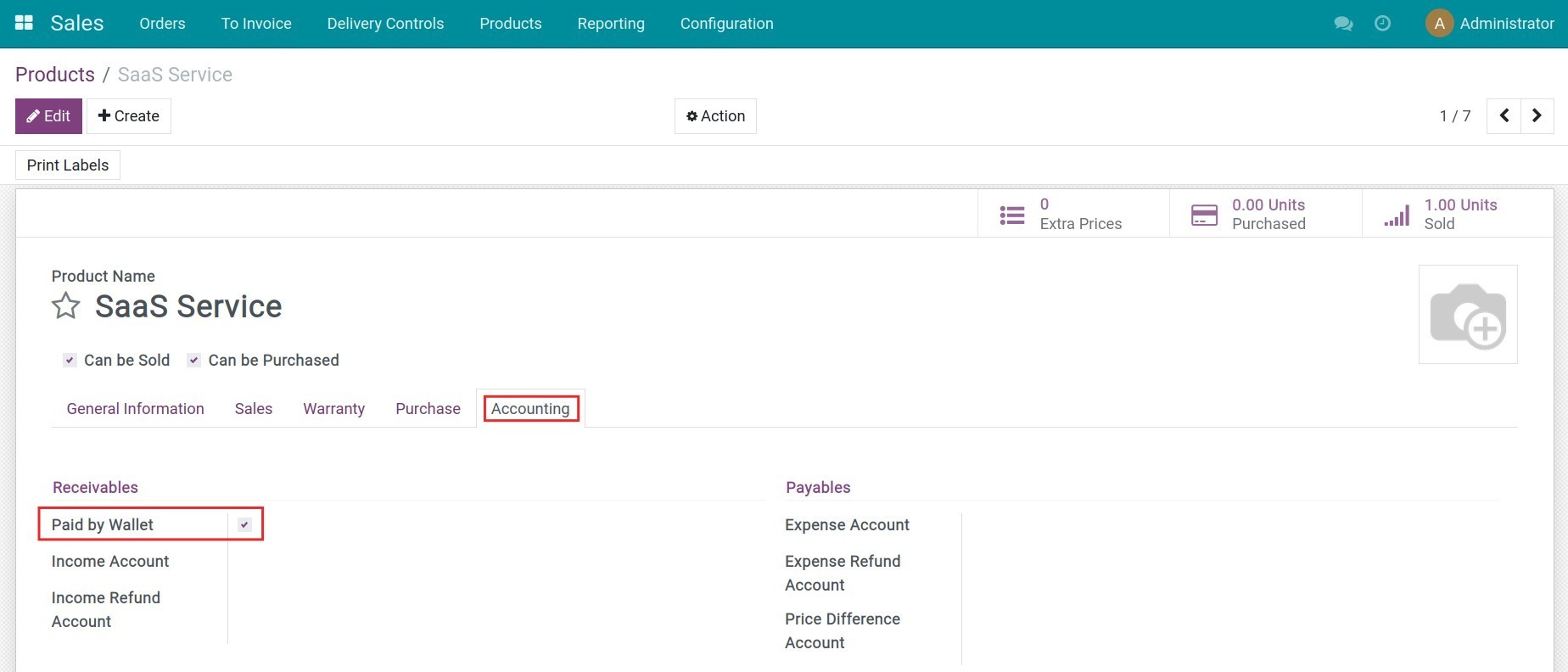
Note: You need to install to_account_accountant module to select this option.
2. Deposit to the e-Wallet
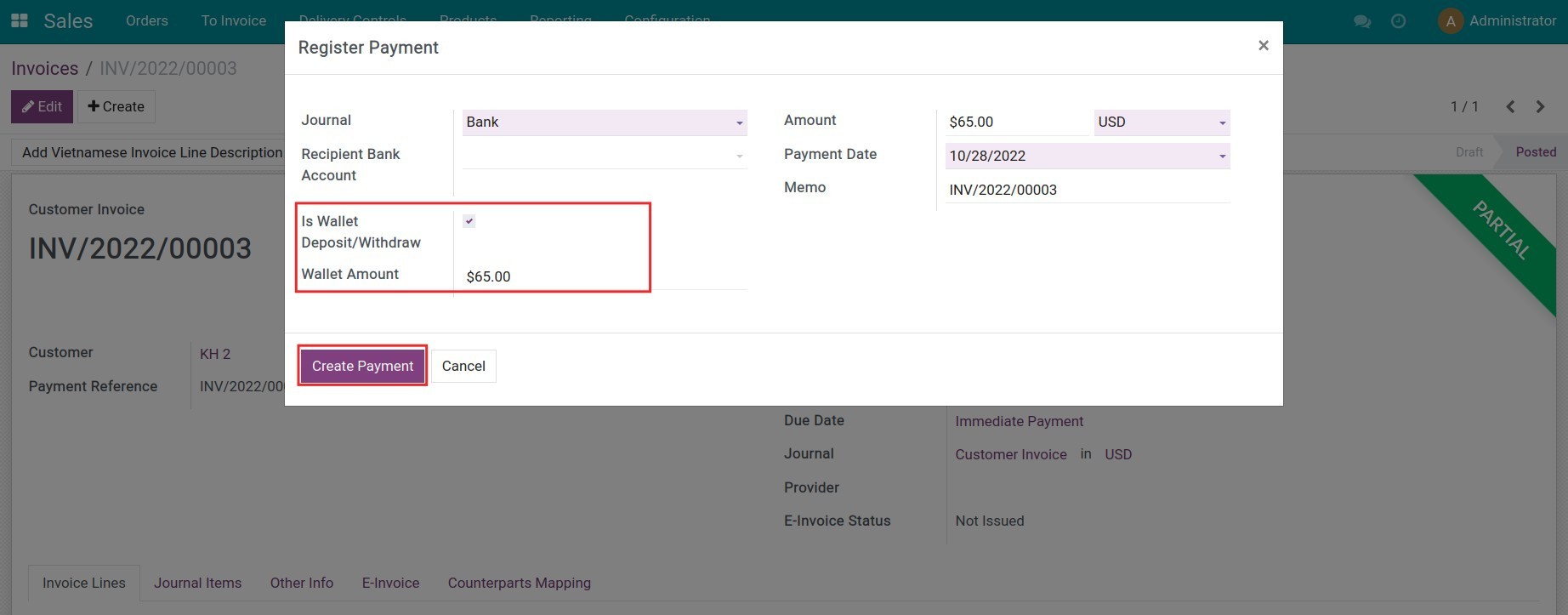
Navigate to Accounting > Customers > Payments, press Create to create customer payment also deposit to the e-Wallet. Remember to select the Is Wallet Deposit/Withdraw option and fill in the wallet amount.
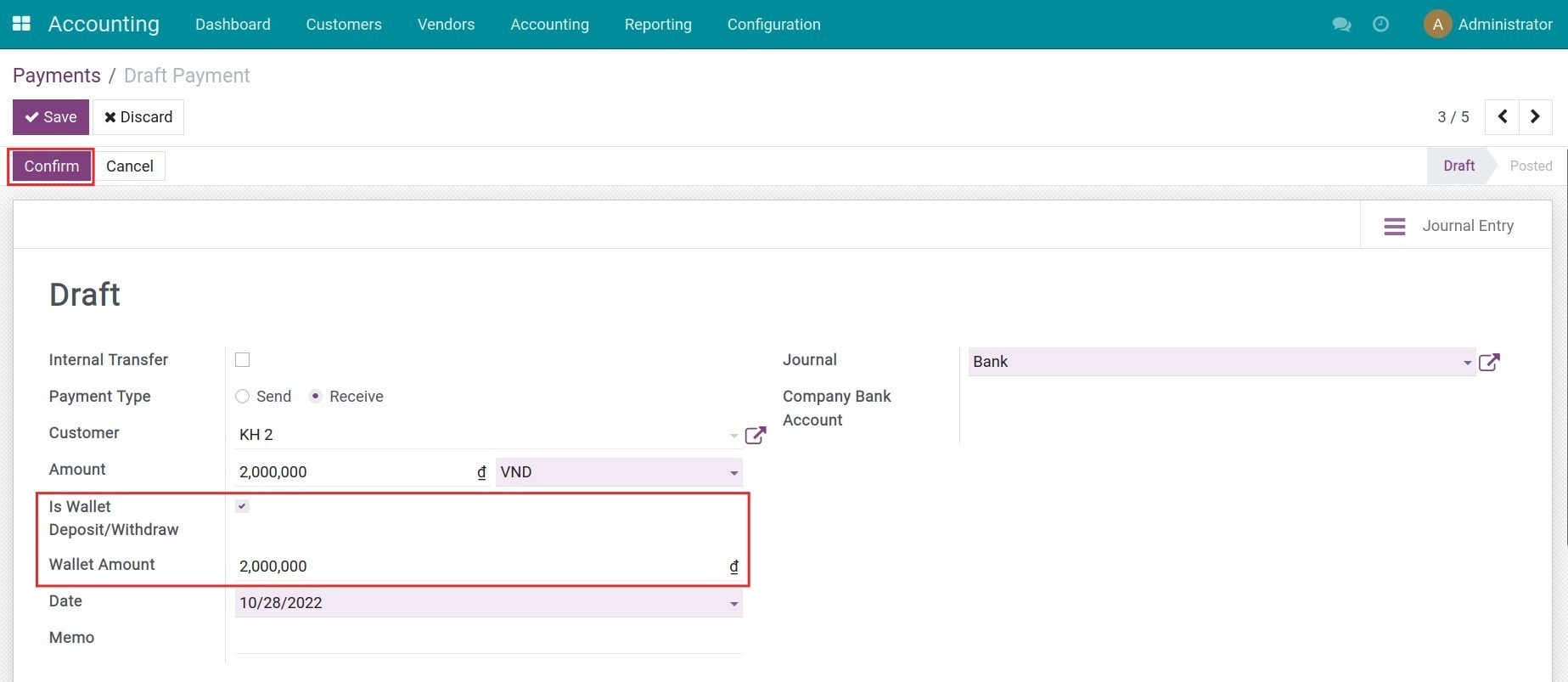
Press Confirm to post the payment. On the customer profile, you can track the deposit amount on the Wallets tab.
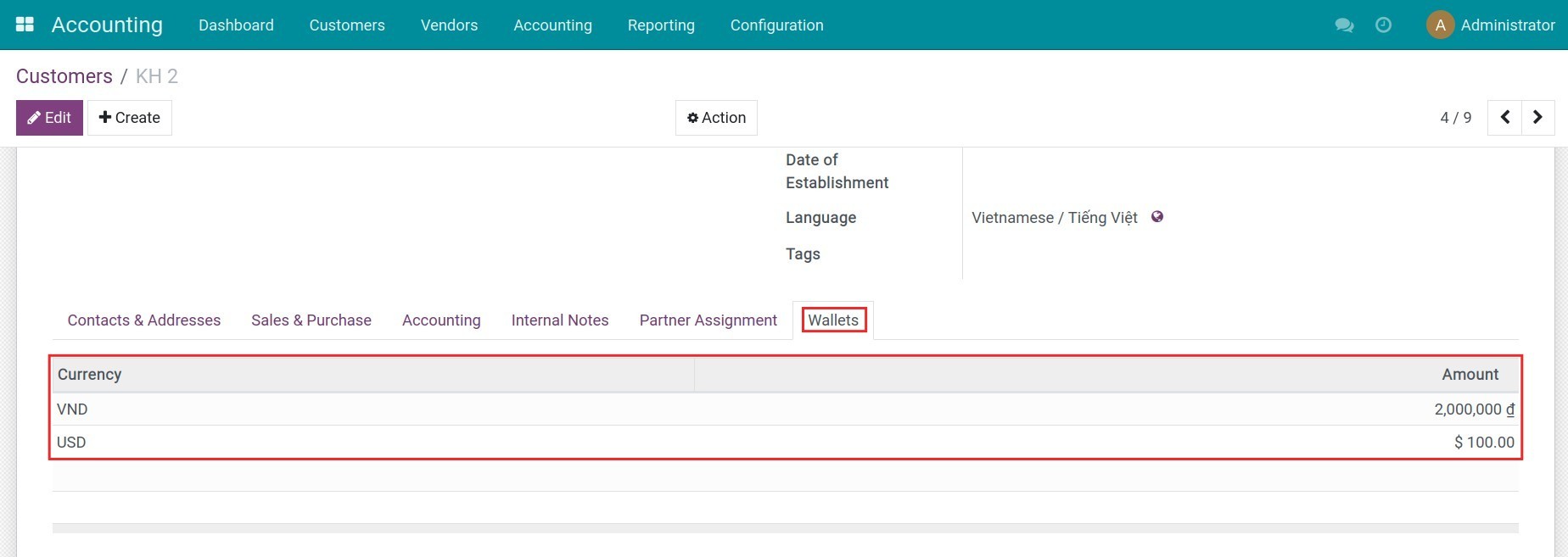
Note: If you activate the multi-currencies feature, the system will record the wallet amount in the foreign currencies.
3. Customer track the e-Wallet
If customers are granted the portal access to the system, they can track their e-Wallet by accessing to the Wallets section on the personal account.
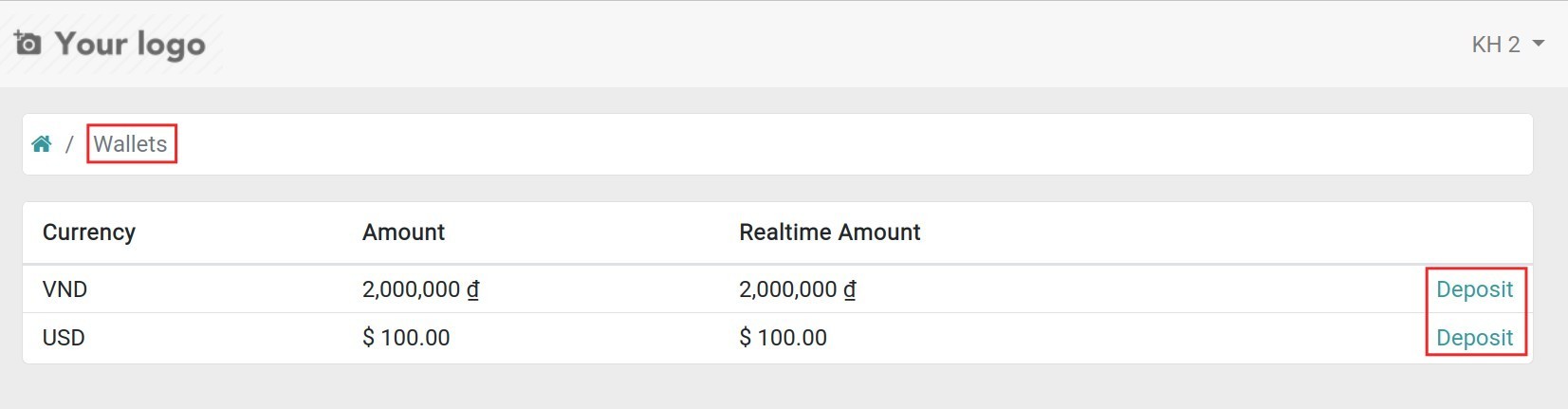
Here they can also press Deposit to deposit more to their e-Wallet. Be aware that the deposit is only applied when you have done it before through the payment acquirer such as Momo, VNpay, Paypal, Wire transfer, v.v.
4. Create the sales order
Navigate to Sales > Orders > Quotations, press Create to create a new request for quotation in the Sales app.
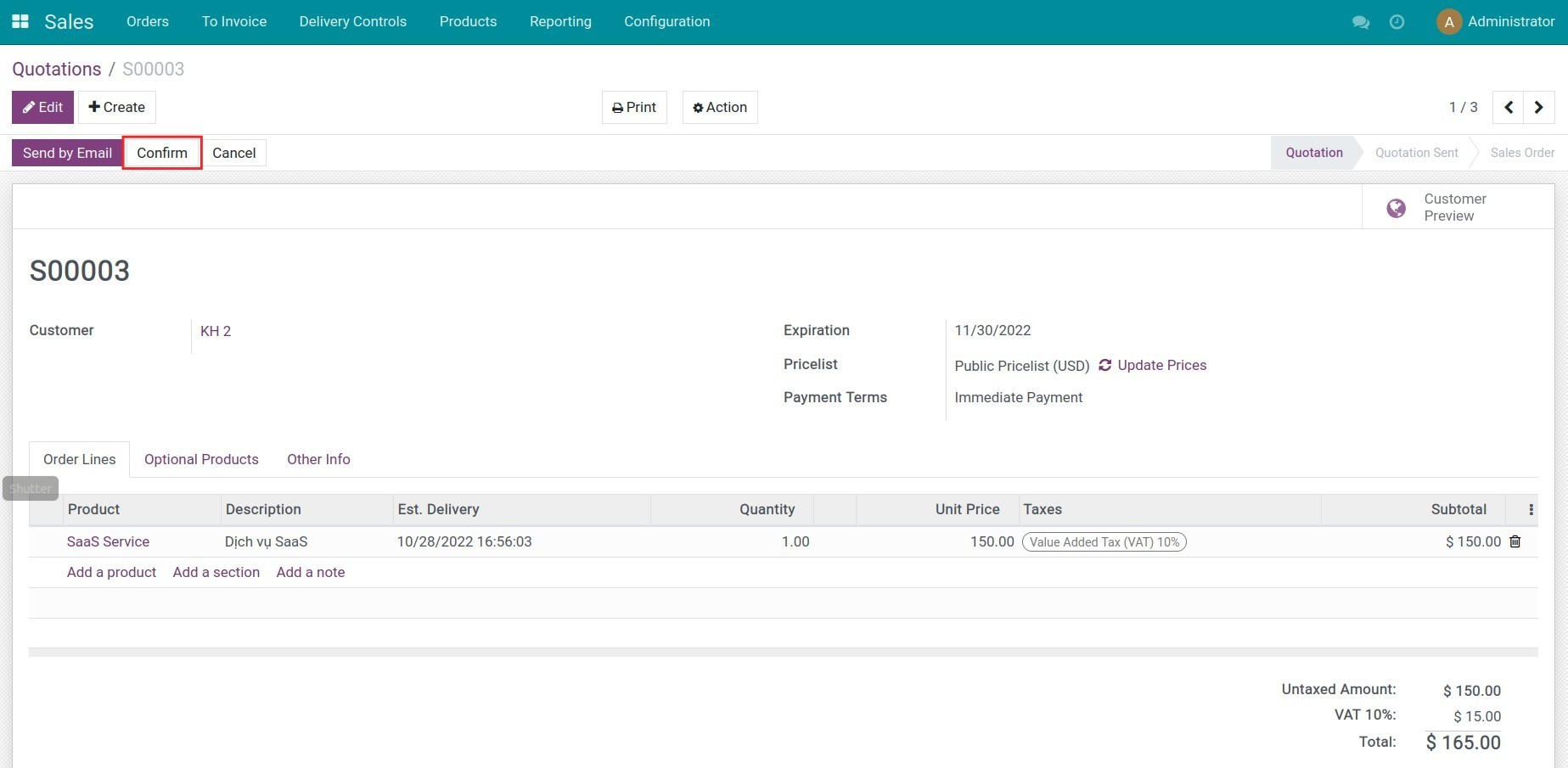
When receiving the customer's confirmation, press Confirm to convert it to a sales order.
5. Create customer invoice and payment by e-Wallet
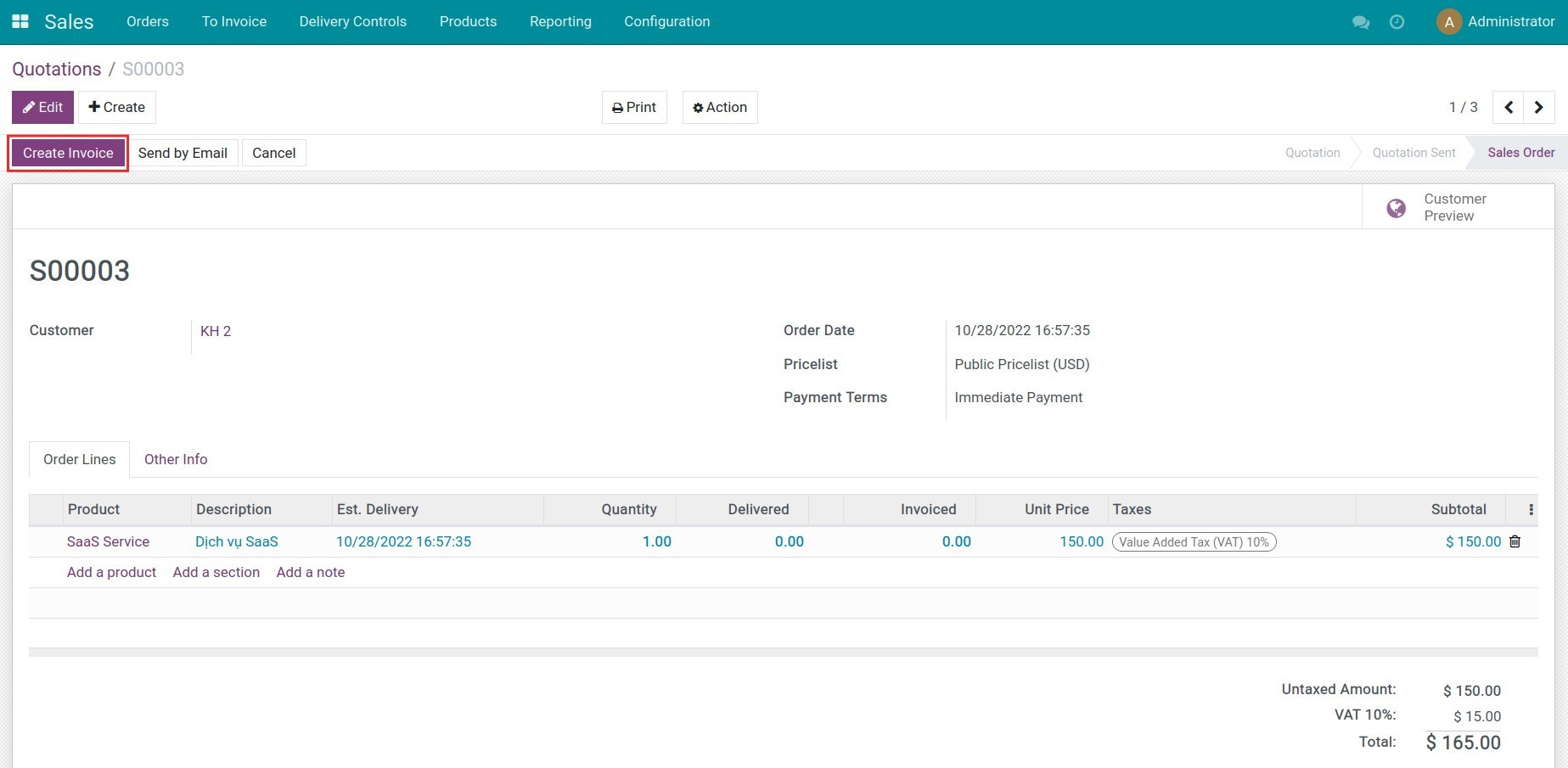
On the sales order interface, press Create Invoice.
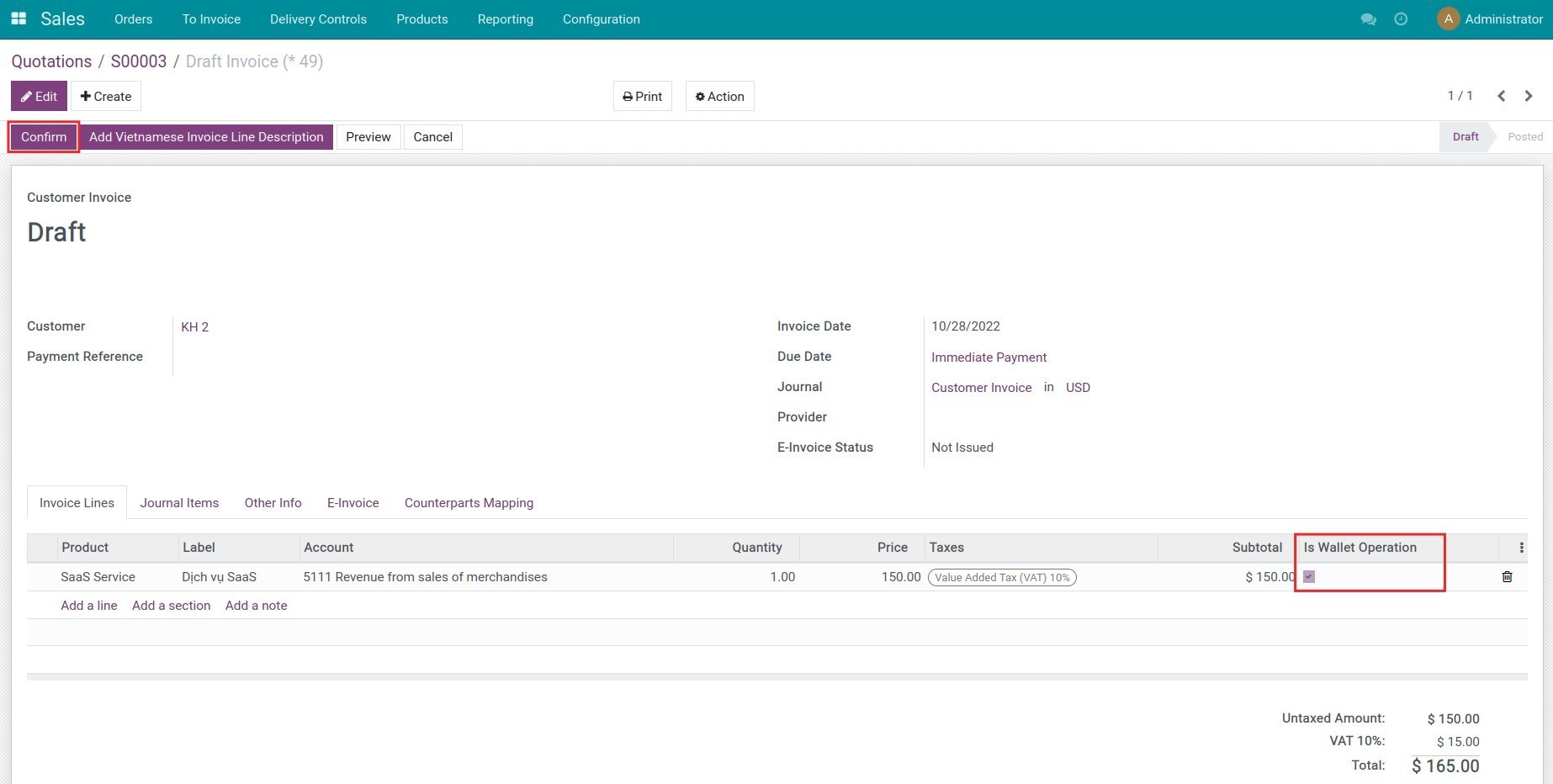
Select Is Wallet Operation on Invoice lines tab. Press Confirm to post this invoice.
The system will inform that there are outstanding credits for this customer. Press Add to use the wallet amount for this invoice.
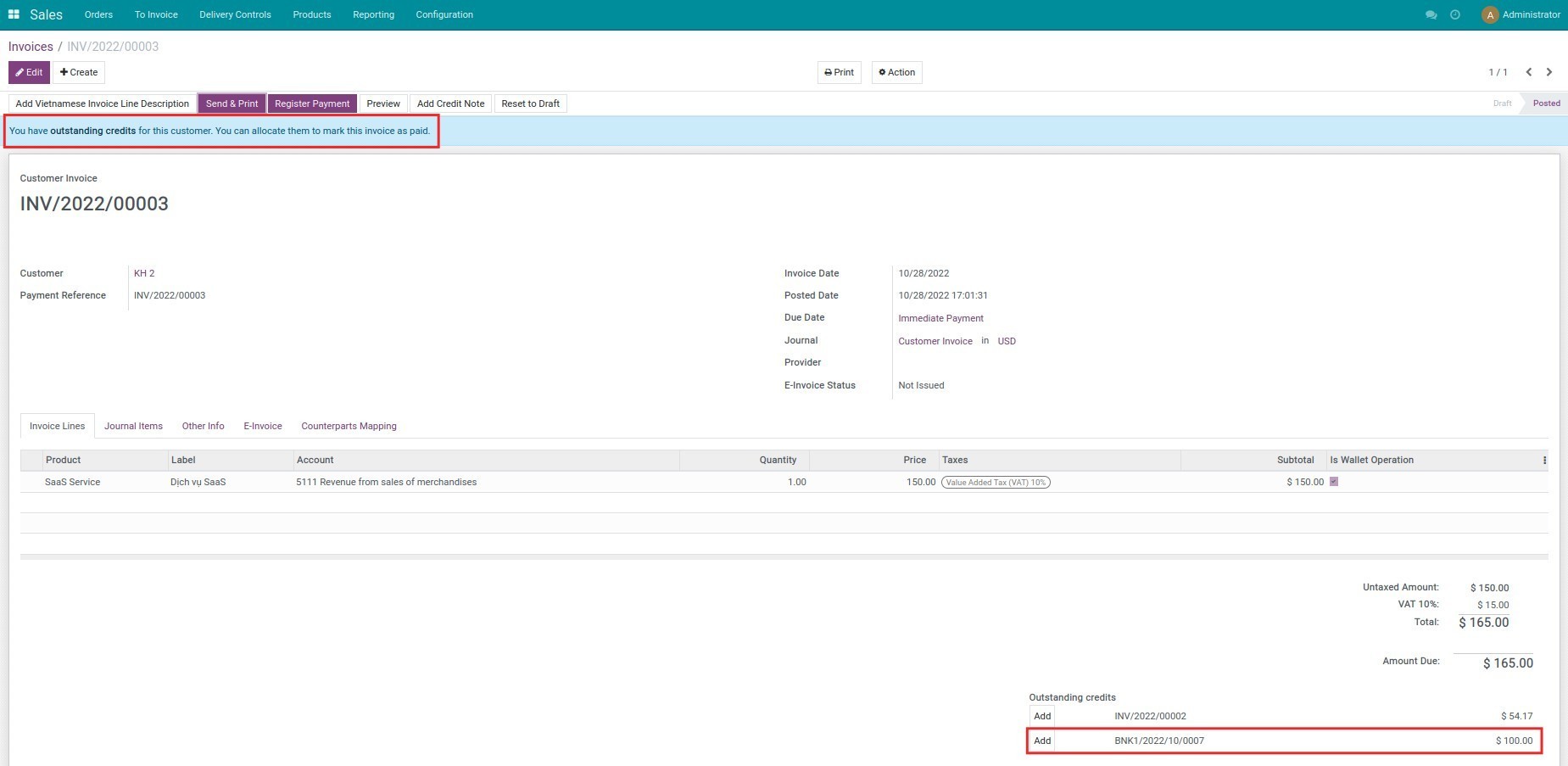
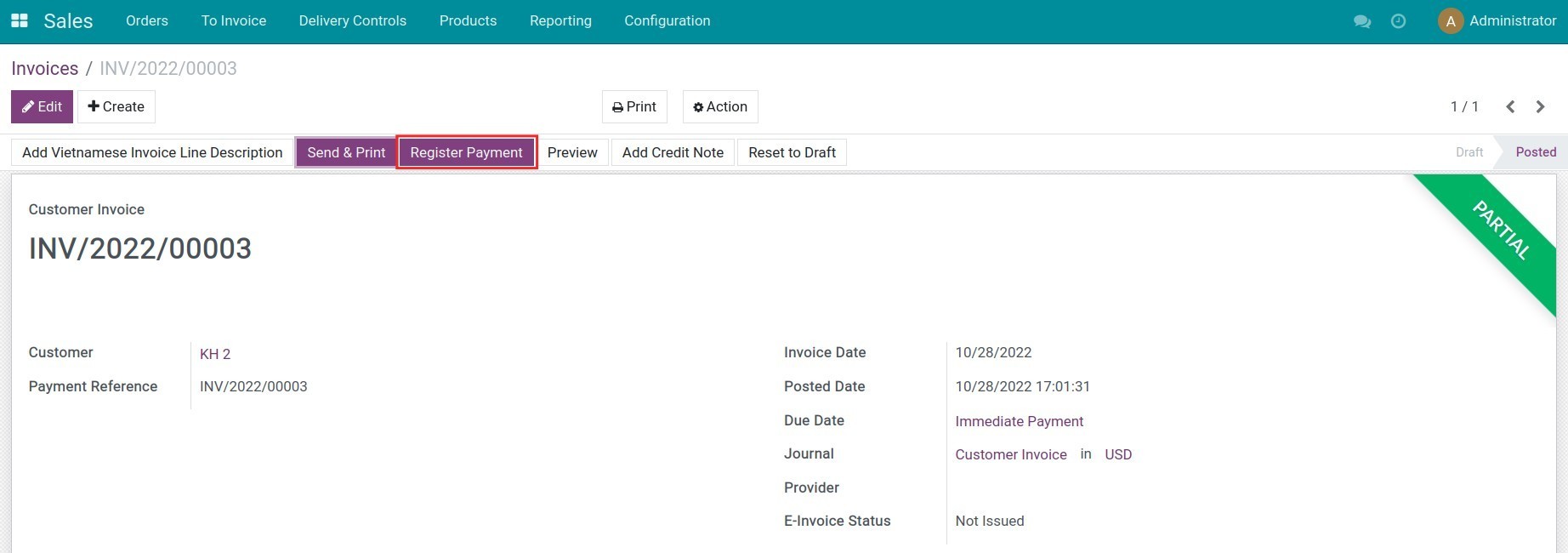
In case the wallet amount isn't enough to pay for this invoice, press Register payment to record the remaining amount.
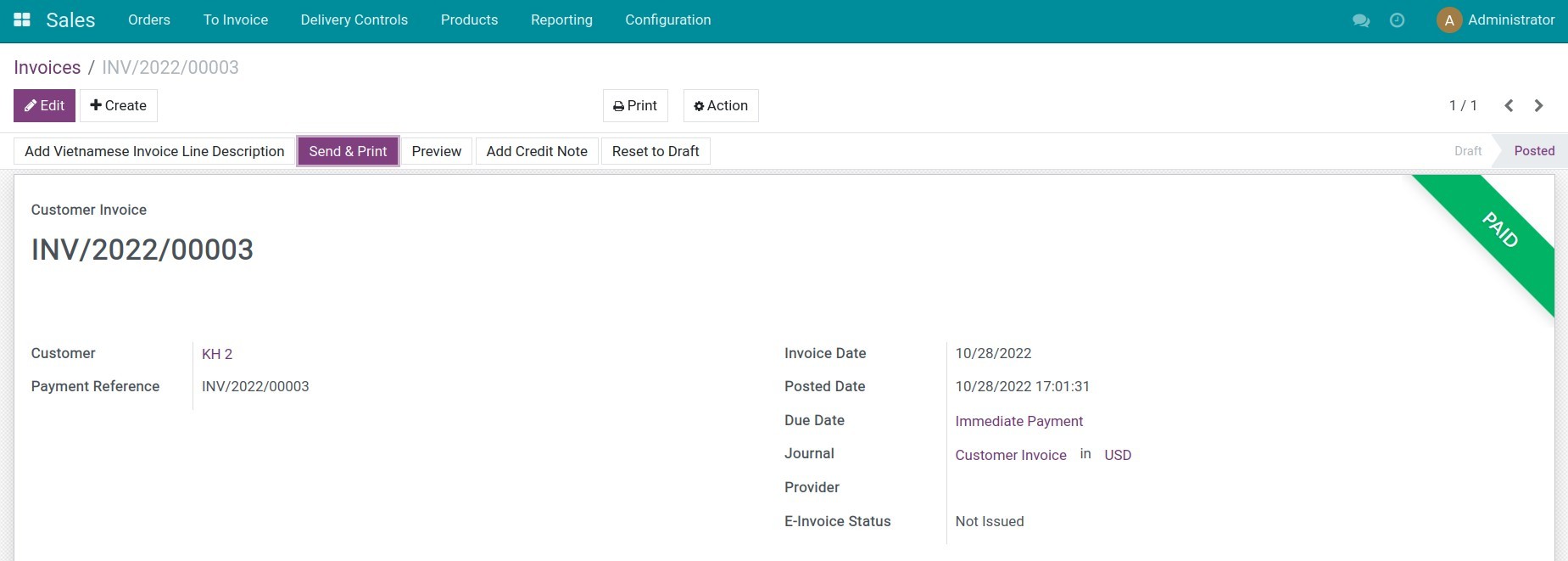
Note: If the company deposits to the e-wallet, all contacts in this company can use this wallet to process the payment.
Now you can create a bank statement and process the bank reconciliation.
This software and associated files (the "Software") may only be used (executed, modified, executed after modifications) if you have purchased a valid license from the authors, typically via Odoo Apps, or if you have received a written agreement from the authors of the Software (see the COPYRIGHT file).
You may develop Odoo modules that use the Software as a library (typically by depending on it, importing it and using its resources), but without copying any source code or material from the Software. You may distribute those modules under the license of your choice, provided that this license is compatible with the terms of the Odoo Proprietary License (For example: LGPL, MIT, or proprietary licenses similar to this one).
It is forbidden to publish, distribute, sublicense, or sell copies of the Software or modified copies of the Software.
The above copyright notice and this permission notice must be included in all copies or substantial portions of the Software.
THE SOFTWARE IS PROVIDED "AS IS", WITHOUT WARRANTY OF ANY KIND, EXPRESS OR IMPLIED, INCLUDING BUT NOT LIMITED TO THE WARRANTIES OF MERCHANTABILITY, FITNESS FOR A PARTICULAR PURPOSE AND NONINFRINGEMENT. IN NO EVENT SHALL THE AUTHORS OR COPYRIGHT HOLDERS BE LIABLE FOR ANY CLAIM, DAMAGES OR OTHER LIABILITY, WHETHER IN AN ACTION OF CONTRACT, TORT OR OTHERWISE, ARISING FROM, OUT OF OR IN CONNECTION WITH THE SOFTWARE OR THE USE OR OTHER DEALINGS IN THE SOFTWARE.