
Point of sale - BIDV QR code automatic payment
| Lines of Code | 463 |
| Technical name | viin_pos_qr_bidv |
| License | OPL-1 |
| Website | https://viindoo.com/apps/app/16.0/viin_pos_qr_bidv |
| Read description for | |
| Required Apps | Invoicing (account) Discuss (mail) Inventory (stock) Contacts (contacts) |
| Included Dependencies | BIDV Connector Bank Connector POS QR Automatic Payment BIDV Automatic QR Payment |


Point of sale - BIDV QR code automatic payment
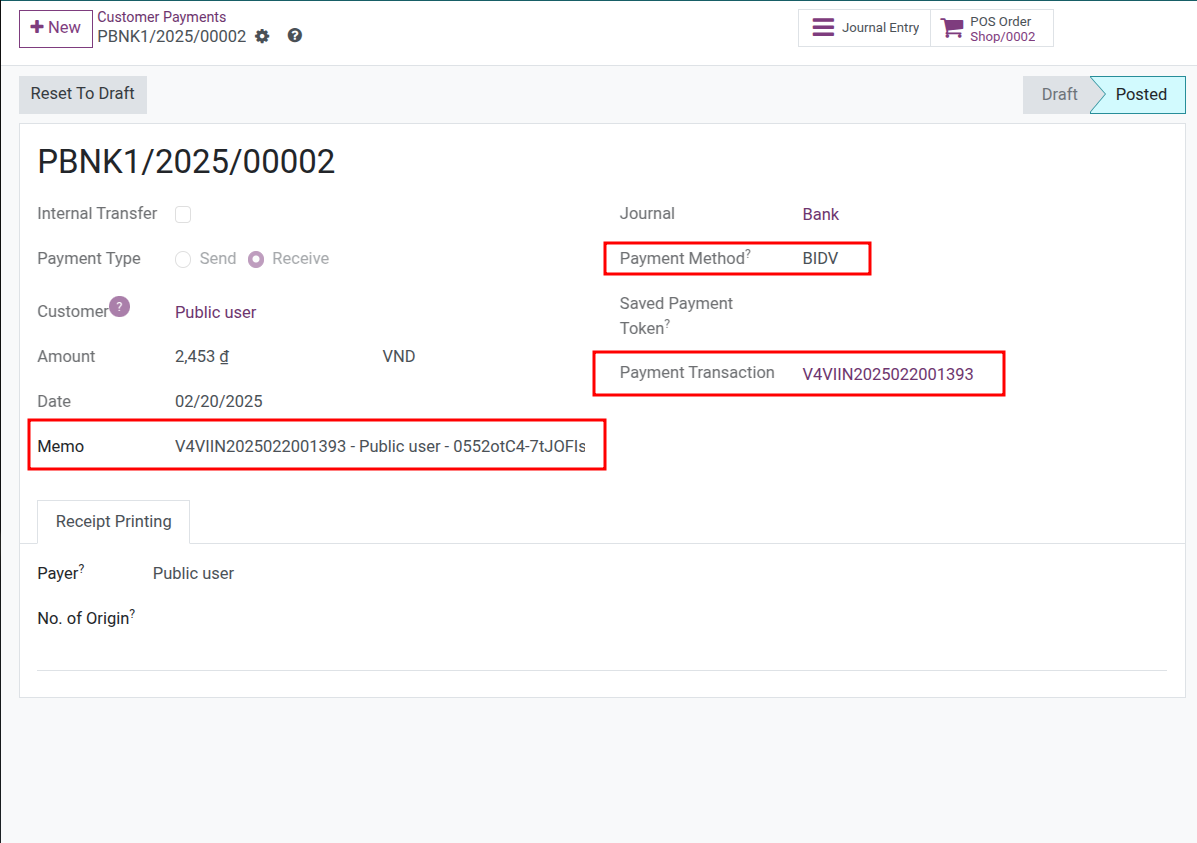
Integrate BIDV QR payment with POS, enabling automatic pos order confirmation and payment processing. Automatically confirms the POS order, Creates an Account Payment record, Registers the POS payment
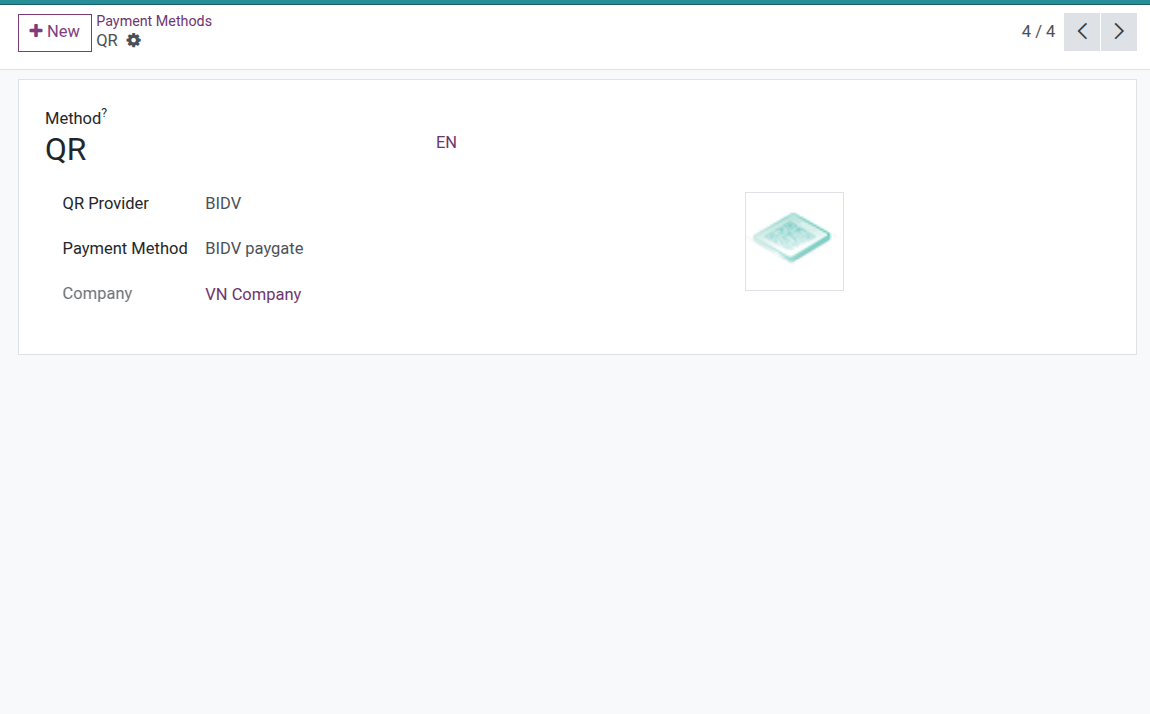
BIDV Service Configuration
- Set up BIDV PayGate as the QR provider for POS payment methods
- Link BIDV accounts using Merchant ID, API Key, and other credentials which is config in payment provider and company setting
BIDV QR Code Integration
- Automatically generate QR code when confirming a POS order
- Each QR code is unique to the order, ensuring accurate transactions
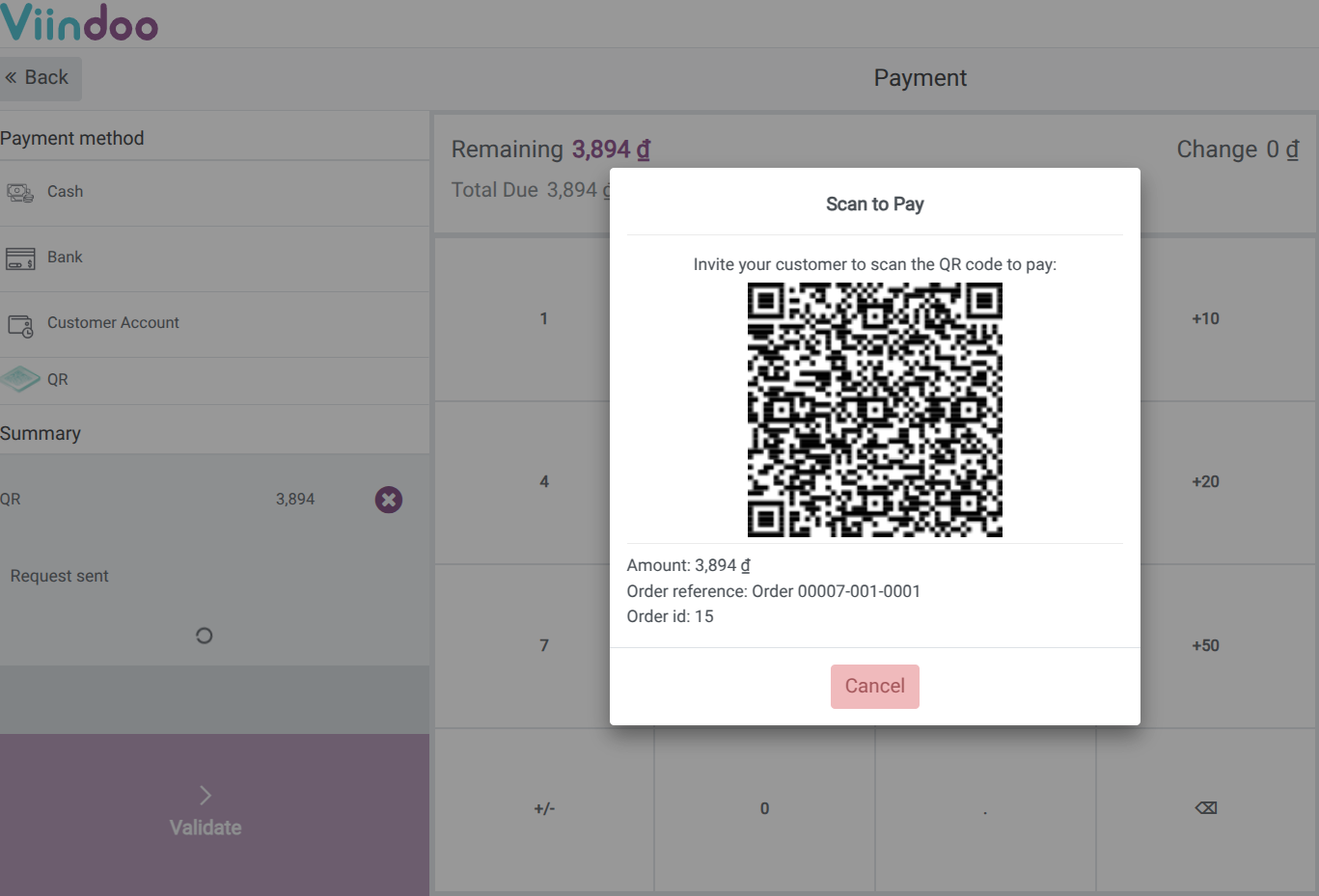
Automatic Pos Order Validation
- Once the customer pays, BIDV sends a notification
- The system automatically validate the POS order and records the pos payment and account payment in real-time
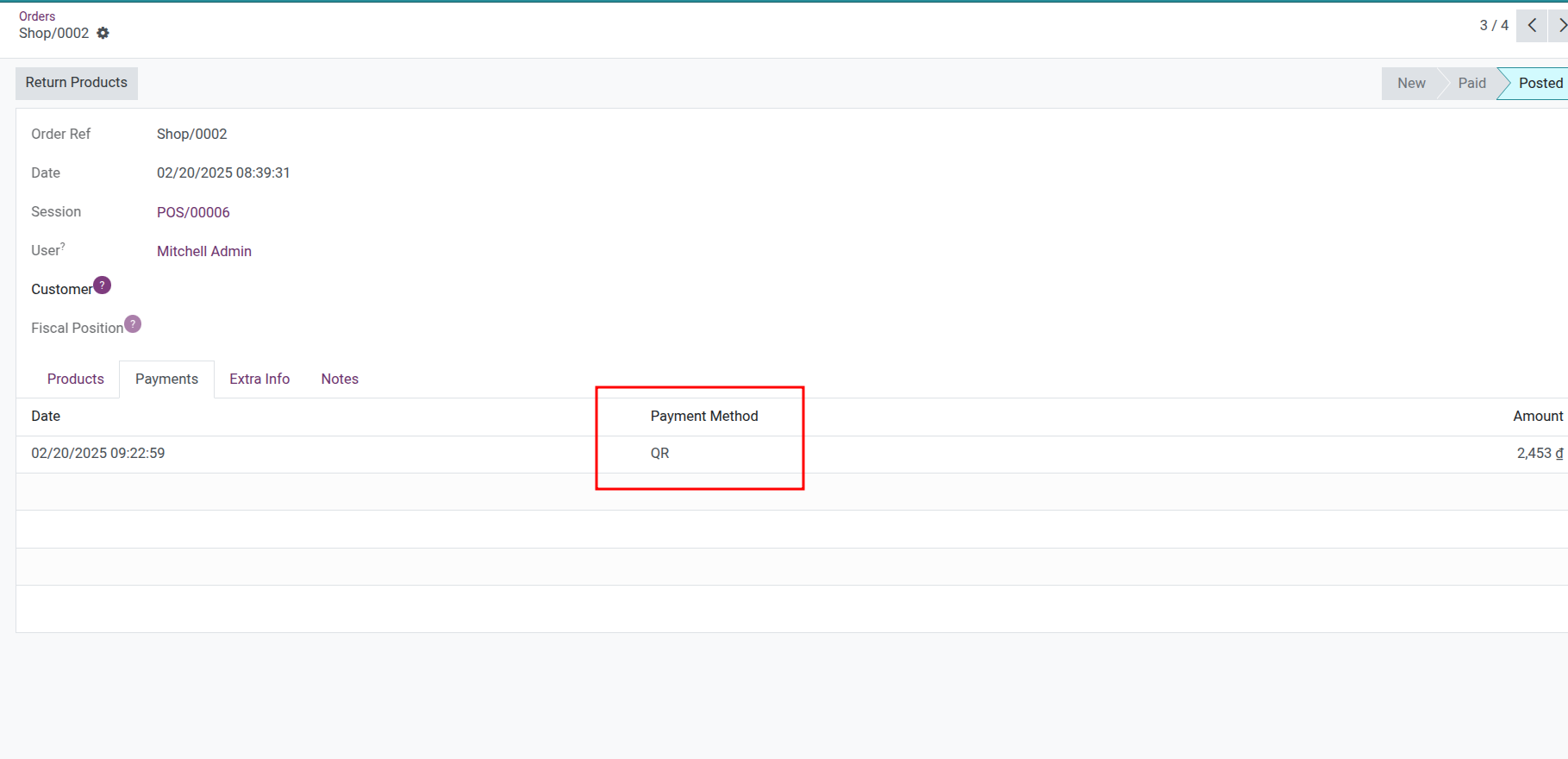
Benefits
Need a help for this module?
If you have questions, need any help, or have a customizations request, please contact us
Pre-Sales Question
- The module you are exploring: name and version
- Edition in use: CE, EE
- Your issue: trial, payment, installation, etc.
- Provide screenshots or videos, if available.
Support
- Your order number and attach a screenshot
- A description of the issue you're experiencing
- Your expectations for resolving the situation
- Include images or videos that replicate the issue
User Guide: Point of sale - BIDV QR code automatic payment
This guide explains how to configure and use the Point of sale - BIDV QR code automatic payment module for seamless QR code-based transactions for Pos Order.
Note
Before get started you should see the documentation to enable BIDV payment provider at the tab Documentation of https://viindoo.com/apps/app/17.0/payment_bidv_viin
How to Use Point of sale - BIDV QR code automatic payment
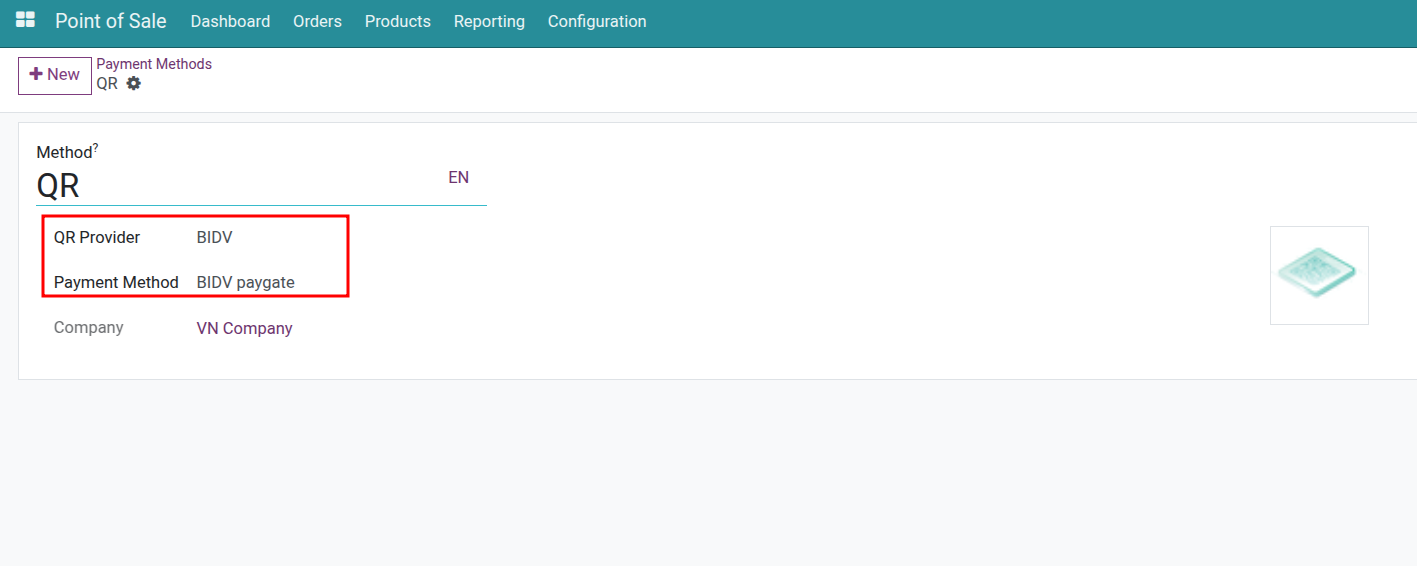
Set up QR Pos Payment Method
- Go to Point of Sale app.
- Go to Configuration > Payment Methods
- Create a new pos payment method and name it QR or whatever you like
- QR provider: Select BIDV.
- Payment Method: Select BIDV Paygate.
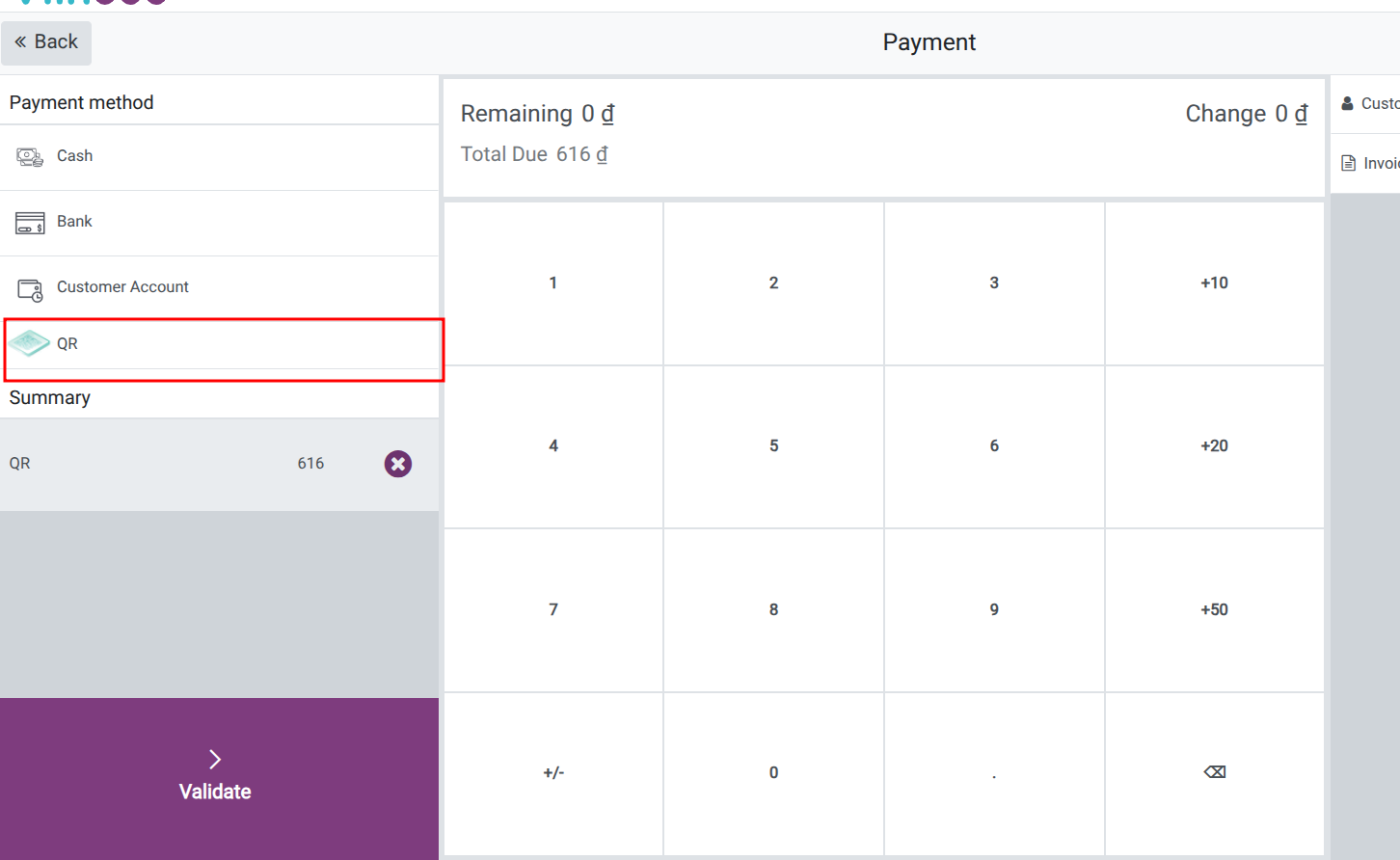
Select QR Method before validate order
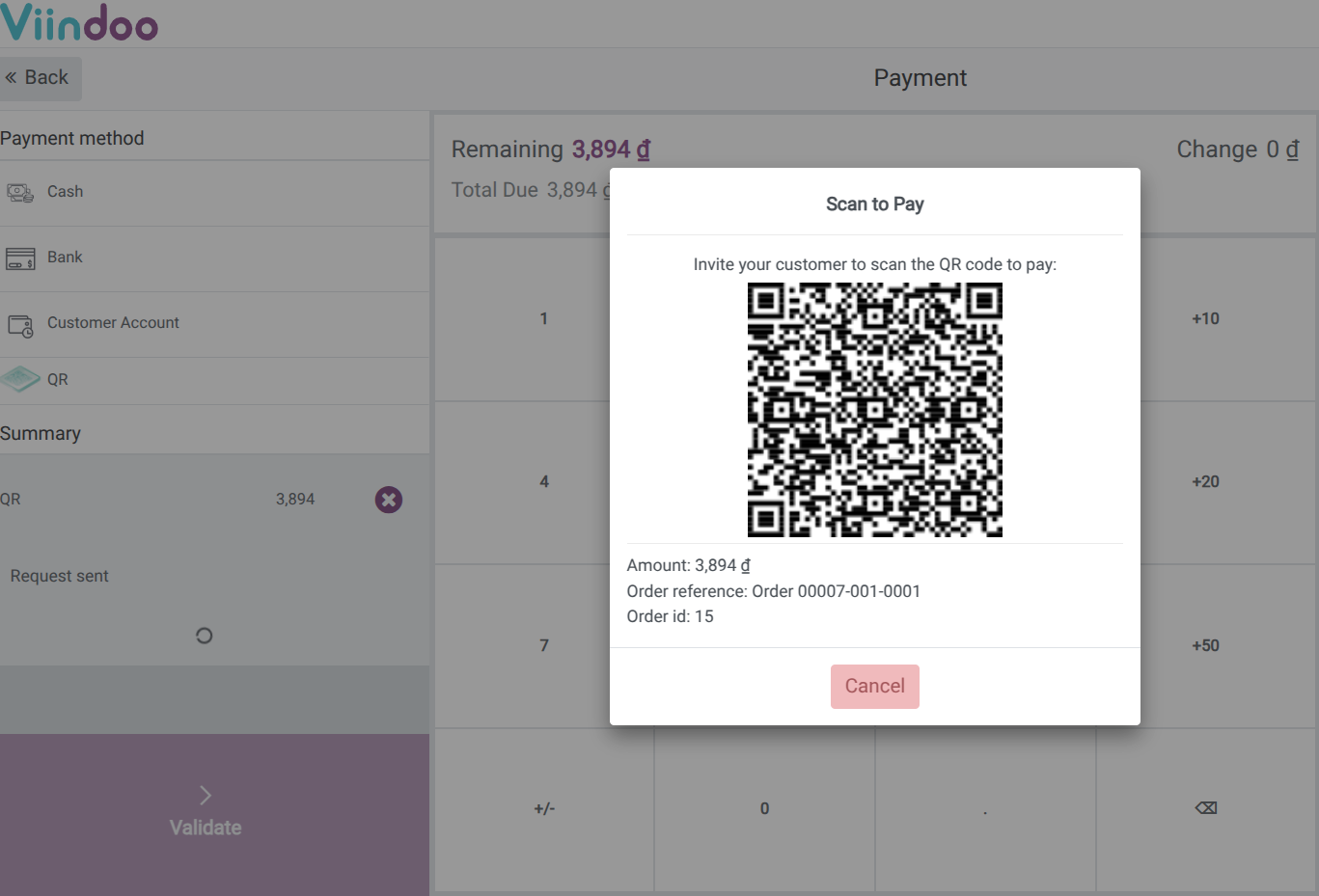
Done! Your QR method in pos is now ready for use
This software and associated files (the "Software") may only be used (executed, modified, executed after modifications) if you have purchased a valid license from the authors, typically via Odoo Apps, or if you have received a written agreement from the authors of the Software (see the COPYRIGHT file).
You may develop Odoo modules that use the Software as a library (typically by depending on it, importing it and using its resources), but without copying any source code or material from the Software. You may distribute those modules under the license of your choice, provided that this license is compatible with the terms of the Odoo Proprietary License (For example: LGPL, MIT, or proprietary licenses similar to this one).
It is forbidden to publish, distribute, sublicense, or sell copies of the Software or modified copies of the Software.
The above copyright notice and this permission notice must be included in all copies or substantial portions of the Software.
THE SOFTWARE IS PROVIDED "AS IS", WITHOUT WARRANTY OF ANY KIND, EXPRESS OR IMPLIED, INCLUDING BUT NOT LIMITED TO THE WARRANTIES OF MERCHANTABILITY, FITNESS FOR A PARTICULAR PURPOSE AND NONINFRINGEMENT. IN NO EVENT SHALL THE AUTHORS OR COPYRIGHT HOLDERS BE LIABLE FOR ANY CLAIM, DAMAGES OR OTHER LIABILITY, WHETHER IN AN ACTION OF CONTRACT, TORT OR OTHERWISE, ARISING FROM, OUT OF OR IN CONNECTION WITH THE SOFTWARE OR THE USE OR OTHER DEALINGS IN THE SOFTWARE.