Viindoo
Odoo Community
Odoo Enterprise

The Work Center That Weighs, Prints, and Advances the Order Itself

Attach a scale, a label printer, or a footswitch to a work center once. From then on, the operator working that station never touches a keyboard to get a number, a label, or the next step onto the order.
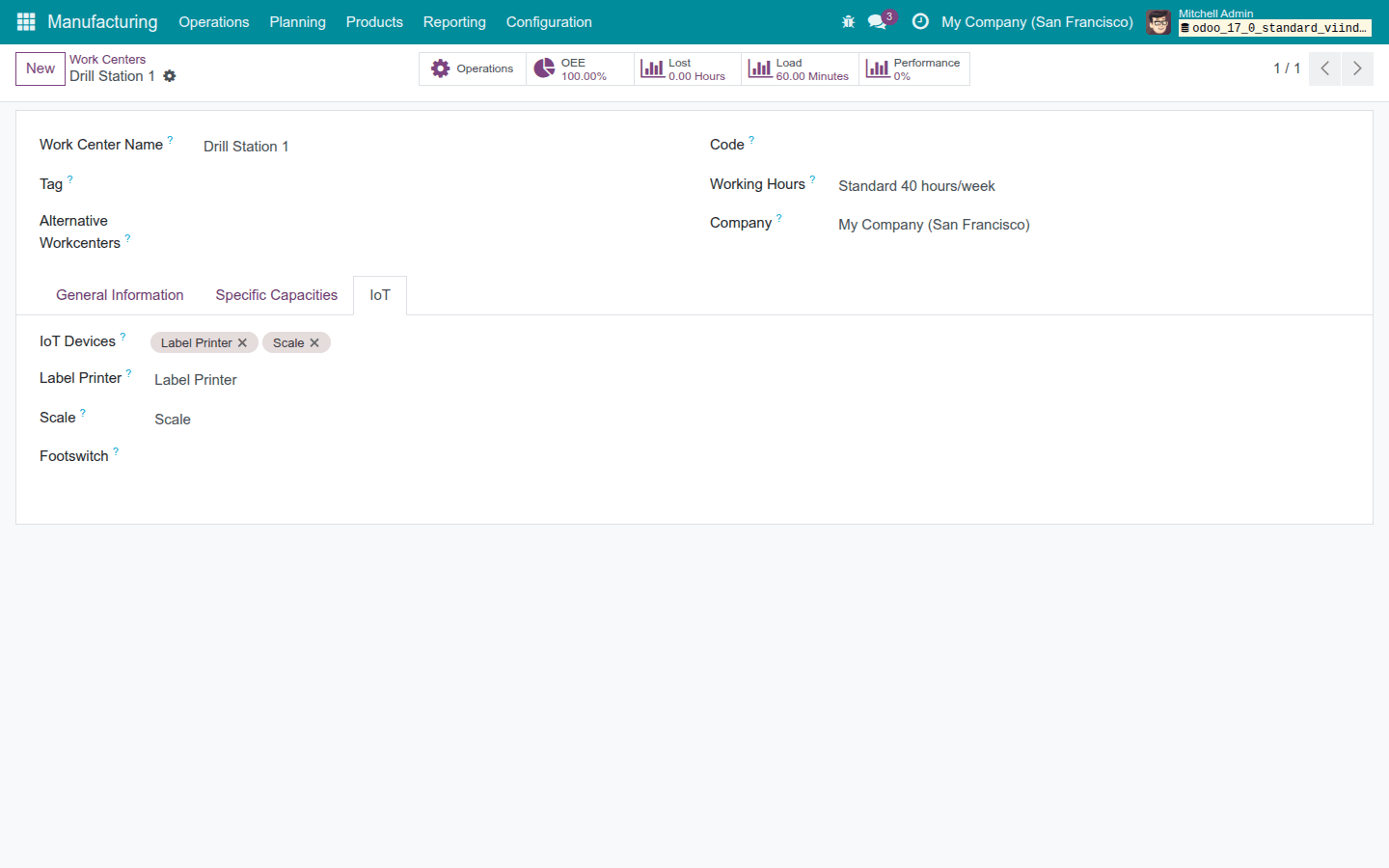
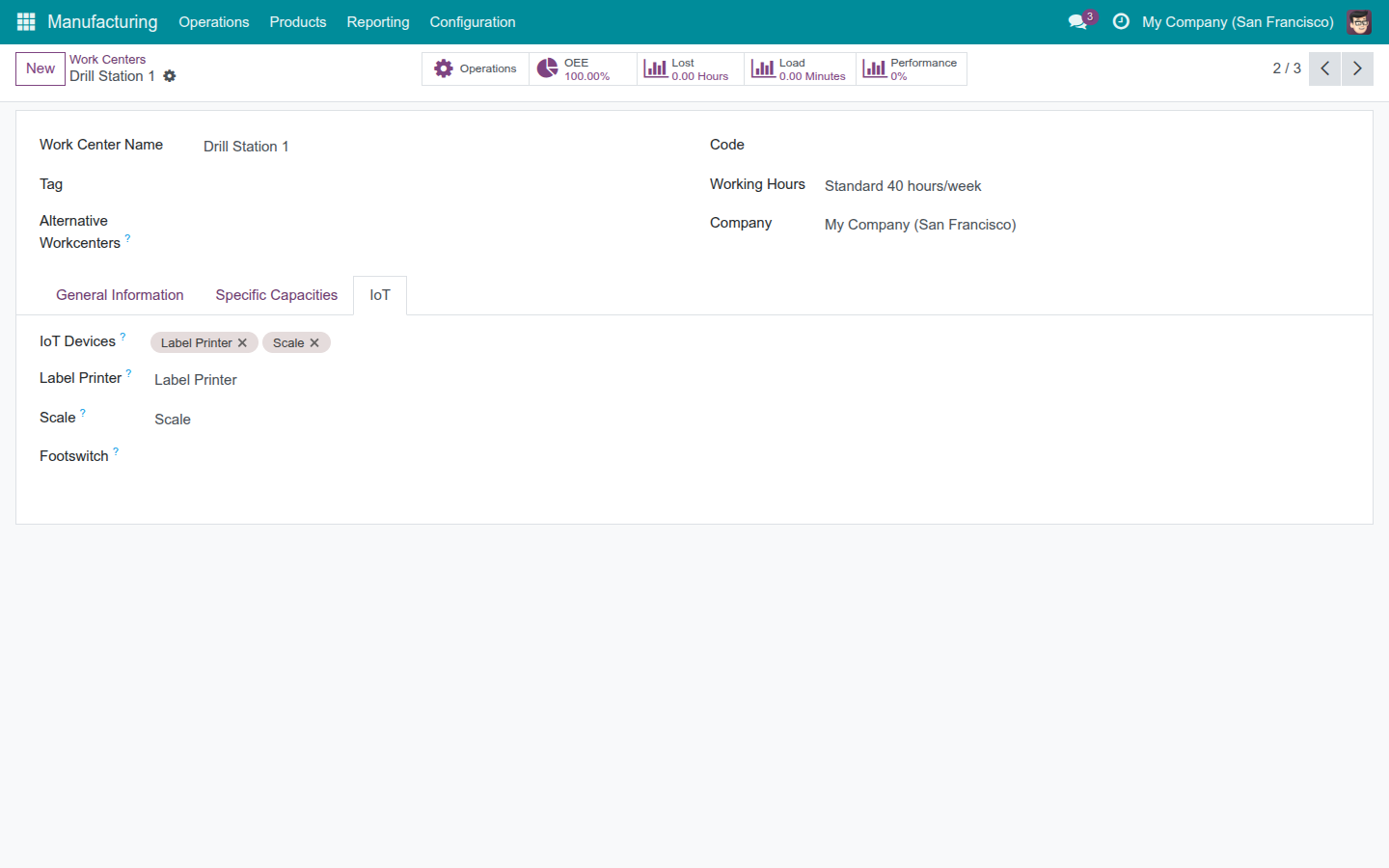
A work center's IoT page with a label printer and a scale attached and nominated

Stop re-typing what the machine on the bench already knows - and stop needing an IoT permission to use it.

Extends viin_iot - see its documentation.
Key Features

🔌

Attach IoT Devices to a Work Center

Attach one or more registered IoT devices to a work center and nominate which one is that station's label printer, scale, or footswitch - company-scoped, so a device from another company can never be pulled in by mistake.

🖨

Print the Work Order's Label on the Station's Own Printer

One control on the work order prints the finished unit's label, always on the station's own nominated printer, and refuses clearly - printing nothing - when no printer is nominated.

Request an On-Demand Scale Reading

A "Read Scale" control, shown only when the station has a scale nominated, asks a manual-measurement scale to answer once - the trigger it would otherwise never receive.

📈

A Scale Reading Fills the Produced Quantity Automatically

A weight reaching the server writes straight to the order's produced quantity - including a genuine zero - and scales the raw-material consumption behind it the same way a typed-in number would.

📡

Hands-Free Streaming Scale and Footswitch

Opening a work order silently claims the station's nominated scale and footswitch - no button to press first - with a visible badge the instant a device is busy elsewhere or unreachable.

One Press of the Footswitch Moves the Job Forward

A press of the station's footswitch starts, pauses, toggles, or finishes the running work order - whichever action the manager assigned it, and never a guess when nothing was assigned.

📋

Every Print Attempt Leaves a Record

Every label print posts a durable note on the production's own record - confirmed printed, or plainly "never confirmed in time" - so a quiet failure is never mistaken for a quiet success.

How It Works

1
A work center's IoT page with devices attached and nominated

A production manager opens a work center's configuration once, attaches its scale, label printer, and footswitch, and nominates which attached device plays which role. This is the only step that needs the IoT permission.

2

An ordinary MRP operator - holding no IoT permission at all - opens a work order at that station. The screen quietly claims the nominated scale and footswitch; a badge appears at once if a device is already busy elsewhere or unreachable.

3

The operator asks the scale to read, or a streaming scale simply reports on its own. The weight fills the produced quantity and scales the material consumption behind it - including an honest zero, never a silent drop.

4

A footswitch press starts, pauses, or finishes the job hands-free; a button on the order prints the finished unit's label on the station's own printer.

5

The order's production record keeps a durable note of what happened - a confirmed print, or an explicit timeout - so nothing that happened at the station is left to memory.

Point Your Hardware at the Station That Owns It

A production manager attaches registered IoT devices to a work center and nominates which one is that station's label printer, scale, or footswitch. A device has to be attached to the station before it can be nominated for a job, and a device that belongs to another company can never be pulled in by mistake. This is the one setup step, and it is the only part of this feature set that needs an IoT permission - everything downstream is open to any MRP operator.

A work center's IoT page with devices attached and nominated

Print the Label Without Leaving the Order

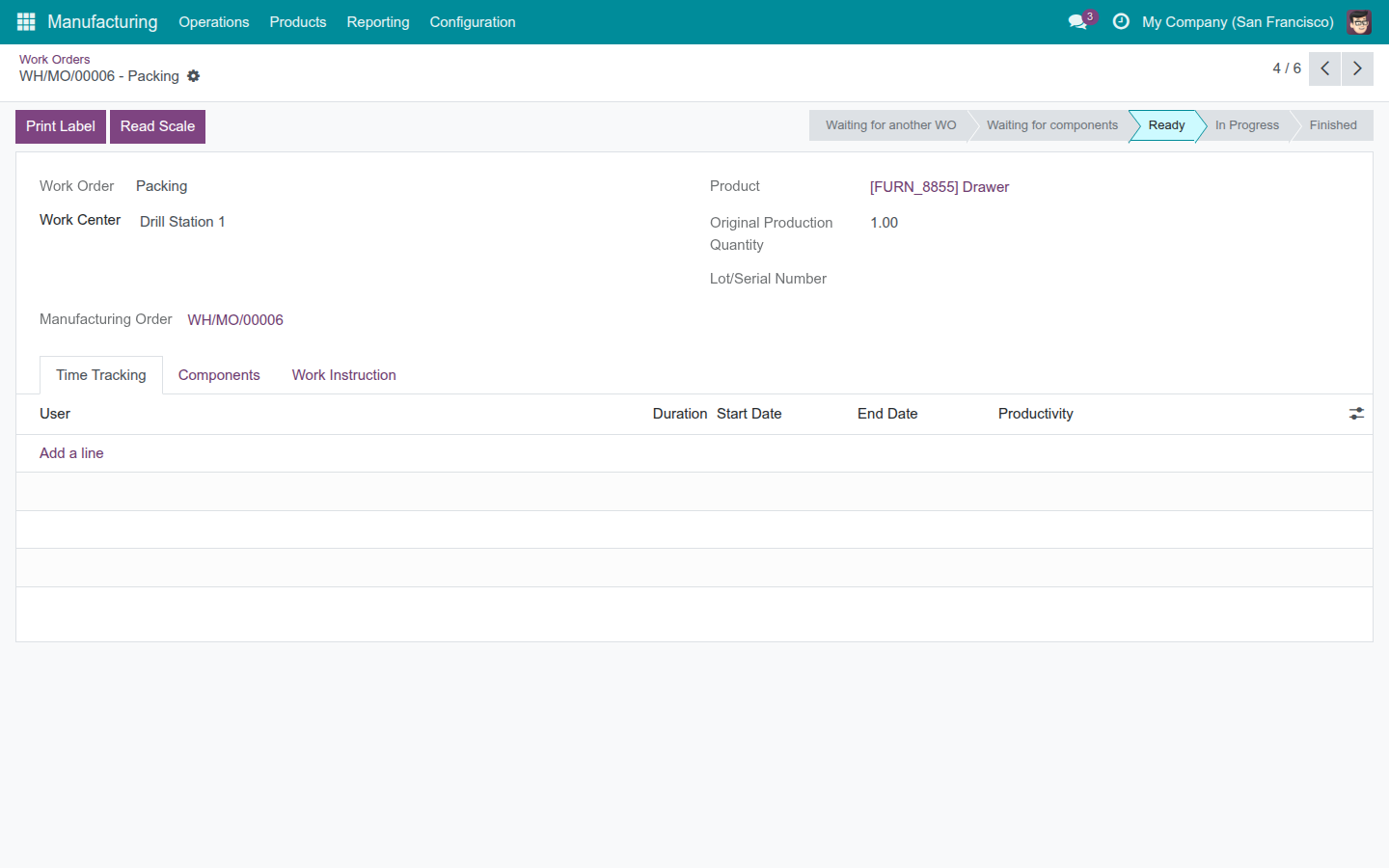
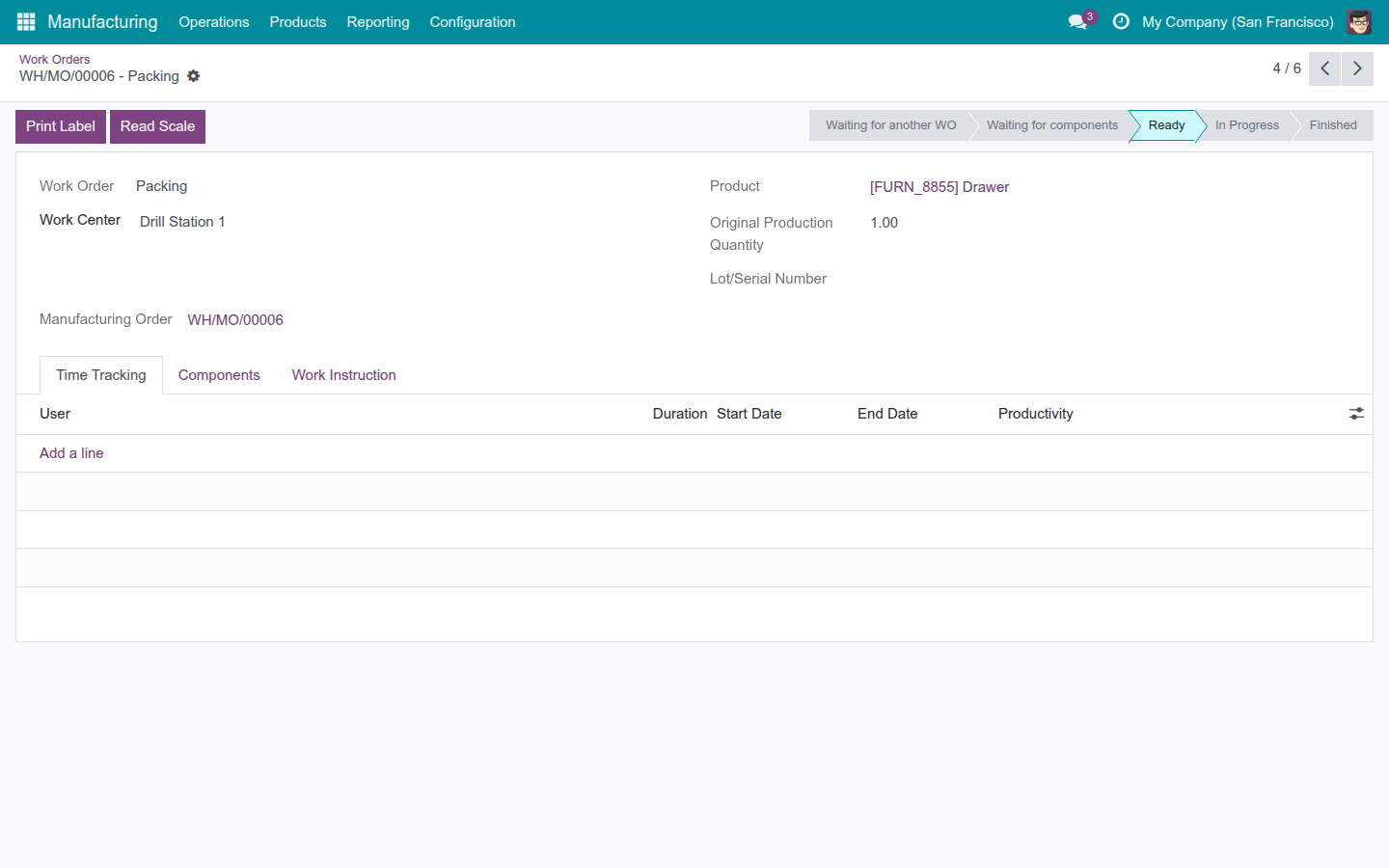
One button on the work order prints the finished unit's label - always on that station's own nominated printer, never on whichever printer happens to be closest. If the station has no printer nominated yet, the button says so plainly and prints nothing, instead of sending the job somewhere unexpected.

The Print Label and Read Scale buttons on a work order

Ask the Scale for a Reading, the Moment You Need One

For a scale that only speaks when spoken to, a "Read Scale" control appears right on the work order - shown only when the station actually has a scale nominated - and asks it to answer once. No walking to a separate scale screen to trigger a read.

The Print Label and Read Scale buttons on a work order

A Weight Becomes the Produced Quantity - Automatically

The instant a reading reaches the order, it fills the produced quantity directly, and the raw materials the order consumes scale with it, the same way they would if a person typed the number in. A genuine zero from the scale - a lost signal, a tare that never cleared - is recorded as what it is, a real reading, rather than quietly dropped as if nothing happened. If a reading arrives for a work order that never actually asked for one, it is refused rather than applied to the wrong order.

The Order Claims Its Own Scale and Footswitch the Moment It Opens

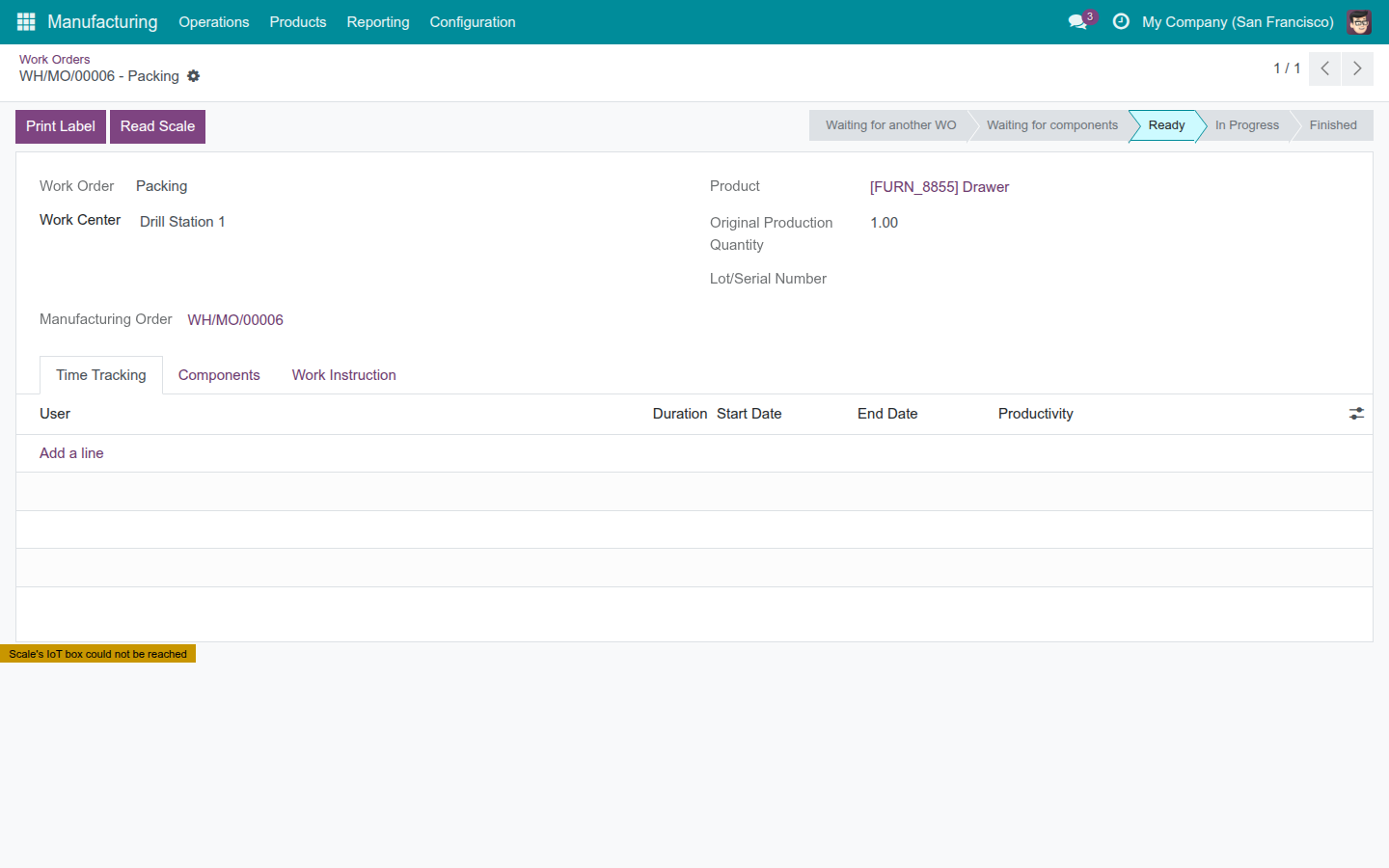
Open a work order at a station with a scale or a footswitch nominated, and the screen quietly takes hold of both - no button to press first. A streamed weight or a footswitch press reaches the server on its own. If another screen is already holding that device, or its box has gone unreachable, a visible badge says so immediately, instead of leaving the operator to wonder why nothing is happening.

A notice on the work order: the nominated device's IoT box could not be reached

One Press of the Footswitch Moves the Job Forward

With both hands full, a press of the station's footswitch starts, pauses, toggles, or finishes the running work order - whichever action the manager assigned it. The press rides the same guarded transitions the order's own buttons use, so it cannot skip a step those buttons would block. A footswitch nobody has assigned an action to simply does nothing; it never guesses what the operator meant.

Every Print Attempt Leaves a Record, Success or Not

Every label dispatched to a printer posts a note straight onto the production's own record - confirmed printed, or, just as clearly, "never confirmed in time" if the printer's box never answered. A print that quietly failed can never be mistaken later for one that quietly succeeded.

Need help with IoT Manufacturing?

Pre-Sales & Partnership

Talk to Viindoo before you buy.

viindoo.com/apps/modules/17.0/viin_iot_mrp

Technical Support

Already running it? Reach the support team directly.

apps.support@viindoo.com

Technical Requirement

  • Odoo version: 17.0
  • Editions: Community, Enterprise
  • Required apps: IoT (viin_iot), Manufacturing (mrp)
  • License: OPL-1

Give One Station Its Own Scale, Printer, and Footswitch

And give the rest of the shop floor the day back.

Talk to Us About Fitting IoT to Your Work Centers See a Work Order Run Hands-Free