
A document library that files itself from the records you already have
Workspaces per department, tags that mean something because they belong to categories, teams who own each shelf, share links that expire - and rules that create the document when the record is created.
Documents Management (technical name viin_document) is an Odoo 17.0 app for Odoo Community and Odoo Enterprise and Viindoo Cloud, built for department owner, anyone in the company, auditor or customer, administrator.
At a Glance
The facts of Documents Management, version 0.2.6, in one place. Published by Viindoo.
Key Features
Every company already has the documents; what it lacks is a place where they are findable a year later. This app gives each department a workspace, files documents into it with tags drawn from named categories - Confidentiality, Status, Year - and puts a team in charge of each shelf. What makes it more than a folder tree is the generation rules: point one at a model, and the document is created and filed automatically when the record appears, so the contract, the invoice and the certificate end up in the library without anyone remembering to upload them.
Share links that expire
Send a document outside the company with a deadline on it, rather than an attachment that lives in someone's inbox forever.
Ask for a document
A request records what you are waiting for and from whom, so chasing a missing certificate is a list rather than a memory.
Links as documents
Not everything is a file. A link is filed, tagged and found the same way.
Teams own shelves
A team with a leader owns a workspace, which is how access stays sane as the library grows.
How It Works
Three steps to a library that stays tidy without a librarian.
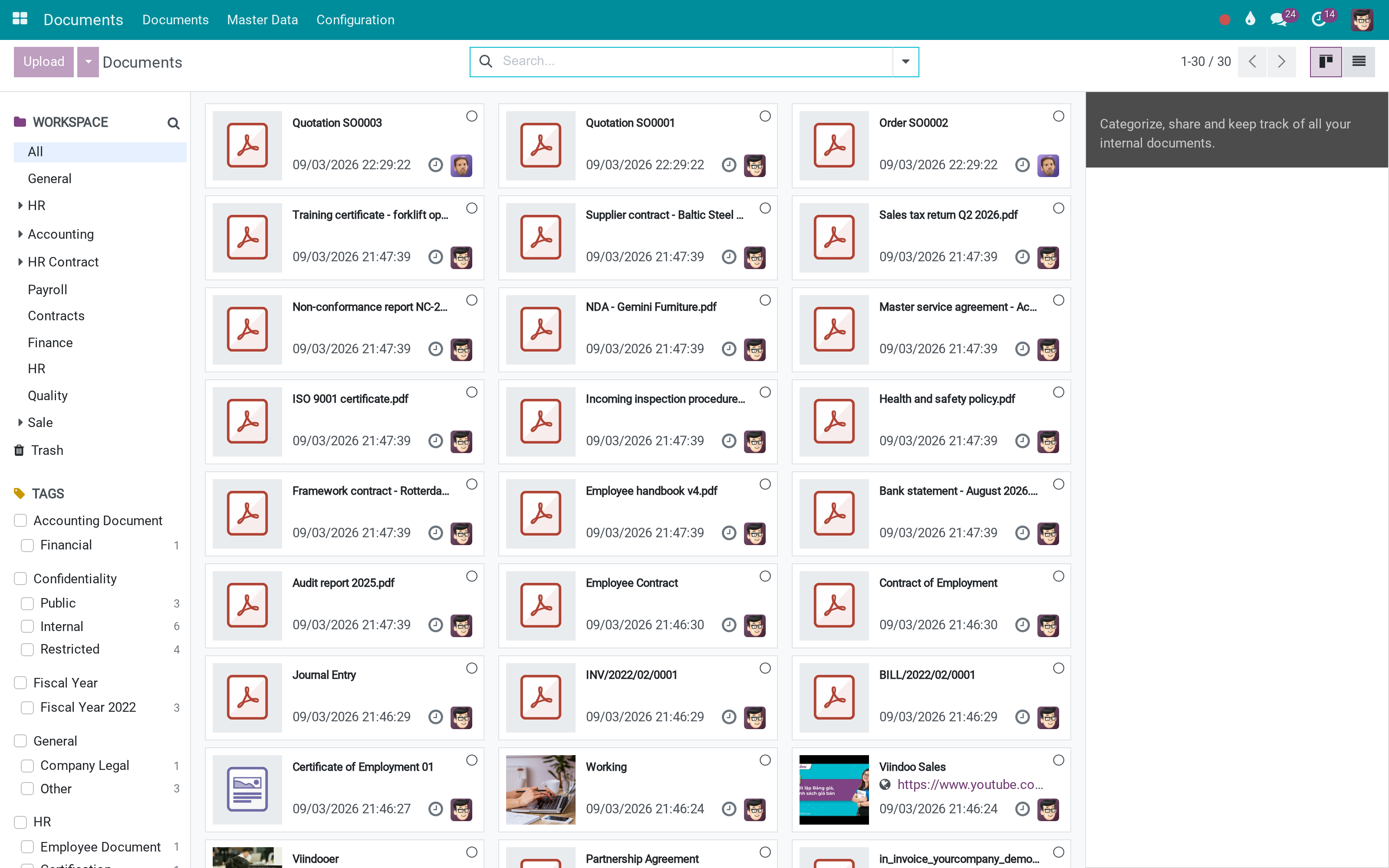
Give each department a shelf
Contracts, Finance, HR, Quality - each is a workspace with a team behind it. Access follows the workspace, so the HR shelf is not visible to everyone just because the module is installed.
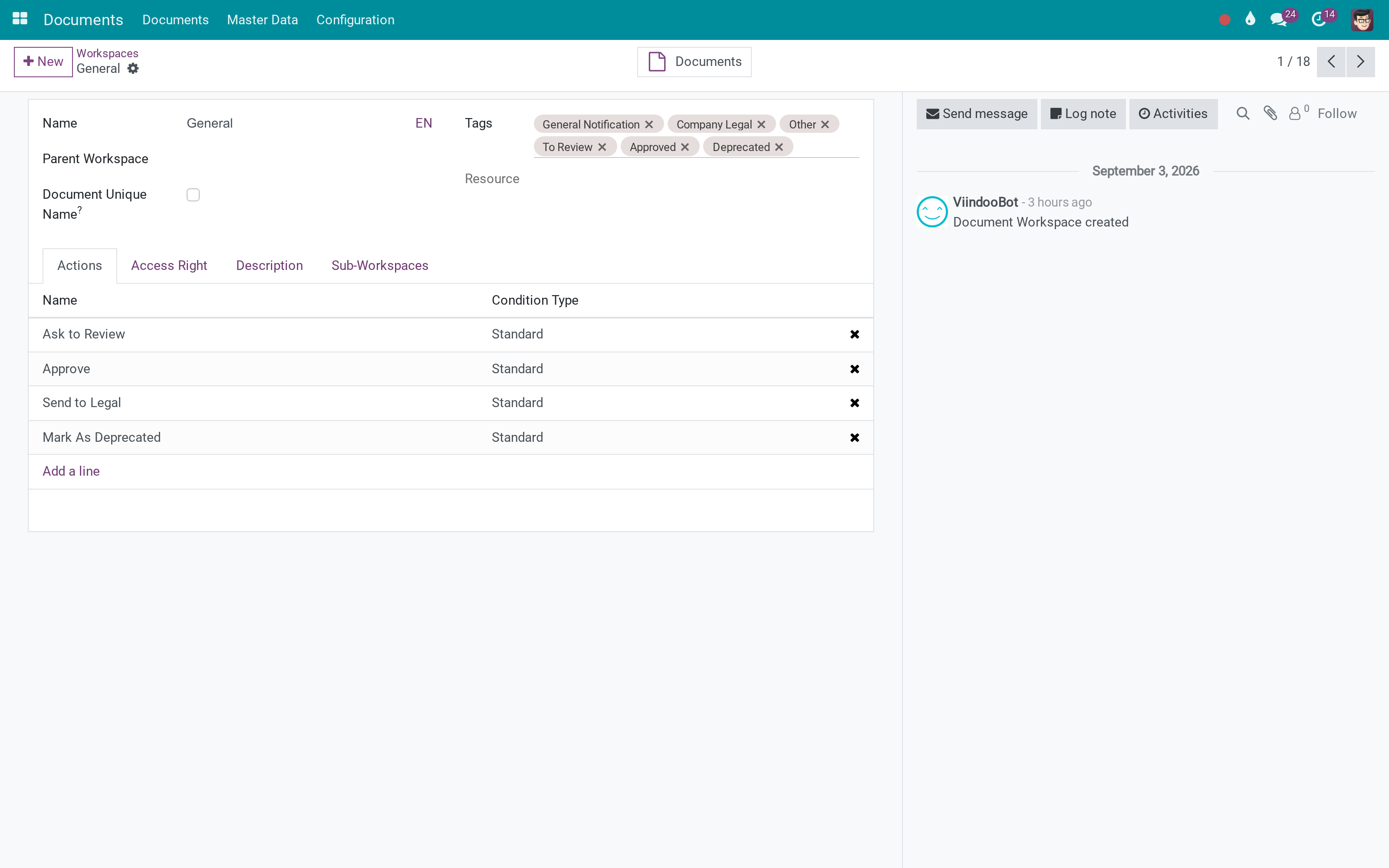
Tag in categories, not in a heap
A tag belongs to a category, and the sidebar groups the filters the same way. Three categories with three tags each beat thirty loose tags, because a person can hold the structure in their head.
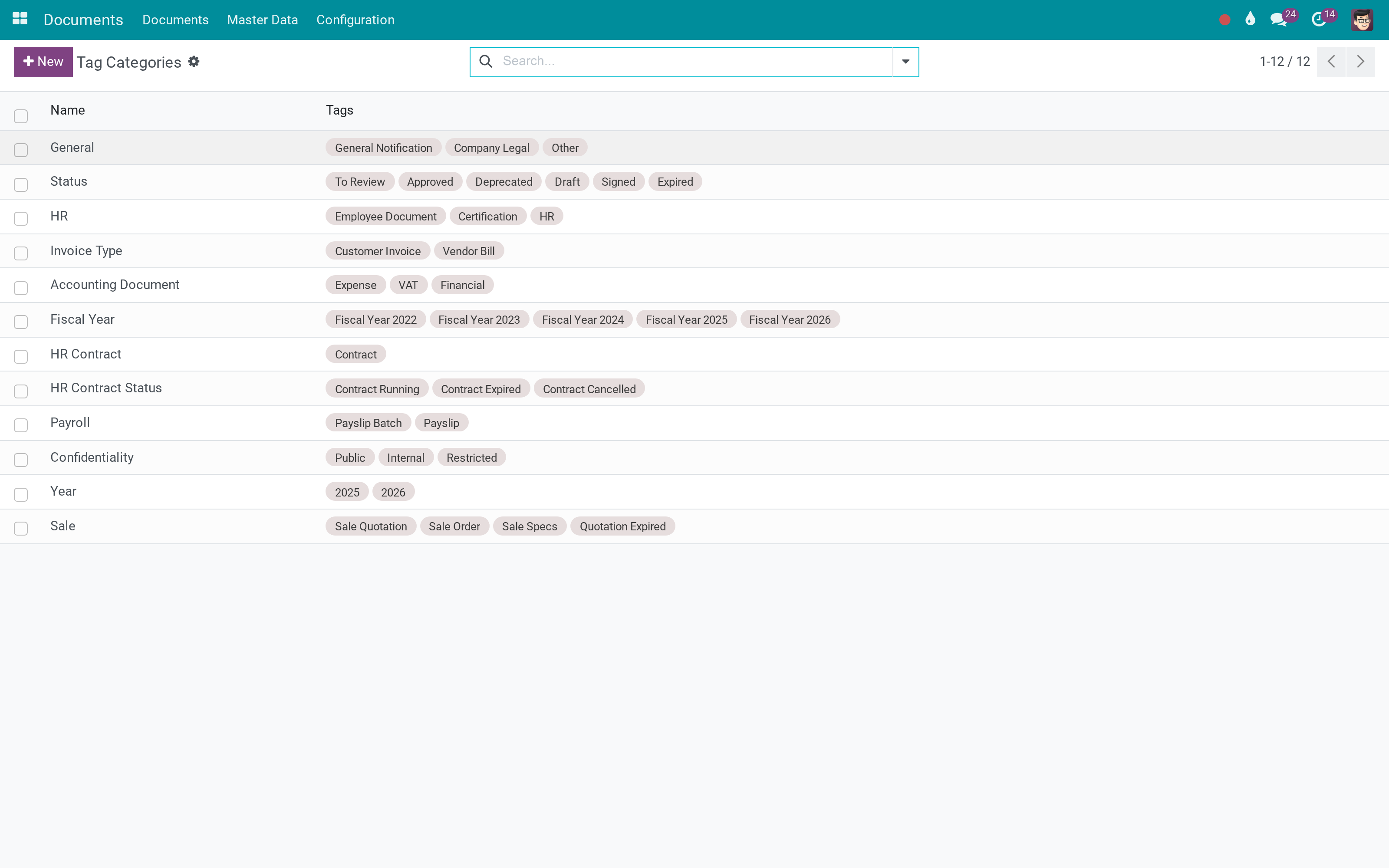
Let the rules do the filing
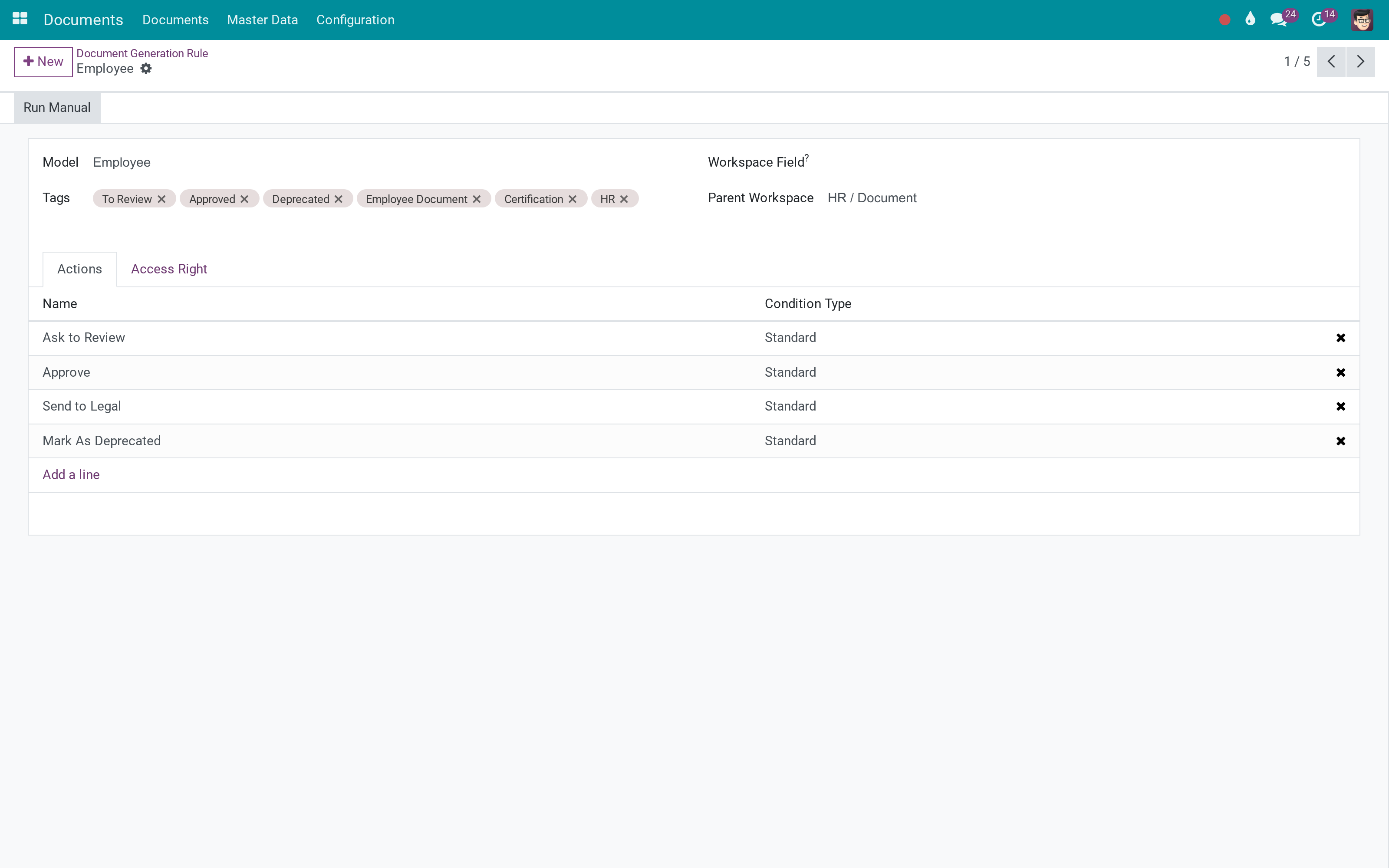
A rule points at a model and files a document whenever a record appears. Document actions then run on what arrives - set a tag, move it to another workspace. This is the part that keeps the library correct after the first enthusiastic month.
What You Get
Workspaces with their own team, so Legal owns the contracts shelf and Finance owns its own
Tags grouped in categories, which is what turns a tag cloud into a filter people can actually use
Generation rules per model: create the document automatically when the record is created, with the fields you map
Document actions: rules that run on a document and set tags, move it, or hand it to someone
Share links to people outside Odoo, with an expiry date and a token that can be rotated
Requests: ask a colleague or a customer for a document and track what has not arrived
More Screens
Everything below was taken on a database seeded with real business data, on this series - not a mock-up and not a screenshot from an older version.
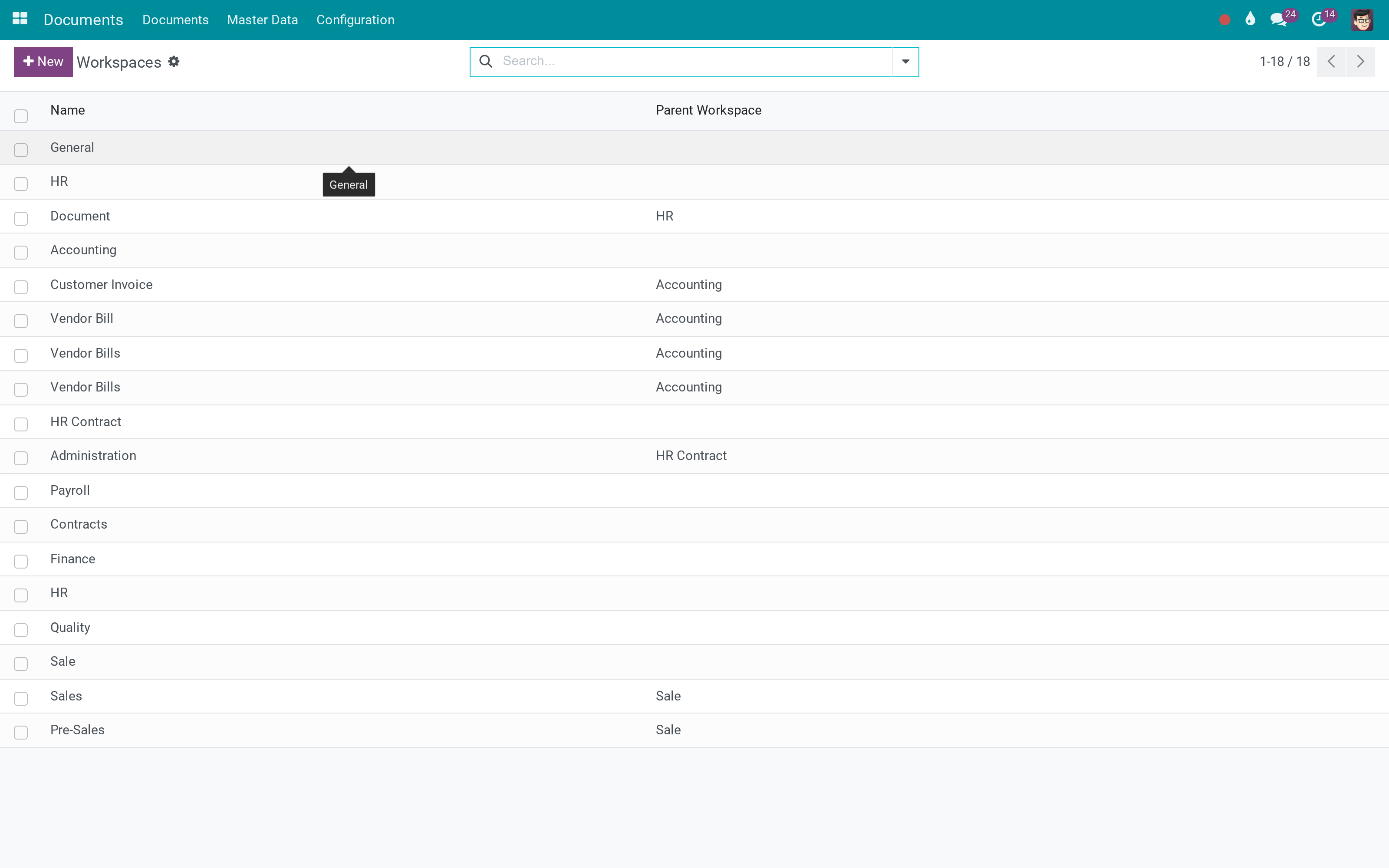
Workspaces, one shelf per department
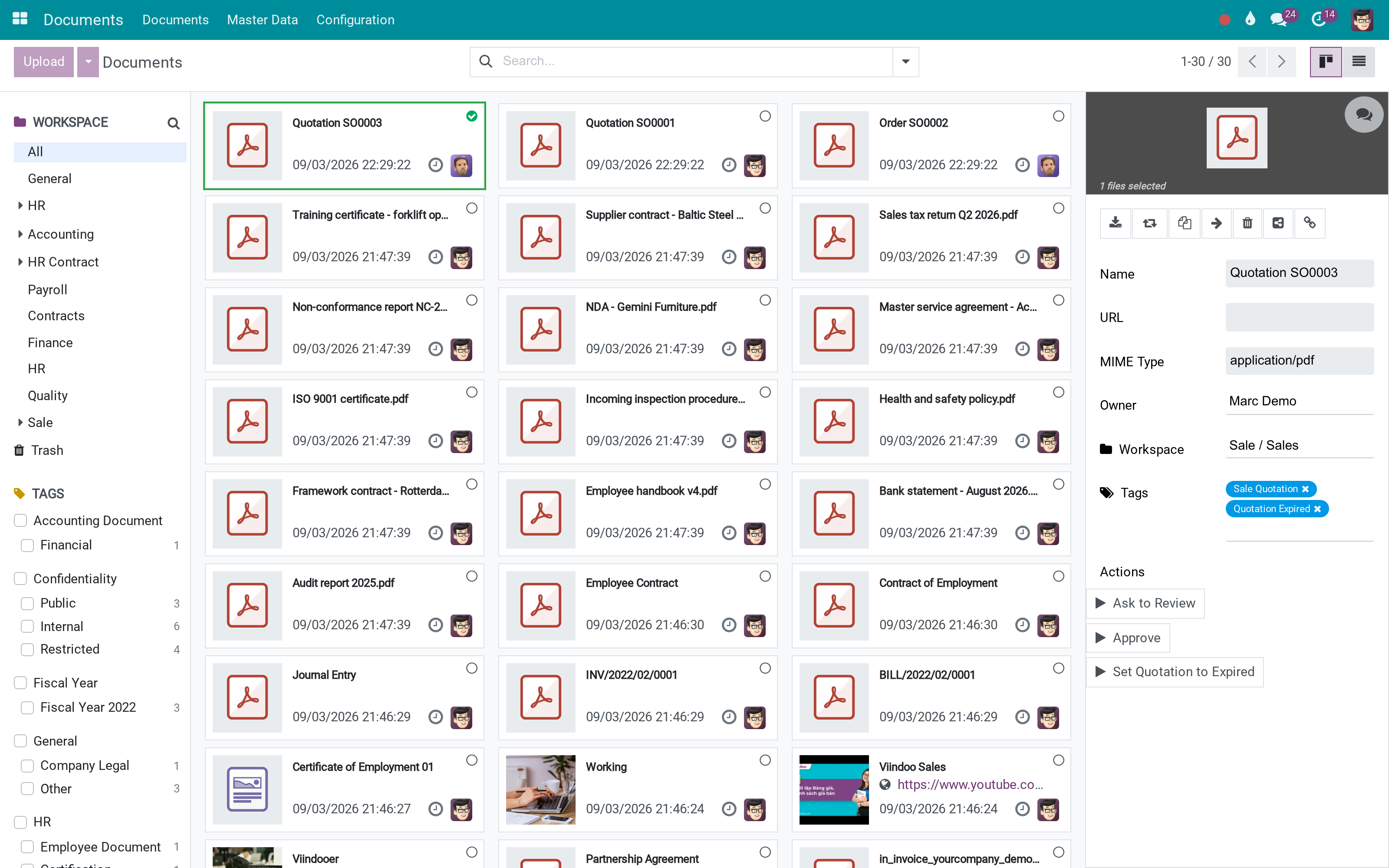
A document with its workspace, tags and preview
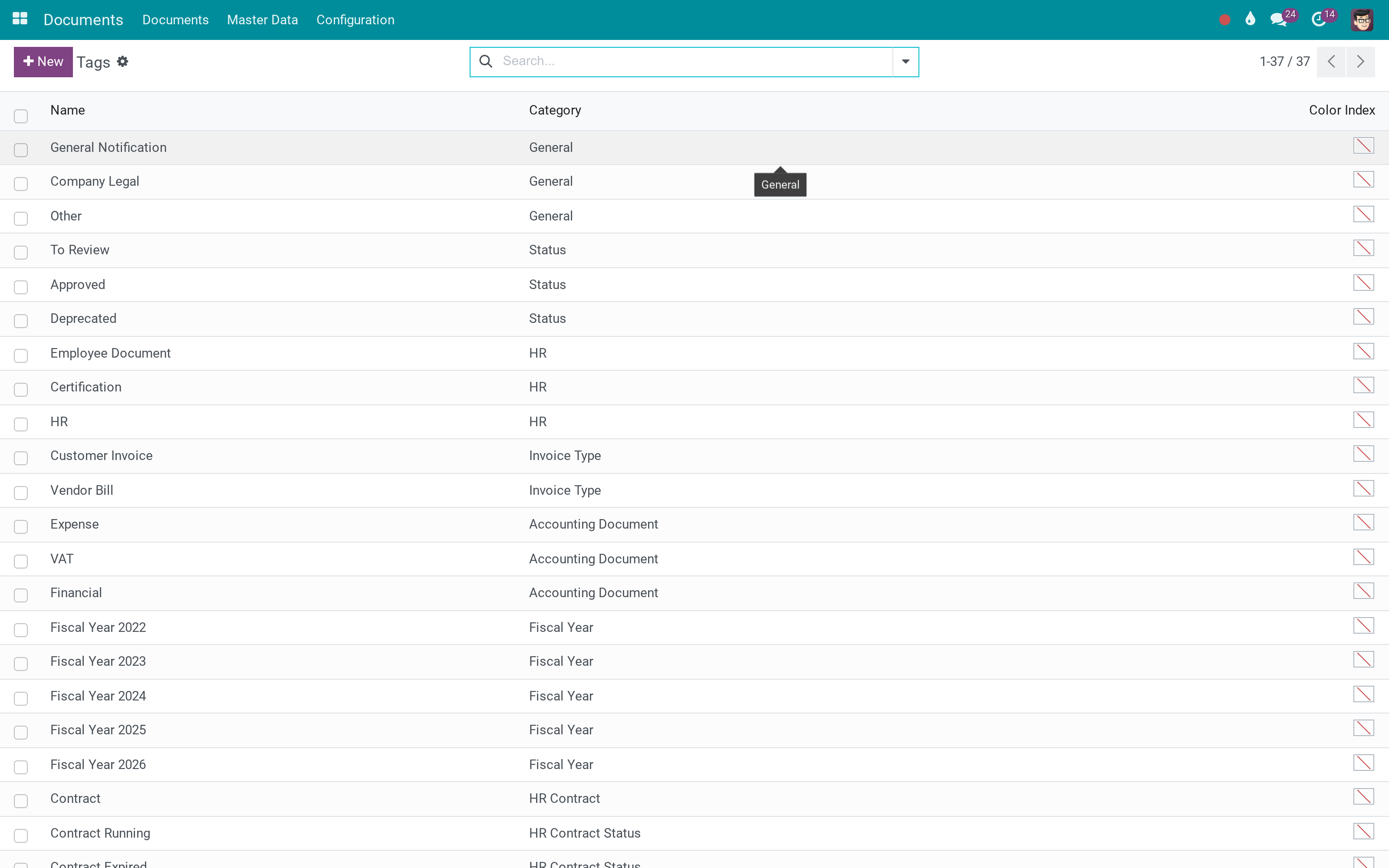
Tags, each in its category
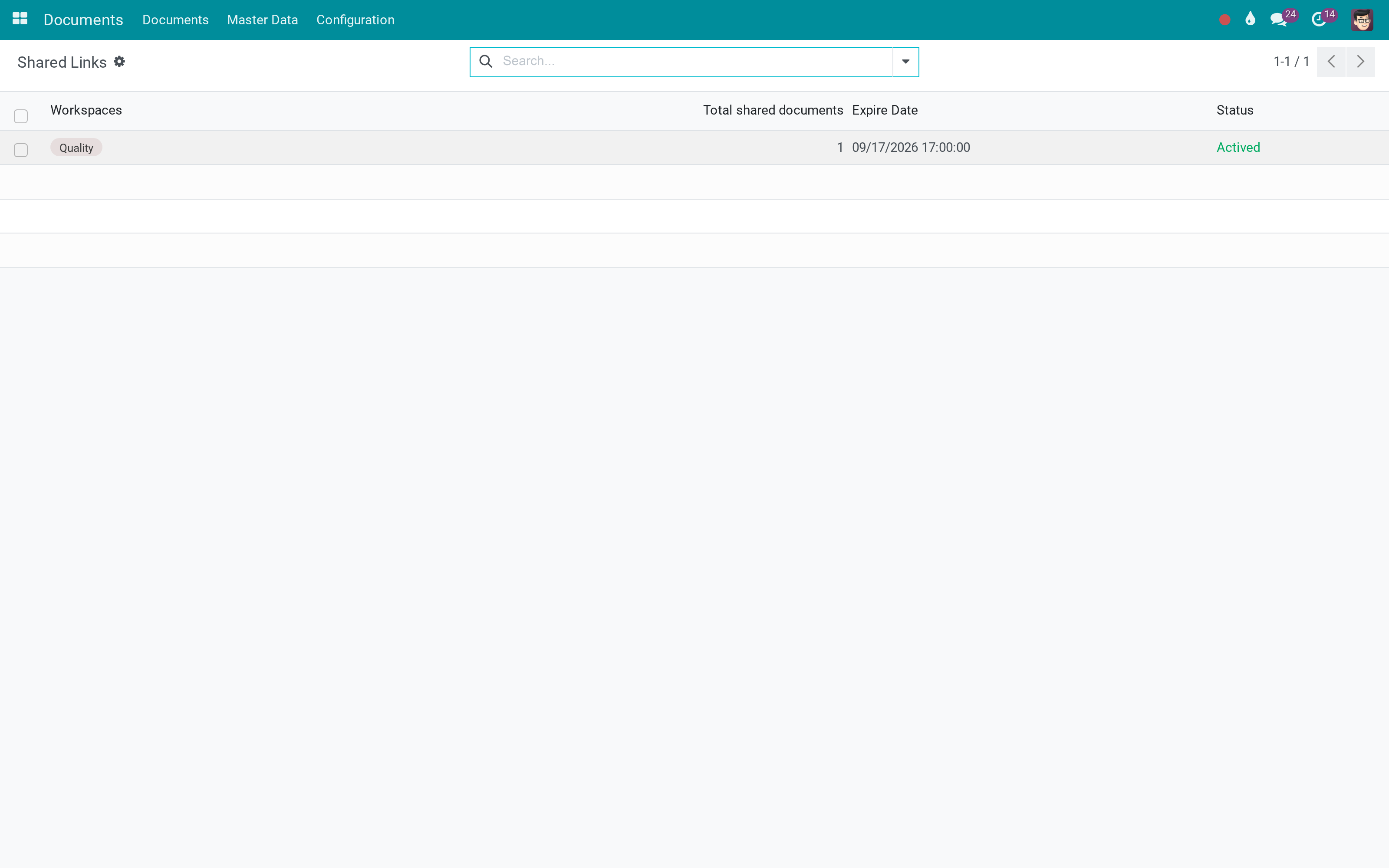
Share links, with the ones that have expired
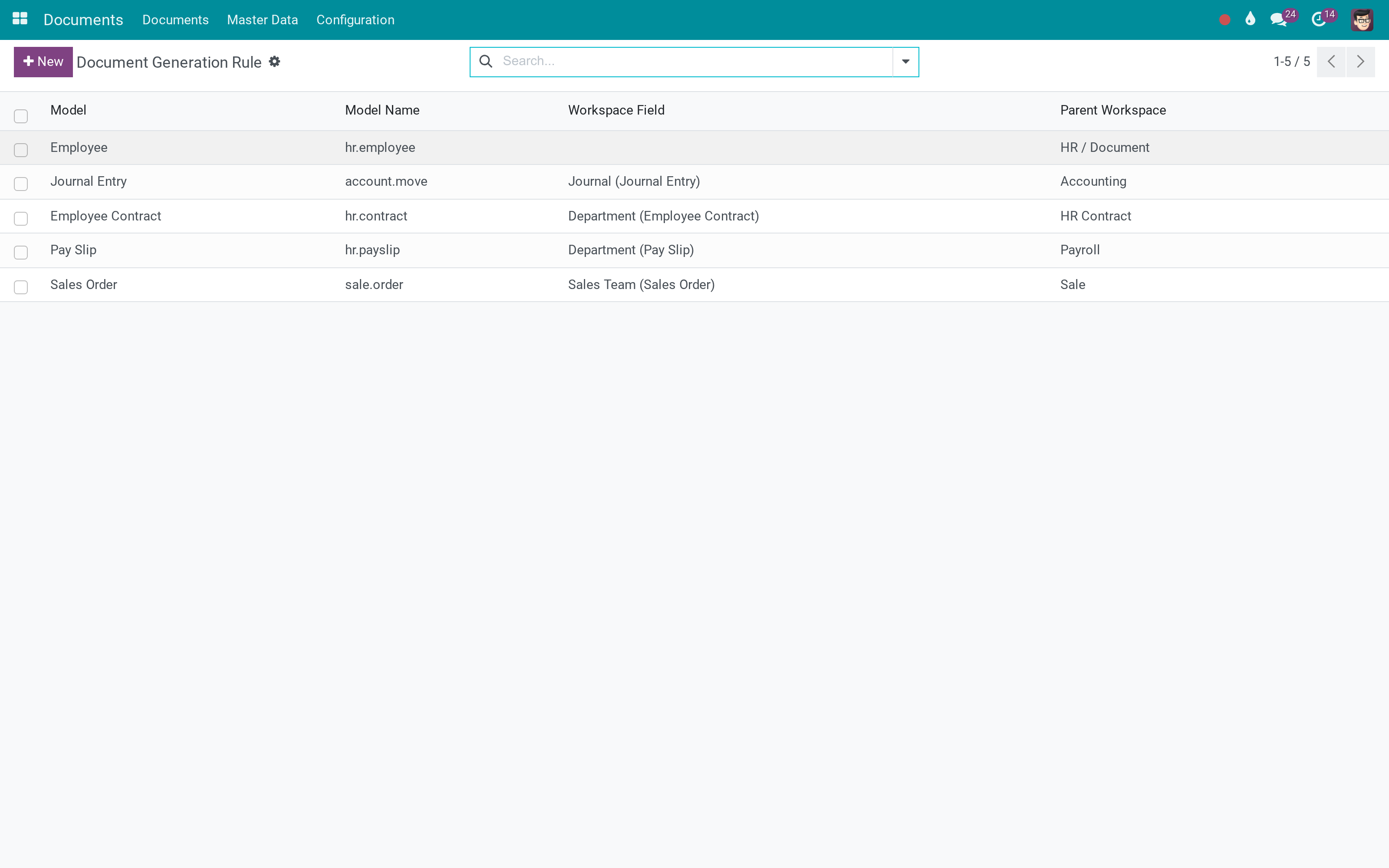
Generation rules, one per model
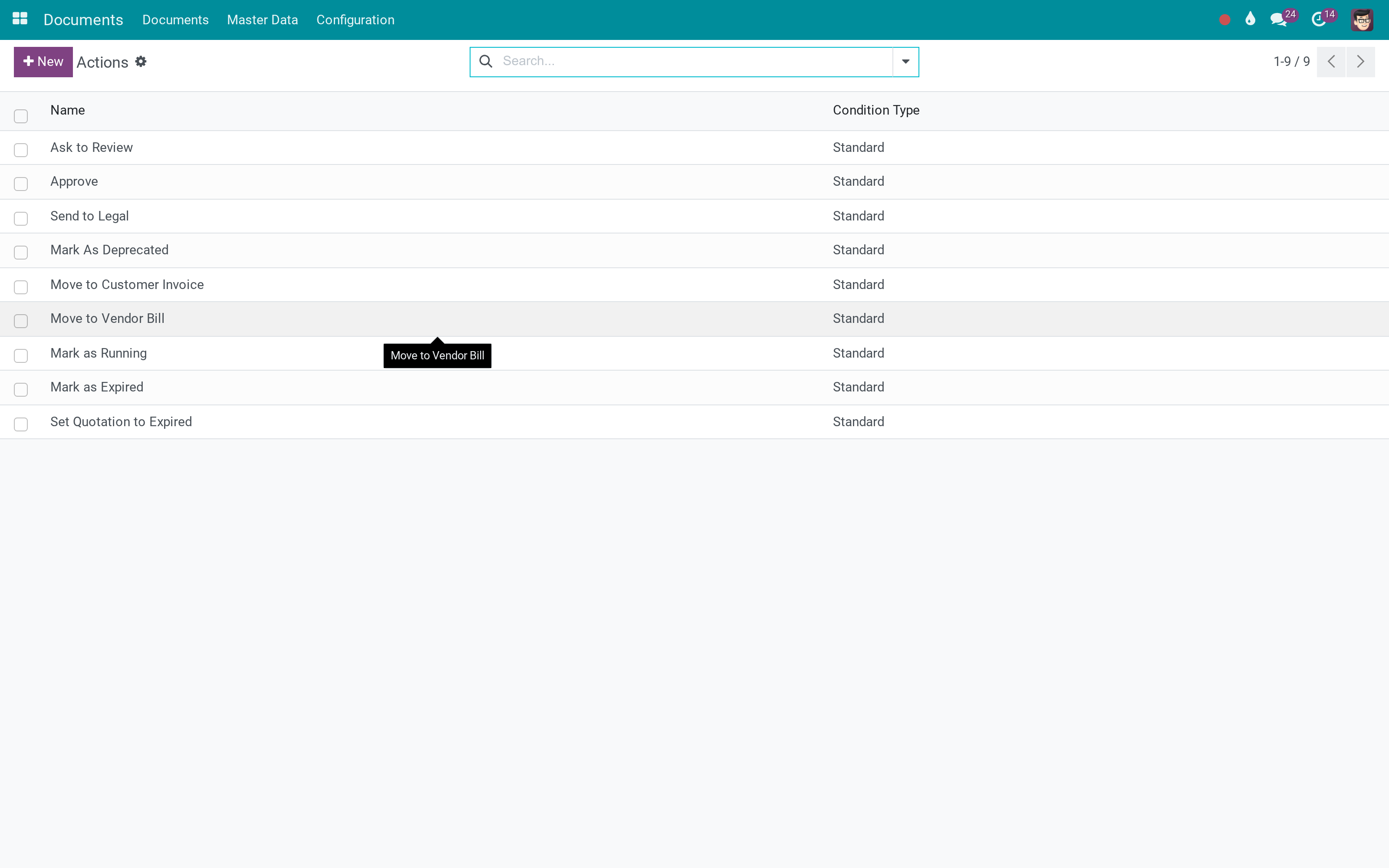
Document actions that run on what arrives
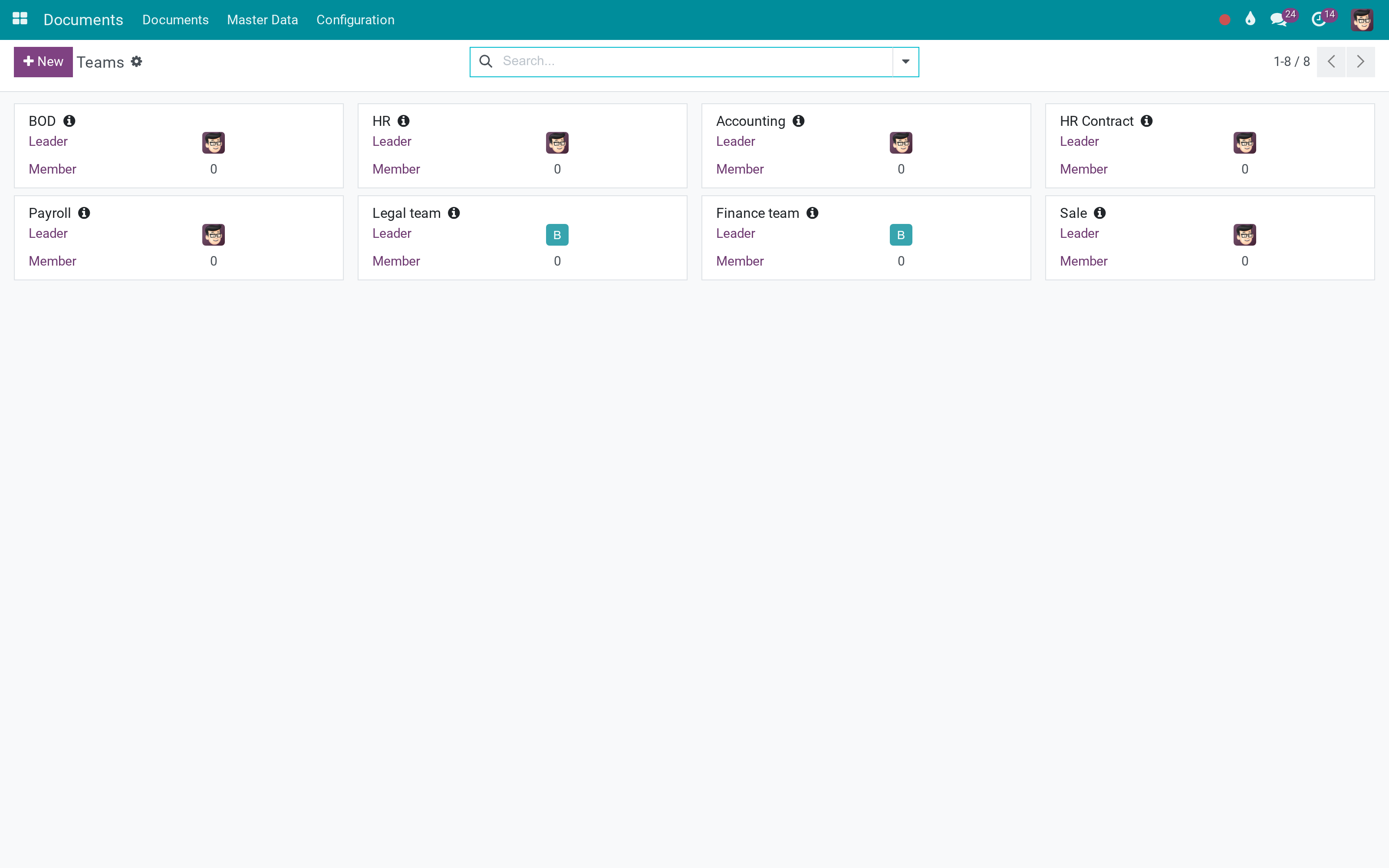
Teams and the shelves they own
What This App Does Not Do
Read this before you buy. Everything below is something the app deliberately leaves to another app or to you.
Documents live in Odoo. Syncing a Google Drive or SharePoint folder both ways is a different product - faOtools sells one, and it costs more than this.
Search covers names, tags and workspaces. Indexing file contents needs the attachment indexation module and its dependencies.
Sign is its own app; this one stores the signed result.
A new version is a new file on the same document. There is no side-by-side comparison of two revisions.
Works Well With
Apps from the same stack, built to fit this one:
Documents for HR
Employee files, contracts and certificates filed against the employee automatically.
Documents - HRWebsite Documentation
When the audience is the public rather than the company.
Website DocumentationDocuments for Freight
Bills of lading, packing lists and customs papers filed per shipment.
Freight & Document IntegrationWho Should Use Documents Management?
Department owner
Owns a workspace, decides its tags and who on the team can see what.
Anyone in the company
Drops a file in the right workspace, or lets a rule file it for them.
Auditor or customer
Opens a share link that expires, without an Odoo account.
Administrator
Writes the generation rules and the document actions, so filing stops being a habit and becomes a system.
Frequently Asked Questions
What does Documents Management do?
Workspaces per department, tags that mean something because they belong to categories, teams who own each shelf, share links that expire - and rules that create the document when the record is created.
What does Documents Management not do?
It is not a cloud-drive connector. Documents live in Odoo. Syncing a Google Drive or SharePoint folder both ways is a different product - faOtools sells one, and it costs more than this. No full-text search inside PDFs out of the box. Search covers names, tags and workspaces. Indexing file contents needs the attachment indexation module and its dependencies. It does not do e-signature. Sign is its own app; this one stores the signed result. Versioning is by document, not by diff. A new version is a new file on the same document. There is no side-by-side comparison of two revisions.
Who is Documents Management for?
Department owner: Owns a workspace, decides its tags and who on the team can see what. Anyone in the company: Drops a file in the right workspace, or lets a rule file it for them. Auditor or customer: Opens a share link that expires, without an Odoo account. Administrator: Writes the generation rules and the document actions, so filing stops being a habit and becomes a system.
Which Odoo version and editions does it support?
Odoo 17.0 - Odoo Community, Odoo Enterprise, Viindoo Cloud. Upgrades to a newer Odoo series are a separate purchase for that series.
What does it depend on?
It installs on top of: viin_mail_tracking, to_token_expiration, attachment_indexation, portal. Odoo installs them with it.
How do I set it up?
Three steps to a library that stays tidy without a librarian.
What works well with it?
Documents for HR (viin_document_hr): Employee files, contracts and certificates filed against the employee automatically. Sign (viin_sign): Sign a document and keep the signed copy in the same library. Website Documentation (to_website_docs): When the audience is the public rather than the company. Documents for Freight (viin_document_freight): Bills of lading, packing lists and customs papers filed per shipment.
Can I try it before buying?
Yes - the Live Preview button at the top of this page opens the module's own screen on a working database.
How do I get support?
Write to apps.support@viindoo.com with your Odoo version and the technical name viin_document; pre-sales questions go to sales@viindoo.com.
See Documents Management in Action
A document library that files itself from the records you already have
Need help with Documents Management?
For questions, implementation support, or consulting services, contact Viindoo.
Pre-Sales & Partnership
sales@viindoo.comWhen contacting us, please include:
- Odoo/Viindoo version (Odoo CE / Viindoo Editions).
- Number of users and business scope.
- Other modules currently in use.
Technical Support
apps.support@viindoo.comFor faster troubleshooting, please provide:
- Order number or app reference.
- Odoo/Viindoo version & edition.
- Steps to reproduce the issue.
- Screenshots/logs if available.
Upgrades to a newer Odoo series are a separate purchase for that series.
Technical Requirement
Changes log
0.2.6 - Latest on the 17.0 line
- Share links carry an expiry date and a rotating token, so a link handed out for a tender stops working afterwards.
- Tag categories group the sidebar filters, with counts per tag.
- Generation rules file documents from any model as its records are created.
- Workspace access follows the owning team rather than a global document group.