Viindoo
Odoo Community
Odoo Enterprise

Logistics Shipment

One shipment record, from booking to delivery - across every transport mode

Plan multi-leg road, sea, air and rail journeys, track cargo, packages and containers, and give customers live self-service visibility - all on a single, neutral shipment data model that works for fleet, trucking, freight forwarding and warehousing alike.

Powering Your Business Growth.
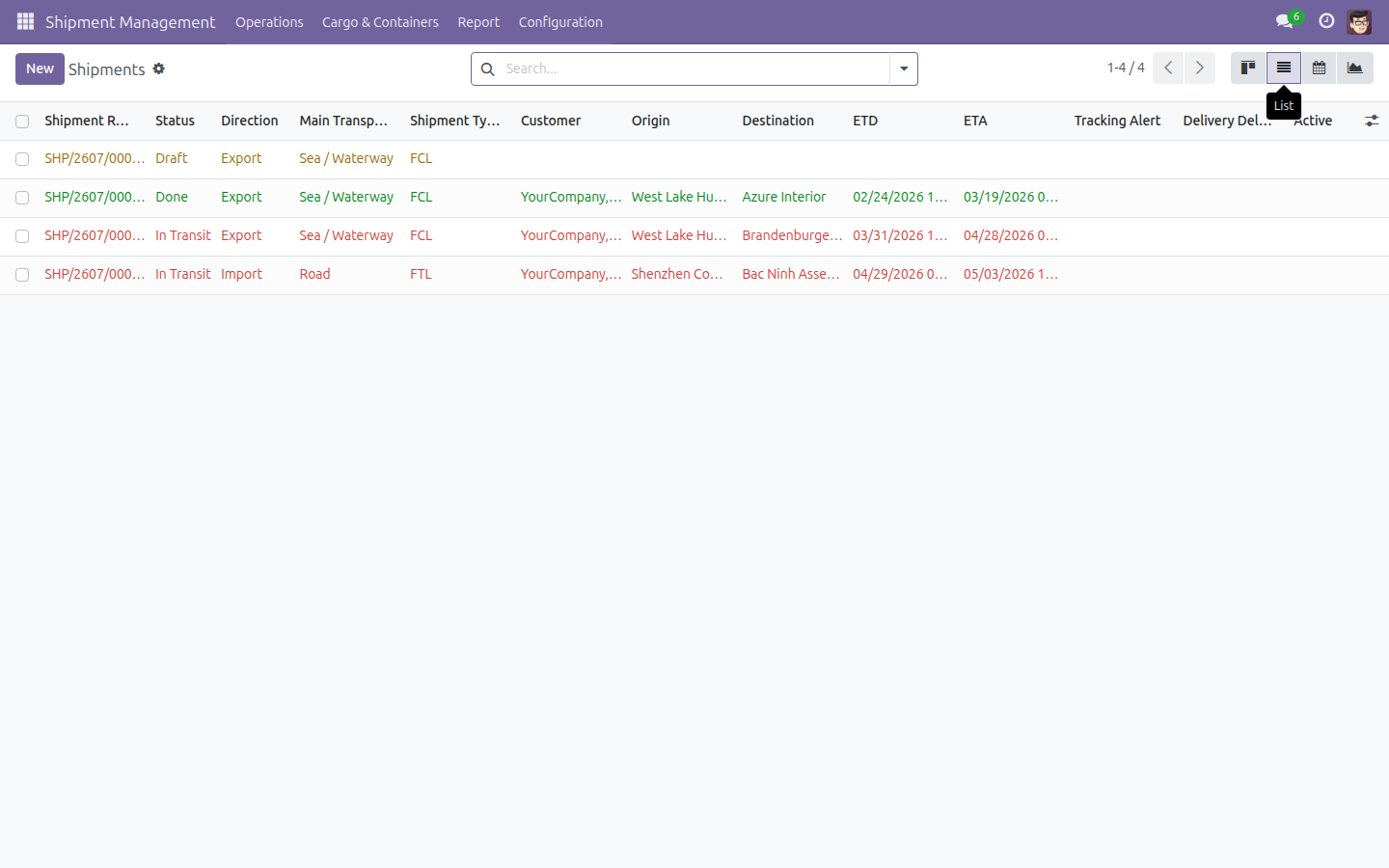
Logistics Shipment - All Shipments overview

Extends viin_logistics_package_type - see its documentation.

Key features

One unified shipment record

Track every shipment from Draft to Confirmed, In Transit and Done in one place, whatever the transport mode. Direction (Import, Export, Domestic), customer, ETD/ETA and actual dates all live on the same record.

Multi-leg, multimodal routing

Build the full journey as an ordered route table - a road leg, an ocean leg, an air leg, a rail leg - each with its own mode, pickup and drop-off address, and planned versus actual departure and arrival times.

Cargo, packages and containers - no stock or product dependency required

Record cargo content, weight, volume and HS classification directly on the shipment; group items into packages with shipping marks; and manage container-level units with seal numbers and automatic weight and volume rollups.

Dangerous-goods ready

Classify hazardous cargo by DG class and UN Number, with proper shipping name, packing group and flash point captured against reusable master data - so compliance detail travels with the shipment.

Live tracking timeline and customer portal

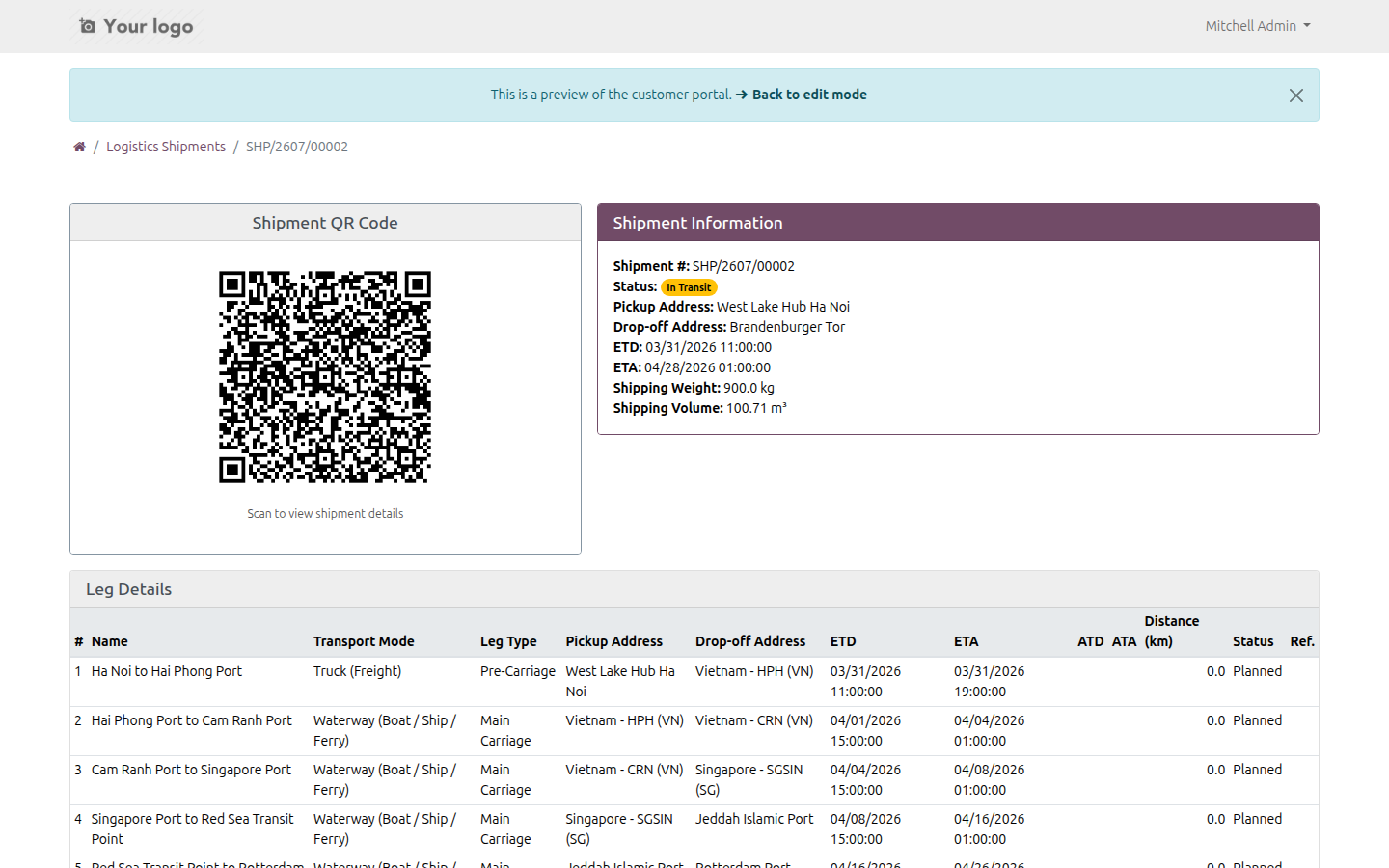
Log location and status events (On Track, At Risk, Off Track, On Hold) against each shipment's own color-coded stage timeline, then publish them so customers follow progress on a self-service portal - no backend access needed.

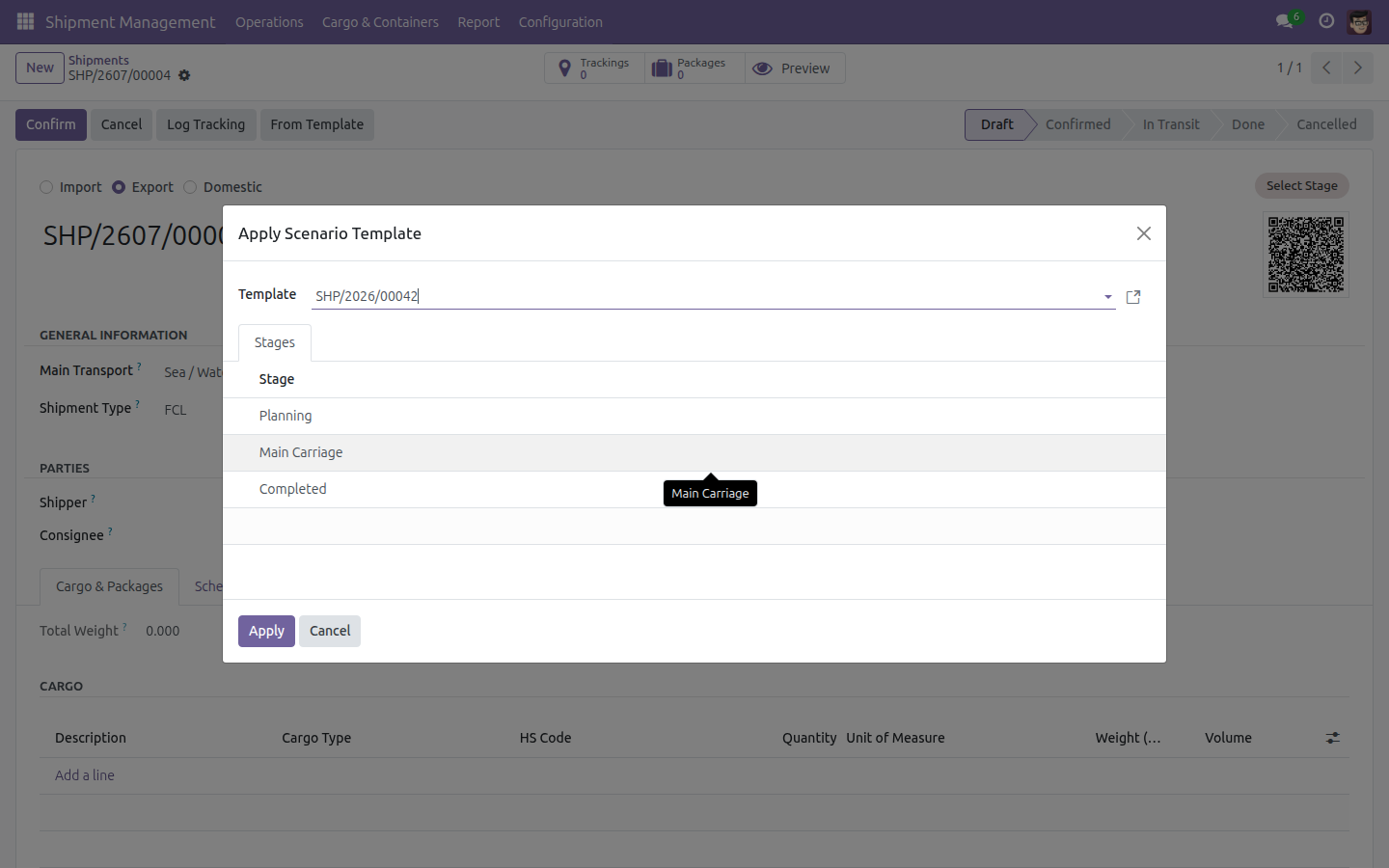
Templates and scenario bootstrapping

Reuse an archived shipment as a template, or apply a scenario template to pre-populate a new shipment's stage timeline in one click - standardising recurring shipment patterns and cutting manual setup.

Ports, cargo and configuration master data

Maintain dedicated directories of sea ports and airports, cargo types, HS codes, package and container profiles, shipment stages, shipment types and color-coded tags - so every new shipment is created from consistent, codified data.

Built-in analytics and delay detection

Surface delayed shipments the moment they run behind schedule, and analyse volume and performance by month, by trade lane (origin/destination) and by delivery status to catch problems early.

Business outcomes

A single source of truth for every shipment. Replace scattered spreadsheets and email threads with one unified record spanning all transport modes and directions.

React to delays before customers complain. The Delayed Shipments view and live tracking updates flag at-risk shipments early, so operations act first.

Fewer "where is my shipment?" calls. Self-service portal visibility, complete with tracking timeline and shareable QR link, cuts inbound customer inquiries.

Faster, more consistent shipment creation. Templates, shipment types and scenario templates standardise repetitive work and remove re-keying.

A neutral foundation that scales with your business. Business-agnostic by design, it becomes the base you extend with Sales quoting, Fleet Booking and Cargo Templates when you need them.

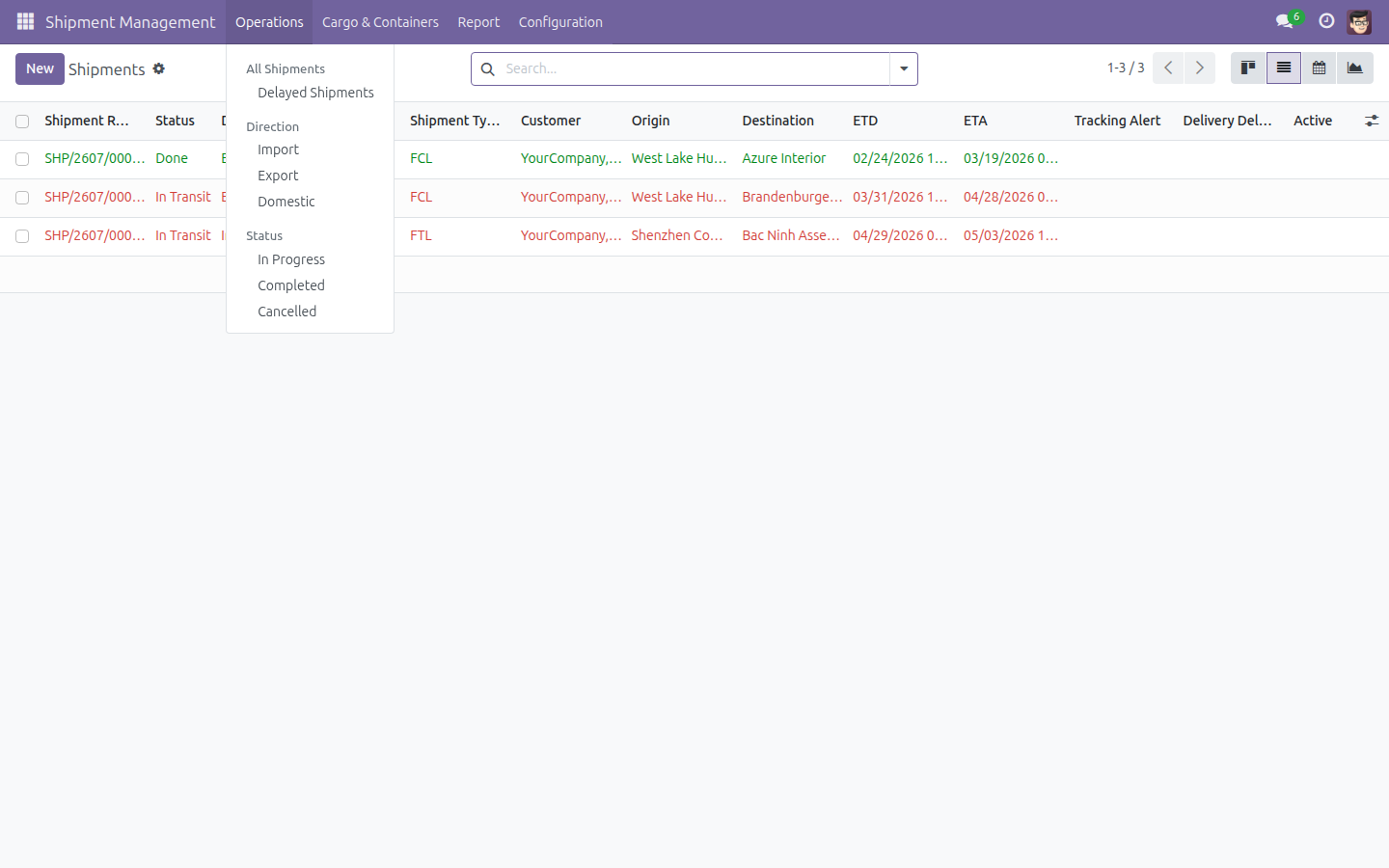
All Shipments In One List

All shipments in one list - filter by direction, status or delay, whatever the transport mode.

All Shipments In One List

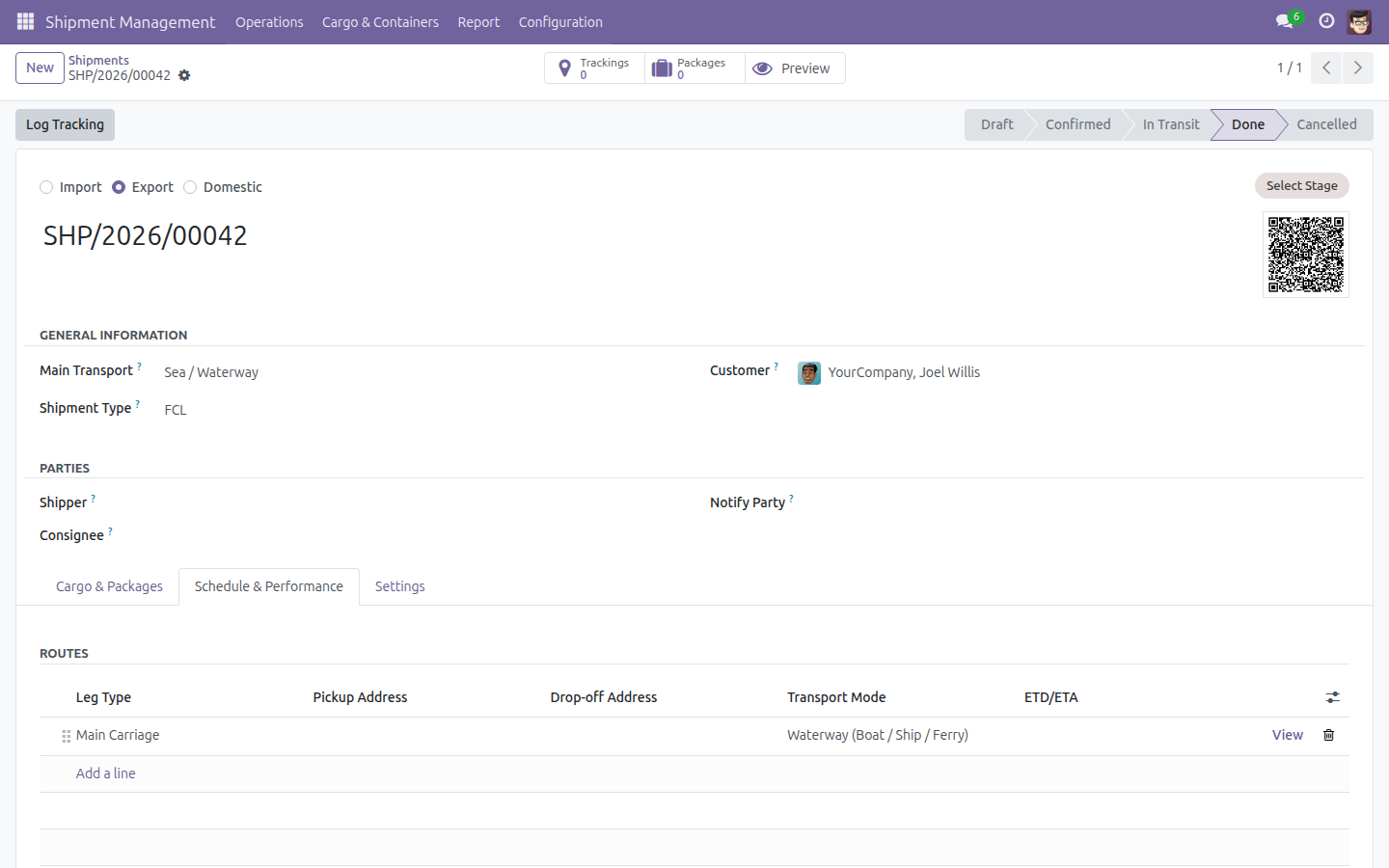
One Record, Draft Through Done

A single shipment record carries direction, customer, transport mode, the multi-leg route table and its planned versus actual dates from Draft through to Done.

One Record, Draft Through Done

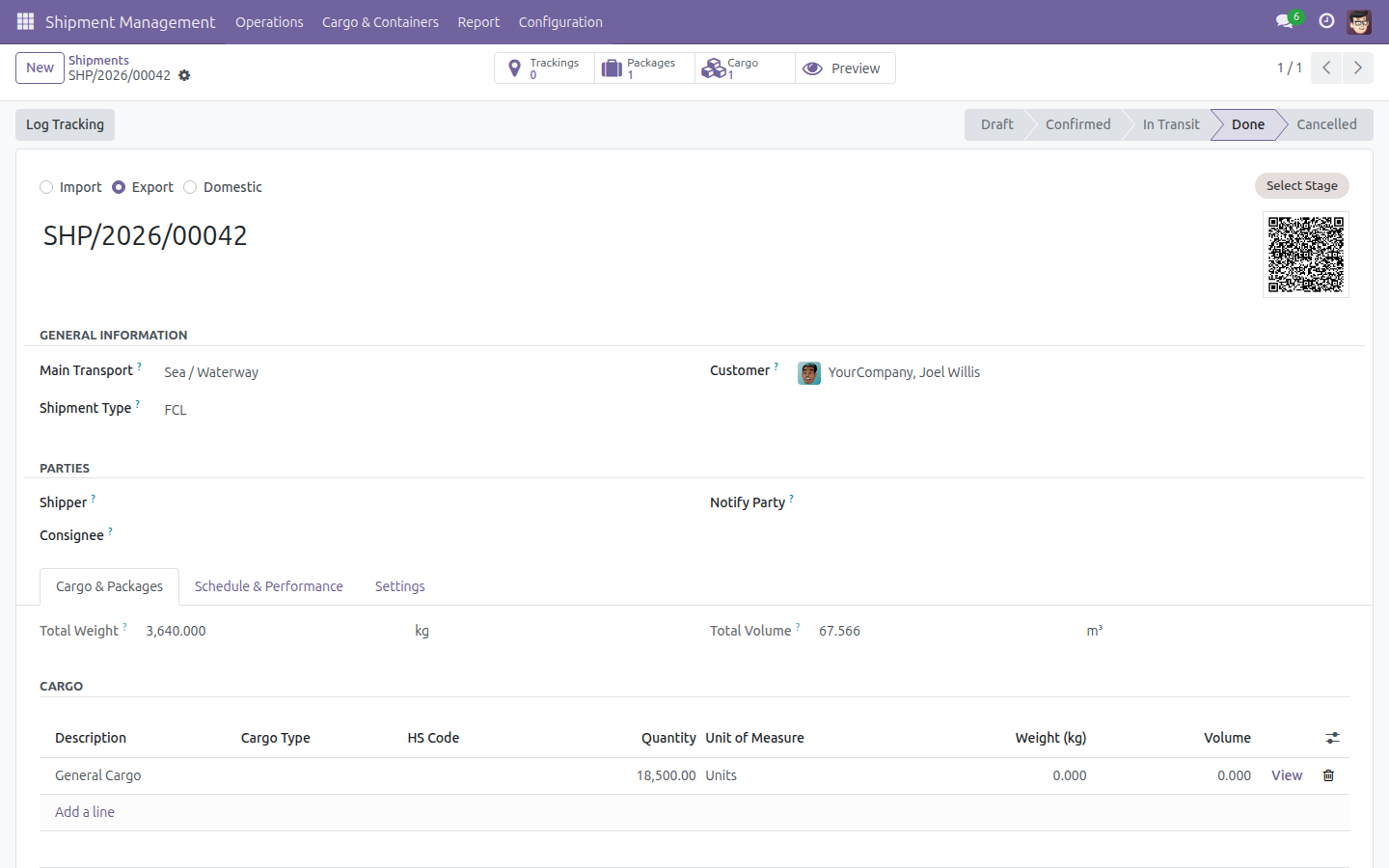
Pack Cargo Into a Container

Pack cargo into a container - record the container and seal number, add packages, and watch total weight and volume roll up automatically.

Pack Cargo Into a Container

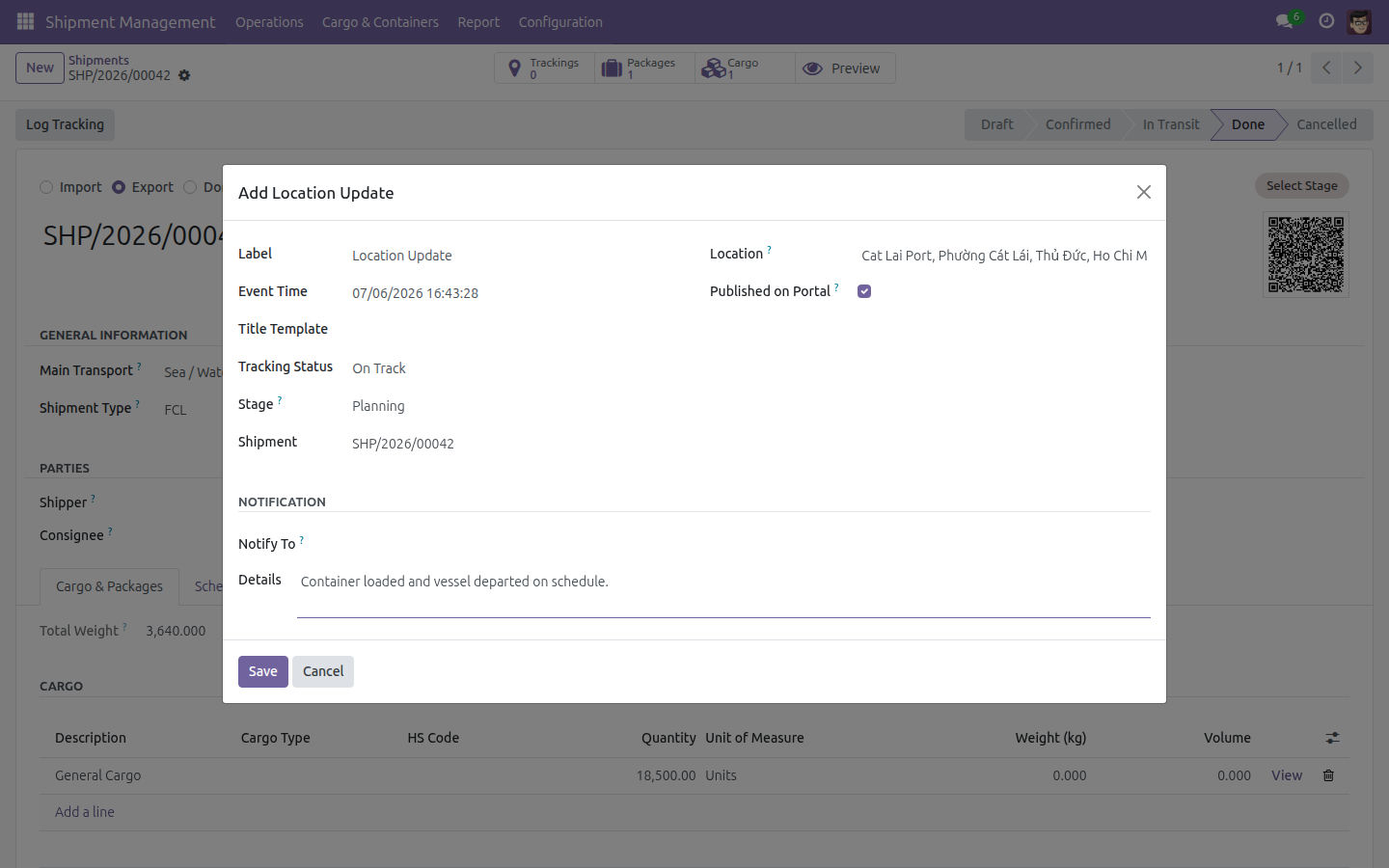
Log and Publish a Tracking Update

Log a tracking event against the shipment's stage timeline and publish it to the customer in the same step.

Log and Publish a Tracking Update

Bootstrap a Stage Timeline from a Template

Bootstrap a new shipment's ordered, color-coded stage timeline from a reusable template in one click.

Bootstrap a Stage Timeline from a Template

Customers Self-Track on the Portal

Customers self-track on the portal - current status, schedule and the full published tracking history, with no backend access.

Customers Self-Track on the Portal

Need help with Logistics Shipment?

Viindoo Support

Questions, pre-sales or technical support - our team is one email away.

apps.support@viindoo.com

Technical Requirement

  • Odoo version: 17.0
  • Editions: Community, Enterprise
  • Required modules: viin_logistics_package_type, viin_qrcode, base_automation, viin_tracking_location, base_setup
  • License: OPL-1

Who it's for

Logistics and operations managers

who need one view of every shipment across modes and directions.

Freight forwarders, 3PL and warehouse teams

coordinating multi-leg, multimodal journeys and container handling.

Dispatchers and operators

running shipments day to day - booking, routing, packing, tracking.

Customer-service teams

who resolve status queries fast and let customers self-serve on the portal.

Customers and partners

who want live, self-service visibility of their own shipments.

Implementers and product teams

who want a neutral shipment, leg, cargo, package and container data model to build fleet, trucking, freight and warehousing solutions on.

Get started

Give your team one home for every shipment - and your customers a live window into theirs. Install Logistics Shipment today and power your business growth.

Try the Live Demo Learn More